What is IT automation? Everything you need to know
In today’s fast-moving world, businesses constantly seek ways to improve efficiency and reduce costs. One of the key methods they use to achieve this is IT automation.
But what exactly is IT automation, and why is it so important for organizations of all sizes?
In this blog, we’ll dive into what IT automation is, its benefits, and how it can transform the way businesses operate.
What is IT automation?
IT automation is the process of using technology to perform routine IT tasks without the need for human intervention. These tasks can range from simple things like file backups to more complex operations such as server management or cloud orchestration. Organizations can reduce the time and effort needed to complete these processes by automating them, allowing IT teams to focus on more strategic initiatives.
Automation tools can take over repetitive, manual tasks like software updates, security monitoring, and system maintenance, enabling companies to operate more smoothly. In essence, IT automation helps make processes more predictable, reliable, and efficient by minimizing human error.
Types of IT automation
There are several types of IT automation used in modern organizations. Each type is tailored to specific tasks or operations, enabling companies to automate a wide range of activities.
Here are the main types:
- Infrastructure automation: This type focuses on automating the setup, management, and maintenance of IT infrastructure. It helps to streamline tasks like network configurations, server setups, and cloud management. By using infrastructure automation, companies can quickly deploy and scale resources as needed.
- Application deployment automation: This is used to simplify the process of deploying software applications across servers or networks. Automating this process ensures that new software releases are deployed consistently and without errors, minimizing downtime and improving reliability.
- Security automation: Security automation involves automating tasks such as vulnerability scanning, patch management, and incident response. With this in place, companies can quickly identify and mitigate security threats without manual oversight, enhancing their overall cyber security posture.
- Process automation: This covers a broad range of IT operations, from managing workflows to automating customer service systems. Process automation can be used across various departments to streamline operations, ensuring smoother and faster workflows.
Quick link: What is GRC automation? How to get started?
Why is IT automation important?
IT automation has become a game-changer for many organizations. Here are the primary reasons why it’s essential:
- Increased efficiency: Automation reduces the time and effort needed to perform routine IT tasks. Without the need for manual intervention, businesses can complete these tasks faster and with fewer mistakes. This increased efficiency allows IT teams to focus on more important projects.
- Cost savings: By automating repetitive tasks, companies can cut down on labor costs and operational expenses. Since machines can perform these tasks continuously and without rest, businesses can achieve significant cost savings over time.
- Improved reliability: Manual processes are prone to errors, which can lead to system failures, security risks, or downtime. Automation eliminates human error, ensuring that tasks are completed consistently and accurately every time.
- Scalability: As businesses grow, their IT infrastructure and operations become more complex. IT automation allows companies to scale their operations without having to hire additional staff. This ensures that businesses can handle increased workloads more effectively.
- Enhanced security: Automation improves an organization’s security posture by continuously monitoring systems, identifying vulnerabilities, and applying patches as soon as they’re available. This reduces the risk of cyberattacks and data breaches.
- Better resource management: With IT automation, businesses can optimize their resources by automatically allocating computing power, storage, and bandwidth. This leads to more efficient resource use and reduces the risk of system overload.
Examples of IT automation in action
Let’s take a closer look at some real-world examples of how IT automation is used in various industries:
- Cloud management: Many companies use IT automation to manage their cloud environments. Automation tools can automatically deploy new virtual machines, balance workloads, and manage resources based on real-time demand. This allows businesses to use the cloud more efficiently and cost-effectively.
- Backup and disaster recovery: IT automation is widely used to automate data backups and disaster recovery processes. Instead of manually scheduling backups, companies can use automation tools to automatically back up data at regular intervals. In the event of a disaster, these tools can automatically restore critical data to ensure business continuity.
- Software deployment: Companies that frequently release software updates or new applications rely on IT automation to deploy these updates across their networks. Automation ensures that these deployments are consistent and error-free, reducing downtime and improving user experience.
- Security monitoring: Cyber security is another area where IT automation plays a crucial role. Automated tools continuously monitor systems for security threats, such as malware or unauthorized access. These tools can alert IT teams or take action automatically to mitigate threats.
Quick link: What is security questionnaire automation?
Challenges of IT automation
While IT automation offers many benefits, it’s not without its challenges. Organizations may face the following hurdles when implementing automation:
- Initial setup costs: The tools and infrastructure needed for IT automation can be expensive to implement. This can be a barrier for small businesses with limited budgets.
- Complexity: Setting up automation requires specialized knowledge and expertise. If not done correctly, automation tools can cause more problems than they solve.
- Maintenance: Automation tools require regular updates and maintenance to ensure they continue functioning properly. This can be an ongoing challenge for organizations with limited IT resources.
- Over-reliance on automation: Some organizations may become too reliant on automation, which can lead to complacency. It’s essential to continue monitoring systems and processes even after automation is implemented to ensure they are working as intended.
How to implement IT automation in your business
To successfully implement IT automation, follow these steps:
- Assess your needs: Start by identifying which tasks or processes are most time-consuming or error-prone in your organization. This will help you determine where automation can have the most impact.
- Choose the right tools: There are many IT automation tools available, each with different capabilities. Research the options to find the one that best suits your organization’s needs.
- Train your team: IT automation tools require specialized knowledge to set up and manage. Make sure your team receives the necessary training to ensure the tools are used effectively.
- Monitor and optimize: After implementing automation, regularly monitor the tools to ensure they are functioning correctly. Be prepared to make adjustments as needed to improve performance.
Automating your GRC program with CyberArrow
As businesses are adopting IT automation, it’s important to also automate governance, risk, and compliance (GRC) processes. CyberArrow GRC offers a comprehensive solution for organizations looking to streamline their compliance efforts. With CyberArrow, you can automate tasks like risk assessments, compliance reporting, and security monitoring, all while ensuring your organization stays compliant with industry regulations.
Here’s why CyberArrow GRC is the ideal solution for your business:
- Automated risk assessments: Conduct real-time risk assessments with ease, eliminating manual processes.
- Compliance monitoring: Stay compliant with industry regulations by automating compliance checks and reports.
- Proactive security alerts: Get notified instantly when compliance thresholds are at risk.
- Streamlined reporting: Generate compliance reports automatically, saving time and effort for your IT teams.
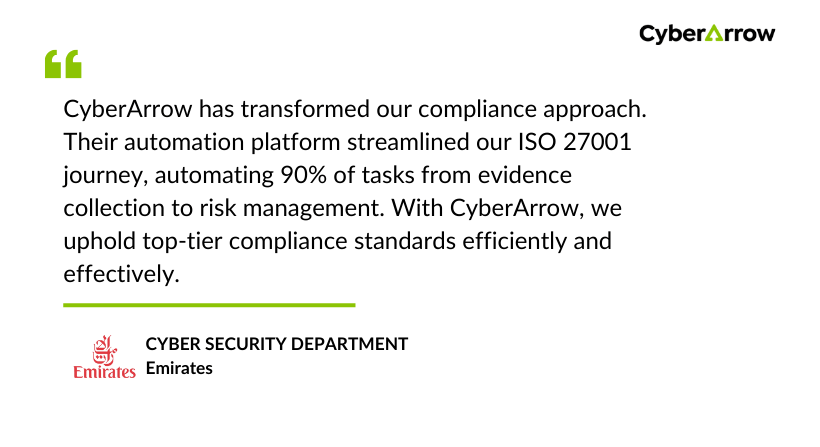
See what Emirates has to say about CyberArrow GRC: