What is policy documentation and why it matters for your business
Every business runs on rules; the way decisions are made, processes are handled, and risks are managed. When those rules are not written down, people guess, interpret, or apply them inconsistently. That’s where policy documentation can help. It’s the backbone of governance, compliance, and operational clarity. Well-written policies help employees know what’s expected, help management enforce standards, and help regulators or auditors verify that the company is doing what it says it does.
As regulations evolve quickly and customers demand transparency, policy documentation is no longer optional. It’s an essential practice for companies of all sizes.
Let’s learn what policy documentation is and how to write a policy for your business.
What is policy documentation?
Policy documentation is the formal written record of a company’s rules, standards, and expectations. It explains how certain processes should be handled, who is responsible for them, and why those rules exist.
A typical policy document may include:
- Purpose: Why the policy exists and what it protects.
- Scope: Where and to whom it applies.
- Roles and responsibilities: Who enforces and who follows it.
- Procedures: Step-by-step guidance or references to them.
- Regulatory references: Laws or standards the policy aligns with.
- Version control: Dates, approvals, and updates.
These documents serve as a single source of truth. They keep everyone on the same page and ensure consistency, especially in regulated industries.
Also learn: Policy management software: Key to simplifying compliance
Why policy documentation is important
Policy documentation delivers value in several ways:
- Provides clear direction and reduces confusion across teams.
- Ensures compliance with legal, regulatory, and industry requirements.
- Minimizes risks by defining preventive and corrective measures.
- Demonstrates accountability during compliance audits or legal reviews.
- Builds trust with clients, partners, and regulators.
- Streamlines onboarding and training for new employees.
Without formal policies, even well-meaning teams can create risks, from mishandling sensitive data to violating contractual obligations.
How to write your business policy
Writing a policy is not just about filling in a template. It’s about translating your organization’s needs, risks, and obligations into clear, actionable guidance.
Here’s a practical way to approach it:
1. Identify the purpose and scope
Every policy should have a clear purpose. Without it, people won’t know why the rules matter or who should follow them. Defining the policy’s purpose helps ensure it solves the right problem and sets the right boundaries. You should also decide which teams, roles, or processes the policy applies to, so there’s no confusion later.
For instance, if you’re drafting an information security policy, you might state that its purpose is to protect sensitive company and client data from unauthorized access. You would note that it applies to all employees, contractors, and vendors who handle company data or systems. This clarity ensures no one assumes they’re excluded from following it.
2. Understand the legal and compliance requirements
Never create policies in isolation. Align them with laws, regulations, and industry standards. Mapping these requirements early avoids rewriting later and ensures you don’t miss anything important. This step often involves reviewing contractual obligations, regulatory mandates, and best practice frameworks relevant to your industry.
Using the same information security example, you might review GDPR or CCPA for data privacy rules, ISO 27001 for best practice security controls, and any specific client requirements for safeguarding shared information. This ensures the policy documentation supports not only internal goals but also external obligations.
3. Involve stakeholders
A policy written without input from those who will use or enforce it is often ineffective. By including key stakeholders, like department heads, compliance officers, HR, and technical teams, you gain valuable insight into what’s practical and what’s needed. This also builds buy-in, which makes adoption smoother later.
For an information security policy, this might mean bringing together IT to cover technical controls, legal to review regulatory fit, and HR to ensure employee responsibilities are clearly defined in a way that fits your company’s culture.
4. Set out clear roles and responsibilities
People need to know not just what to do but who is accountable for what. Define ownership and responsibility to ensure policies are followed and maintained over time. It also gives auditors or regulators a clear view of accountability if something goes wrong.
In our example, the IT Director could own the policy and employees could be responsible for following access and password rules. Moreover, vendors might be required to sign agreements acknowledging that they meet the company’s security requirements.
5. Write in plain, practical language
Complex or overly legalistic policies are often ignored. The best policies are easy to read, free of jargon, and specific enough to guide action. Use short sentences, define any technical terms, and avoid vague statements that leave room for misinterpretation.
For example, instead of writing “Employees must maintain adequate password security,” the policy could say, “Employees must use passwords with at least 12 characters, including one uppercase letter, one number, and one special character. Passwords should never be shared with anyone inside or outside the company.” It’s clear, direct, and actionable.
6. Align the policy with business processes
Policies shouldn’t describe an ideal world; they should match real processes. If there’s a gap between what’s written and what’s done, compliance will fail. It’s better to adjust either the process or the policy so they work together.
For instance, if the company already uses a single sign-on platform, the policy should refer to it as the primary method for account access, rather than inventing a separate login requirement that employees won’t follow.
7. Approve, communicate, and educate
Even the best policy is useless if people don’t know about it. Once the content is ready, it should be formally approved, shared with everyone it applies to, and supported by training if needed. Make the policy easy to access and explain why following it matters to the business.
For the information security policy, the leadership team might approve it, HR could include it in onboarding, and IT could host short sessions showing employees how to follow key requirements like reporting incidents or using secure passwords.
8. Review and update regularly
Laws, risks, and business needs change over time. Policies should evolve with them. Setting a review cycle, like once a year or after major incidents, ensures policies stay relevant and reliable.
In the case of the information security policy, a scheduled annual review, or an immediate review following a data breach or regulatory update, would keep it up to date and effective.
Common types of policies businesses need
Below is an illustration of what different types of policy may involve. This table is not exhaustive. The exact policies you need depend on your industry, size, and risk profile.
| Policy Type | Purpose | Compliance relevance |
| Information security | Protects data and IT assets | ISO 27001, NIST |
| Data privacy | Governs personal data handling | GDPR, CCPA |
| Business continuity | Ensures critical operations during disruptions | ISO 22301 |
| Risk management | Identifies and mitigates organizational risks | ISO 31000, COSO ERM |
| Third-party management | Governs vendor and supplier relationships | SOC 2, DORA |
Best practices for effective policy documentation
Well-structured policies improve day-to-day operations, reduce confusion, and make audits or certifications much easier to handle.
Here are some practical best practices to follow:
- Use consistent templates: Having a standard format for all policies makes them easier to read, compare, and update. Templates save time and ensure no critical sections are missed. For example, every policy can follow the same order: purpose, scope, responsibilities, procedures, and review cycle.
- Keep policies accessible: A policy is only effective if people can find and use it. Store your documents in a centralized, digital location, such as an internal portal or document management system, where employees can quickly search and reference the latest version when needed.
- Integrate with compliance frameworks: Instead of writing separate policies for each regulation, map them to multiple standards (like ISO 27001, SOC 2, GDPR, HIPAA) at once. This avoids duplication, reduces maintenance work, and makes demonstrating compliance to external auditors more efficient.
- Track version control and approvals: Always know which version is active and who signed off on it. Use version numbers, dates, and approval logs. This helps avoid employees following outdated instructions and shows auditors that policies are appropriately reviewed and maintained.
- Link policies to audits: Policies are often reviewed during internal and external audits. Linking each policy to relevant controls, risks, or compliance requirements makes audits faster and less stressful. Well-documented, well-organized policies demonstrate maturity and readiness to regulators, partners, and customers.
Make policy documentation and audits easier with CyberArrow
Manual policy documentation can be slow, inconsistent, and error-prone. CyberArrow automates much of this process, making it faster to create, update, and align policies with the standards your business needs to follow. Our platform keeps you audit-ready, helps track policy versions, and seamlessly integrates compliance requirements, all in one place.
Schedule a free demo today and see how easy it is to manage policies, stay compliant, and keep your business moving without worrying about documentation gaps.
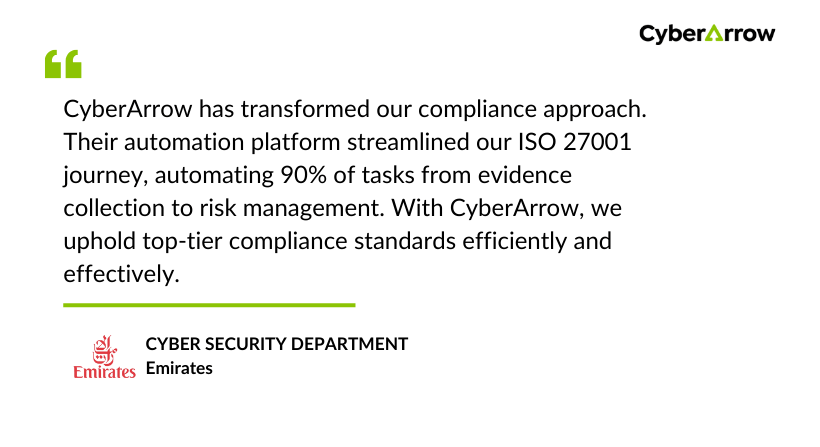
See what global brands like Emirates has to say about CyberArrow GRC: