


What is the Access Control List (ACL)? Detailed guide
In today’s world, keeping data safe is more important than ever. Businesses use many tools to protect their systems, and one of the most important is the Access Control List, or ACL. It’s a simple but powerful way to control who can access what in a computer system or network.
In this guide, we’ll explain what an access control list is, how it works, why it matters, and how you can use it to protect your data. Whether you’re a beginner or just need a refresher, this guide will keep things easy to understand.
- What is an Access Control List (ACL)?
- Why is an Access Control List important?
- How does an Access Control List work?
- Types of Access Control Lists
- Components of an ACL
- Real-life example of an Access Control List
- Benefits of using Access Control Lists
- Challenges of Access Control Lists
- Best practices for managing Access Control Lists
- Access Control List vs Role-Based Access Control (RBAC)
- Strengthen your GRC program with CyberArrow
- Final thoughts
What is an Access Control List (ACL)?
An Access Control List (ACL) is a list of rules that controls who can use or see something on a computer or network. It tells the system which users are allowed to do certain things, like read, write, or delete files, and which are not.
Think of it like a guest list at a party. If your name is on the list, you get in. If it’s not, you’re turned away at the door.
ACLs are used in many places:
- File systems (like folders on your computer).
- Routers and switches (network devices).
- Cloud systems.
- Operating systems.
- Websites and apps.
Why is an Access Control List important?
ACLs help protect your information by making sure only the right people have access. This is important for many reasons:
- Keeps private data safe.
- Prevents unauthorised access.
- Helps with legal and industry compliance.
- Reduces the risk of human error.
- Protects against cyberattacks.
Without ACLs, anyone could access, change, or delete sensitive data that could cause major damage.
How does an Access Control List work?
An access control list works by checking each request to access a system or file against its list of rules.
Let’s say you want to open a file. The system checks:
- Who are you?
- What are you trying to do (read, write, delete)?
- Are you allowed to do that?
If the answer is “yes,” you get access. If not, you’re blocked.
Quick link: How to develop a strong cyber security strategy?
Types of Access Control Lists
There are two main types of ACLs: Standard ACLs and Extended ACLs. Both are used in networking, especially in routers and firewalls.
Standard ACL
- Checks only the source IP address.
- Allows or blocks traffic based on where it comes from.
- Simple and fast, but not very detailed.
Example: Allow all users from one IP address to access the internet.
Extended ACL
- Checks source and destination IP address.
- Also checks protocol, port number, and action.
- More flexible and detailed.
Example: Allow users from IP A to send emails, but block them from browsing websites.
File system ACLs
File systems (like Windows or Linux) also use ACLs to decide who can read, edit, or delete files. For example:
- User A can read a file.
- User B can edit the file.
- User C has no access.
Components of an ACL
An access control list is made up of several parts:
- Subject: The person or system trying to access something (user, IP, etc.).
- Object: The item being protected (file, folder, system, etc.).
- Permissions: What the subject can do (read, write, execute, delete).
- Rules: The actual instructions (allow or deny).
These parts work together to control access based on clearly written rules.
Real-life example of an Access Control List
Imagine a company file server:
- The HR folder can only be accessed by HR staff.
- The Finance folder is open to the CFO and accountants.
- The Public folder is open to everyone.
Each folder has an ACL that says who can open, edit, or delete files inside it. If a sales employee tries to open the HR folder, the ACL blocks them.
Benefits of using Access Control Lists
Here’s why businesses and IT teams rely on ACLs:
- Better security: Only trusted users can access sensitive information.
- More control: You decide exactly who can do what.
- Easy to manage: You can update the list as people join or leave.
- Audit-ready: Helps meet security rules and standards.
- Scalable: Works for small teams or large enterprises.
Challenges of Access Control Lists
While ACLs are helpful, they also come with a few challenges:
- Can get complex as the organization grows.
- Hard to manage if rules are not updated regularly.
- Risk of human error in manual setups.
- Not ideal alone should be used with other security tools.
That’s why it’s smart to pair ACLs with automated tools that simplify access management.
Best practices for managing Access Control Lists
Here are some easy tips to manage ACLs the right way:
1. Follow the principle of least privilege
Only give users the access they need, no more, no less.
2. Use groups instead of individual users
Assign permissions to groups like “HR Team” or “IT Admins” instead of each person.
3. Review ACLs regularly
Make it a habit to review and update ACLs every few months.
4. Remove access for former employees
As soon as someone leaves the company, remove their access.
5. Use audit logs
Keep records of who accessed what and when to track suspicious activity.
Access Control List vs Role-Based Access Control (RBAC)
Many people confuse ACLs with RBAC, so let’s break it down simply:
| Feature | Access Control List (ACL) | Role-Based Access Control (RBAC) |
| Based on | Users or devices | User roles (like HR, Admin) |
| Flexibility | Very specific | Easy to manage at scale |
| Use case | Simple networks or files | Big systems with many users |
Both can be used together for better security.
Strengthen your GRC program with CyberArrow
CyberArrow GRC is a full-fledged Enterprise GRC platform designed for organisations of every type and size. It doesn’t manage access controls, but it does help you automate and streamline the rest of your GRC implementation.
With CyberArrow, you can:
- Automate compliance workflows.
- Monitor risk assessments in real time.
- Simplify policy creation and tracking.
- Eliminate manual spreadsheets.
- Prepare for audits faster.
- Align with 100+ frameworks and standards.
- Boost your organisation’s GRC maturity.
Whether you’re improving internal governance or preparing for certification, CyberArrow puts your GRC program on autopilot by saving time, reducing risk, and making it easier to stay compliant.
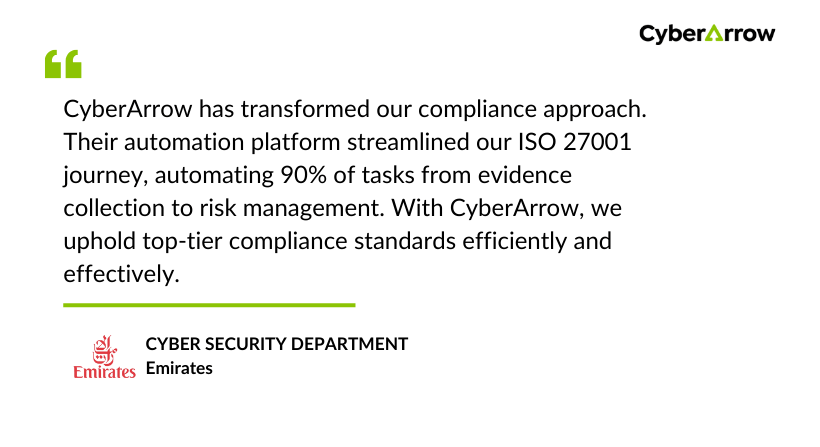
Read how Emirates enhanced Information Security by automating ISO 27001 with CyberArrow GRC.
See what Emirates has to say about CyberArrow GRC:
Final thoughts
An access control list is a simple but powerful way to protect your data, systems, and networks. It helps control who can access what, reduces the risk of unauthorised access, and supports better data security.
But while ACLs play a key role in managing access, they’re only one piece of the bigger puzzle. If you want full control over your organisation’s compliance, governance, risk, and policies, you need a complete GRC solution.
