

A detailed guide to Splunk: Key components, use cases, benefits
Modern businesses generate a huge amount of data every minute. Servers, cloud platforms, applications, security tools, IoT devices, firewalls, and databases all produce logs that contain important information. These logs help teams understand performance, detect problems, and keep systems secure. But when the volume of data grows, it becomes too difficult to manage manually.
Splunk was created to solve this problem. It collects machine data from different sources, stores it in one place, and helps teams search, analyze, and visualize that data in real time. Splunk is one of the most widely used platforms for monitoring, security operations, incident response, and operational analytics.
This detailed guide explains what Splunk is, how it works, key components, common use cases, security capabilities, benefits, and why companies rely on it. The guide ends by explaining how strong GRC platforms like CyberArrow help improve compliance while using tools like Splunk.
What is Splunk?
Splunk is a data analytics platform that collects, indexes, and analyzes machine-generated data. It helps organizations search logs, monitor activity, detect issues, and gain insights from large volumes of data across different systems.
Splunk can process many types of data, including:
- System logs
- Application logs
- Firewall logs
- Authentication activity
- Cloud logs
- Network traffic
- API events
- IoT device data
- Security alerts
- Performance metrics
Splunk turns raw data into dashboards, alerts, visualizations, and reports that help teams understand what is happening inside their environment.
Why Splunk is used across industries
Every industry uses Splunk because machine data exists everywhere. Companies rely on Splunk to improve security, monitor systems, and reduce downtime.
Here are the main reasons organizations use Splunk:
- Splunk provides real-time visibility across servers, applications, and networks. This helps teams detect problems before they impact customers.
- Splunk helps security teams detect threats faster by analyzing logs from firewalls, endpoints, and authentication systems.
- Splunk gives clear dashboards for IT operations so teams can understand performance, failures, and usage patterns.
- Splunk supports compliance by recording logs, tracking events, and storing important security data.
- Splunk helps development teams monitor applications in production and identify errors quickly.
Splunk brings visibility, speed, and structure to environments that generate millions of logs every day.
How Splunk works
Splunk follows a simple but powerful process: collect, index, and analyze. Understanding these steps helps explain how Splunk processes data.
1. Data collection
Splunk collects data from many sources. The data can come from:
- Servers
- Cloud platforms like AWS, Azure, and GCP
- Containers
- Firewalls
- Databases
- Web applications
- APIs
- IoT devices
Splunk uses several methods for collecting data:
- Forwarders installed on servers
- API integrations
- Log files
- Network streams
- Cloud connectors
The goal is to bring all logs into a single place.
2. Data indexing
After collecting data, Splunk stores it in indexes. Indexing organizes information so it can be searched quickly. Splunk also adds timestamps, metadata, and structure to the raw data.
Indexed data becomes easy to explore through Splunk’s search language.
3. Data analysis
Once indexed, teams can search and analyze the data using the Splunk Search Processing Language (SPL). SPL is powerful and helps teams create:
- Dashboards
- Alerts
- Reports
- Correlation searches
- Visual charts
- Security detections
This turns machine data into actionable insights.
Key components of Splunk
Splunk is made up of several components that work together.
Splunk forwarder
A small agent installed on servers to send data to a Splunk indexer. It uses little CPU and memory.
Splunk indexer
Stores and indexes the data for fast searching. Indexers handle large volumes of logs.
Splunk search head
The interface used to search data, build dashboards, and run reports. Users interact with Splunk through the search head.
Splunk enterprise
The full version used by large organizations. It supports distributed architectures and scaling.
Splunk cloud
Splunk is managed as a cloud service. It removes the need for on-premises hardware.
Splunk apps and add-ons
Prebuilt packages that add dashboards, detection rules, and integrations. Examples include:
- Splunk App for AWS
- Splunk App for Windows
- Splunk App for Firewalls
- Splunk App for PCI Compliance
Apps help teams deploy Splunk faster.
Splunk use cases
Splunk is used in many areas of IT, security, and business operations. Below are the most common use cases.
1. Security operations
Splunk is widely used as a central platform for security teams. It helps detect breaches, monitor user activity, and investigate incidents.
- Splunk collects logs from firewalls, identity providers, VPNs, cloud services, and endpoints. This creates a complete view of security activity.
- Security teams can search through data to investigate suspicious activity, failed logins, or strange patterns.
- Splunk supports correlation searches that detect possible attacks by connecting related events.
Security teams rely on Splunk because it gives fast, detailed insights.
2. SIEM (Security Information and Event Management)
Splunk Enterprise Security is used as a SIEM platform. It supports:
- Threat detection.
- Incident investigations.
- Risk analysis.
- Alerting.
- Dashboards.
SIEM teams use Splunk to monitor thousands of events every second.
3. IT operations and monitoring
Splunk is used by IT teams to track server performance and identify outages.
- It helps detect slow response times, memory issues, storage problems, and network failures.
- Teams can create alerts when performance goes above or below certain thresholds.
Splunk reduces downtime by helping IT teams act faster.
4. Application monitoring
Developers and engineering teams use Splunk to understand errors, crashes, and user issues.
- Splunk collects logs from application servers.
- It shows patterns in code errors.
- It helps identify bottlenecks.
Splunk improves user experience by helping teams fix issues faster.
5. Compliance and Audit Logging
Compliance standards require log collection, traceability, and monitoring. Splunk helps with:
- Audit event tracking.
- Access monitoring.
- Security logging.
- Evidence collection.
This helps companies meet frameworks like PCI DSS, ISO 27001, SOC 2, and HIPAA.
Benefits of Splunk
Splunk provides several important benefits to organizations.
- Splunk gives full visibility across systems, networks, and applications. Teams can see everything in one platform.
- Splunk reduces investigation time by making data easy to search and analyze.
- Splunk improves security by detecting threats faster and providing deep insights.
- Splunk supports automation through alerts and workflows.
- Splunk scales with the organization. It can process large volumes of data without slowing down.
- Splunk supports compliance by storing logs and offering built-in reports.
Splunk improves operations, security, and compliance in one tool.
Limitations of Splunk
Even though Splunk is powerful, it has limitations that companies must understand.
- Splunk can become expensive as data volume grows. Log-heavy environments may require large budgets.
- Splunk requires strong data management practices. Without them, indexes can grow fast.
- Splunk needs skilled staff to manage search queries, dashboards, and alerts.
- Splunk is not a GRC platform. It helps with logging and monitoring, but does not manage controls, risks, policies, or audit workflows.
Companies often combine Splunk with a strong GRC system to complete the full security and compliance picture.
How CyberArrow Complements Splunk for GRC
Splunk is excellent for log management and security monitoring, but it does not replace a GRC platform. Organizations still need a system to manage:
- Controls
- Risks
- Policies
- Evidence
- Audits
- Third-party security
- Compliance frameworks
CyberArrow GRC fills this gap.
CyberArrow helps companies:
- Organize and track controls across ISO 27001, NIST, SOC 2, PCI DSS, HIPAA, and more.
- Manage risk assessments in a simple and structured way.
- Automate policy management.
- Automate audit preparation.
- Map controls across multiple frameworks.
- Manage third-party security.
- Improve documentation and audit readiness.
CyberArrow and Splunk work well together. Splunk gathers security data. CyberArrow manages compliance and governance. Together, they improve the overall security posture.
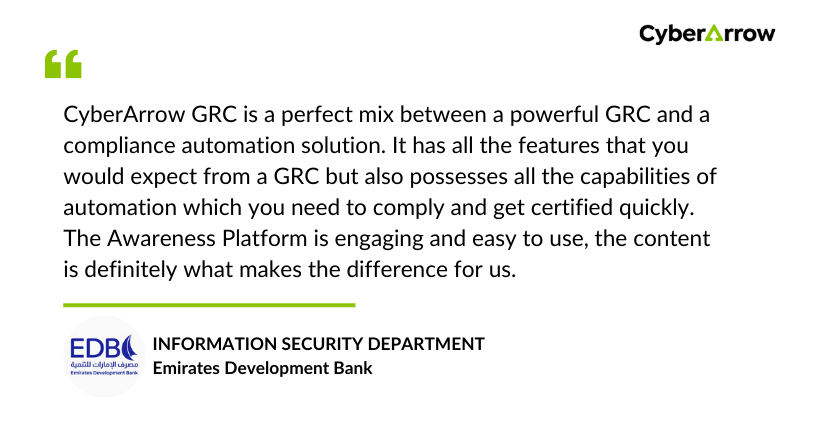
See what our clients have to say about CyberArrow GRC:
Conclusion
Splunk is a powerful platform used by organizations to collect, analyze, and monitor machine data. It gives security teams, IT teams, and developers a complete view of system activity. Splunk helps detect threats, investigate incidents, improve performance, and support compliance through strong logging and monitoring.
But logging alone is not enough to run a complete GRC program. CyberArrow GRC provides the structure needed to manage risks, controls, policies, and compliance frameworks. When companies use Splunk for visibility and CyberArrow GRC for governance, they build a strong and mature security environment.
If your organization wants a complete and automated GRC solution that works alongside Splunk, CyberArrow GRC is the best choice.
FAQs
What is Splunk used for?
Splunk is used to collect, index, and analyze machine-generated data. It helps teams monitor logs, detect security issues, troubleshoot performance problems, and build dashboards. Security teams, IT teams, and developers use Splunk to understand what is happening across systems in real time.
Is Splunk a SIEM or only a log management tool?
Splunk can be both. Splunk Enterprise provides log management, while Splunk Enterprise Security adds SIEM features such as correlation searches, security alerts, incident investigation tools, and threat detection dashboards. This makes Splunk a strong SIEM platform for security operations teams.
Does Splunk help with compliance?
Splunk helps with compliance by storing audit logs, tracking access events, collecting security data, and generating reports. It supports requirements for standards like ISO 27001, SOC 2, PCI DSS, HIPAA, and NIST. However, Splunk does not manage controls, policies, risks, or audits. A GRC platform is still needed.
What are the main benefits of Splunk?
Splunk provides real-time visibility, fast search, strong dashboards, and deep insights across applications, networks, and security systems. It reduces investigation time, improves threat detection, and helps IT and security teams find issues quickly. It also scales well for large environments.
How does CyberArrow GRC complement Splunk?
Splunk focuses on logs and security monitoring, while CyberArrow GRC manages controls, risks, policies, evidence, and audits. CyberArrow helps companies meet compliance standards, automate workflows, and stay audit-ready. Using Splunk with CyberArrow creates a complete security and compliance ecosystem.
