


What is risk control? A complete guide
Every business faces risks. These risks can come from inside the company or outside. They might involve money, people, technology, or security. The best way to stay safe and protect your business is to use risk control.
But what does risk control really mean? How do you apply it? And how can tools like CyberArrow GRC’s Enterprise Risk Management (ERM) module help make it easier?
In this complete guide, we’ll explain everything you need to know about risk control, why it matters, and how to build a smart risk control strategy.
- What is risk control?
- Why is risk control important?
- Types of risk control
- Steps to build an effective risk control process
- Examples of risk controls in action
- Risk control and compliance standards
- How CyberArrow GRC helps you manage risk controls
- Who should use CyberArrow’s risk control features?
- Final thoughts
What is risk control?
Risk control is the process of finding risks and taking steps to reduce their impact or stop them from happening. It’s part of a bigger process called risk management.
Think of it like putting up a fence around a swimming pool. The fence doesn’t remove the danger, but it helps stop accidents. That’s what risk control does: it protects your business.
Why is risk control important?
If you don’t control risks, you leave your business open to problems like:
- Data breaches.
- Financial losses.
- Legal trouble.
- Safety issues.
- Downtime or system failure.
- Damaged reputation.
Risk control helps you:
- Stay in business.
- Keep customers happy.
- Meet legal and industry rules.
- Make better decisions.
- Save time and money.
In short, risk control keeps your company strong and steady, even when things go wrong.
Types of risk control
There are different ways to control risks. Each type depends on the kind of risk and how serious it is.
1. Avoidance
This means stopping the risk completely by changing plans.
Example: If a vendor has weak security, you decide not to work with them at all.
2. Prevention
This reduces the chance of the risk happening.
Example: Installing antivirus software to block malware.
3. Reduction (Mitigation)
This reduces the impact if the risk does happen.
Example: Creating regular data backups so you can recover quickly after a cyberattack.
4. Transfer
This means shifting the risk to someone else.
Example: Buying cyber insurance or using a secure third-party service provider.
5. Acceptance
You understand the risk, but decide it’s small enough to live with.
Example: Keeping a low-value asset without advanced protection.
Steps to build an effective risk control process
Now let’s go step-by-step to set up a smart risk control process:
Step 1: Identify the risks
The first step is to figure out what could go wrong.
Some examples:
- A hacker breaking into your systems.
- Employees making mistakes.
- Systems crashing during peak times.
- Vendors exposing your data.
Talk to different departments to spot all the possible risks.
Step 2: Analyze the risks
Next, figure out how serious each risk is. Ask:
- How likely is this to happen?
- What damage could it cause?
- How fast would we notice it?
- How would it affect business operations?
Use a risk matrix to rank risks as low, medium, or high.
Step 3: Choose the right control
Pick the best way to handle each risk. You might avoid it, reduce it, or transfer it. Match your control strategy to the size of the risk.
Step 4: Apply the control
Put the control in place. This could be:
- Installing software.
- Writing new policies.
- Training your staff.
- Hiring a secure vendor.
Make sure someone owns each task and there’s a deadline.
Step 5: Monitor and improve
Risk control isn’t a one-time job. Keep checking your controls to make sure they’re working. Update them when risks change or when new rules come in.
Examples of risk controls in action
Let’s see what this looks like in real life:
Example 1: Cyber security
Risk: Phishing attacks.
Control: Employee security training + multi-factor authentication.
Example 2: Compliance
Risk: Failing a compliance audit.
Control: Regular policy reviews + automated audit reports.
Example 3: Financial risk
Risk: Vendor payment fraud.
Control: Dual approval process for payments + secure vendor portals.
Risk control and compliance standards
Many global standards require businesses to show they have risk controls in place. These include:
- ISO 27001 – Information security controls.
- NIST CSF – Cybersecurity framework.
- PCI DSS – Payment data protection.
- HIPAA – Health information security.
- SOC 2 – System and organization controls.
If you can’t show your risk controls, you may fail audits or face fines. This is why tools like CyberArrow GRC are so useful.
How CyberArrow GRC helps you manage risk controls
CyberArrow GRC is an enterprise-grade platform that helps businesses of all sizes automate their Governance, Risk, and Compliance (GRC) programs.
One of its most powerful tools is the Enterprise Risk Management (ERM) module, which is built to help you design, track, and improve your risk control strategies.
Here’s how it works:
1. Identify and assess risks easily
CyberArrow gives you a structured way to:
- Discover risks across your departments.
- Score their likelihood and impact.
- Rank them based on urgency.
- Assign ownership to the right team.
You don’t need to use spreadsheets or email chains anymore, everything is built into the platform.
2. Link risks to controls and Standards
Each risk can be linked to specific controls, policies, and compliance frameworks.
- ISO 27001.
- NIST.
- GDPR.
- PCI DSS.
- HIPAA.
- SOC 2.
CyberArrow’s cross-mapping feature lets you apply one control across many frameworks. No need to duplicate work for each standard.
3. Monitor control effectiveness in real time
CyberArrow tracks how well your controls are working. You get:
- Dashboards to see control status.
- Alerts when controls are overdue or fail.
- Reports showing progress and trends.
This makes it easy to stay ahead of audits and stay secure.
4. Automate documentation and audit reports
With CyberArrow’s ERM module, you can:
- Automatically gather risk and control evidence.
- Generate audit-ready reports with one click.
- Show auditors exactly how you manage risk.
- Save hours during certification prep.
5. Improve over time
After an incident or audit, CyberArrow helps you:
- Review what went wrong.
- Update or create new controls.
- Track changes in your risk profile.
- Strengthen your program year after year.
Risk control isn’t static, it’s a continuous improvement process. CyberArrow helps you manage that easily.
Who should use CyberArrow’s risk control features?
CyberArrow’s ERM module is perfect for:
- CISOs and security leaders.
- Compliance and audit teams.
- Risk officers and IT managers.
- Any business aiming for ISO 27001, NIST, or SOC 2 certification.
- Organizations tired of using spreadsheets to manage risk.
Whether you’re a startup or an enterprise, CyberArrow scales with your business.
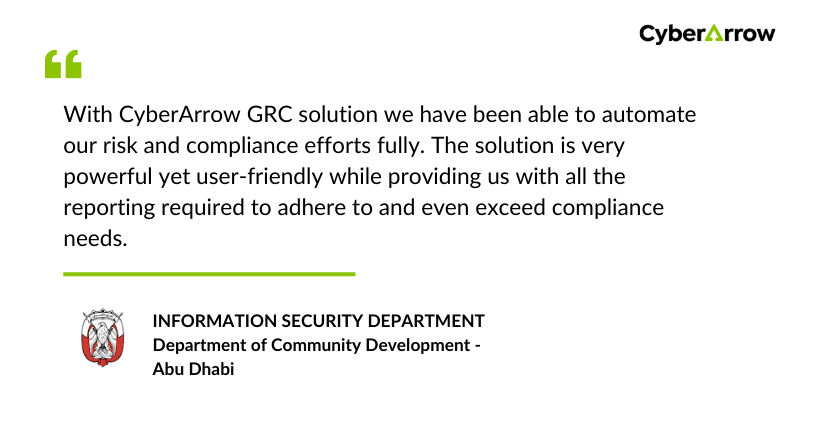
Read how CyberArrow GRC improved risk assessments for DCD – Abu Dhabi.
See what DCD – Abu Dhabi has to say about CyberArrow GRC:
Final thoughts
Risk control is one of the most important parts of protecting your business. When done right, it helps you avoid disasters, pass audits, and build trust.
But managing risk manually is slow and full of errors.
With CyberArrow GRC’s Enterprise Risk Management module, you can automate the entire risk control process:
- Identify and assess risks.
- Apply and monitor controls.
- Stay compliant with top standards.
- Generate audit-ready reports.
Improve continuously with less effort.
