

A practical guide to managing SaaS security in modern organizations
SaaS tools power almost every business function today. From finance and HR to engineering and sales, teams rely on dozens of cloud applications to move fast and stay productive. But as SaaS adoption grows, security oversight often falls behind. Tools are purchased outside IT, access is granted quickly, and security reviews become reactive rather than planned.
Managing SaaS security is no longer just about protecting data. It is about maintaining visibility, enforcing consistent controls, and ensuring that security decisions can stand up to compliance audits, customer questions, and regulatory reviews.
This guide focuses on how organizations can manage SaaS security in a structured, practical way that works for modern teams.
Why SaaS security breaks down in organizations
Most SaaS security issues do not come from advanced attacks. They come from everyday operational gaps. Teams sign up for new tools without a security review. Access permissions grow over time and are rarely revisited. Offboarding processes are inconsistent. Security teams struggle to answer simple questions like which SaaS tools store sensitive data or who has admin access.
These gaps exist because SaaS security is often treated as an IT problem rather than an organizational one. Without clear ownership, defined processes, and centralized oversight, SaaS environments become difficult to control as the business scales.
SaaS security governance in modern organizations
Effective SaaS security starts with governance. This does not mean slowing teams down or creating heavy approval processes. It means defining how decisions are made and who is responsible for them.
Most organizations benefit from a shared ownership model:
- IT manages integrations, identity, and provisioning.
- Security defines control requirements and monitoring expectations.
- Compliance ensures alignment with internal policies and external obligations.
- Business teams remain accountable for the tools they introduce and use.
Clear governance ensures that SaaS security decisions are consistent, documented, and defensible when reviewed internally or externally.
How to manage SaaS security step by step
Managing SaaS security requires more than isolated controls. It requires a repeatable process that stays effective as tools and teams change.
1. Build and maintain a SaaS inventory
Identify all SaaS applications in use across the organization. Go beyond officially approved tools and include applications introduced by individual teams. For each tool, document its purpose, owner, users, and the type of data it handles. This inventory becomes the foundation for all security and compliance decisions.
2. Classify SaaS tools by risk and data exposure
Not every SaaS application carries the same level of risk. Classify tools based on the sensitivity of the data they process, the level of access they require, and their impact on critical operations. This allows security efforts to focus where they matter most rather than applying the same controls everywhere.
3. Define access and identity controls
Establish clear rules for how users gain access to SaaS tools. Integrate applications with centralized identity systems where possible. Limit administrative privileges and review them regularly. Access decisions should be tied to roles and responsibilities, not individual preferences.
4. Apply consistent security and compliance controls
Once SaaS tools are classified, apply baseline controls consistently. These may include configuration requirements, logging expectations, vendor assurance checks, and user access reviews. Controls should be practical and measurable, not theoretical.
5. Monitor changes and user activity
SaaS environments change constantly. New users are added, permissions shift, and features are enabled by default. Ongoing monitoring helps detect risky changes early and ensures that controls remain effective over time.
6. Maintain evidence for reviews and audits
Security and compliance reviews often fail not because controls are missing, but because evidence is scattered. Maintain policy documentation showing how SaaS tools are approved, controlled, reviewed, and monitored. This reduces last-minute audit stress and supports faster responses to customer and regulator requests.
Common mistakes organizations make with SaaS security
As organizations adopt more SaaS tools across teams, maintaining consistent security becomes increasingly difficult. The challenge is rarely a lack of intent; most issues arise from fragmented ownership, manual processes, and treating SaaS environments as static systems. Over time, these gaps create blind spots that increase risk and make audits harder than they need to be.
Understanding the most common mistakes helps organizations strengthen their SaaS security posture before those gaps turn into incidents or audit reports.
- Relying on spreadsheets or manual tracking to manage SaaS applications, which quickly becomes outdated as tools, users, and integrations change.
- Treating SaaS applications like traditional infrastructure and applying controls that do not address SaaS-specific risks, such as excessive permissions, data sharing, and API access.
- Allowing teams to adopt SaaS tools without assigning clear ownership for access reviews, security settings, and vendor risk oversight.
- Granting broad or permanent access without regular reviews, leading to privilege creep when roles change or employees leave.
- Reviewing SaaS security only during audits or customer assessments instead of managing it as an ongoing process.
Manage SaaS security and compliance with CyberArrow
As SaaS environments grow, managing security, risk, and compliance manually becomes difficult to sustain. CyberArrow helps organizations bring structure and visibility to SaaS-related governance without adding unnecessary overhead.
With CyberArrow, organizations can:
- Centralize SaaS-related compliance risks, controls, and ownership.
- Map SaaS security controls to compliance frameworks in one place.
- Track evidence and documentation needed for audits and reviews.
- Maintain ongoing visibility into the effectiveness of risk and control.
- Reduce reliance on spreadsheets and manual follow-ups.
Schedule a free demo to see how CyberArrow helps organizations manage SaaS security and compliance.
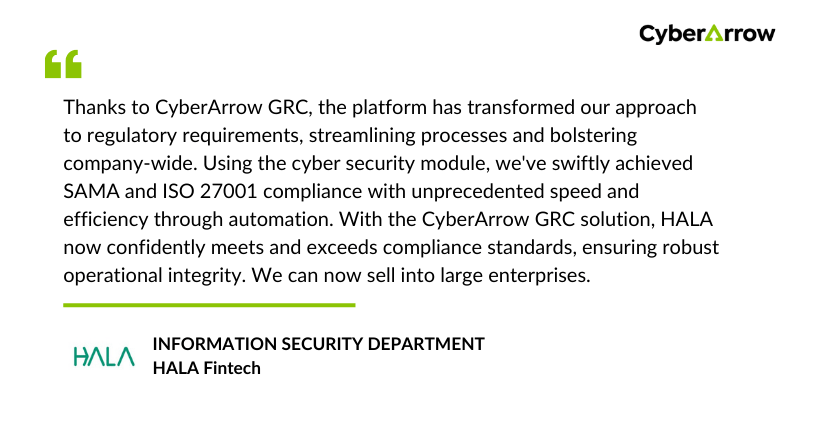
See what our clients have to say about CyberArrow GRC:
FAQs
How do organizations manage SaaS security at scale?
Organizations can manage SaaS security by maintaining a centralized inventory, applying consistent controls based on risk, and continuously monitoring access and changes across SaaS tools.
Who should own SaaS security in an organization?
SaaS security works best with shared ownership, where IT, security, compliance, and business teams each have clearly defined responsibilities.
How does SaaS security affect compliance audits?
Strong SaaS security provides auditors with clear evidence of access control, monitoring, and governance, reducing audit friction and response time.
Is SaaS security the same as cloud security?
SaaS security focuses on managing third-party applications and user access, while cloud security typically covers infrastructure and platform services.
How often should SaaS security controls be reviewed?
SaaS security controls should be reviewed on a regular schedule, typically quarterly, and whenever there are significant changes such as new applications, role changes, integrations, or regulatory requirements.
