

A CISO’s guide to risk mitigation strategies
Every business faces various risks, including cyberattacks, system failures, data leaks, legal issues, and many others. As the Chief Information Security Officer (CISO), your role is to protect the company from these risks before they escalate into significant problems. That’s where risk mitigation strategies come in.
In this guide, we’ll explain what risk mitigation means, why it matters, how to build strong strategies, and how CyberArrow GRC’s Enterprise Risk Management module can help you automate and improve the entire process.
- What are risk mitigation strategies?
- Why are risk mitigation strategies important?
- 4 main types of risk mitigation strategies
- Steps to build strong risk mitigation strategies
- Why automate risk mitigation with CyberArrow GRC?
- Key benefits of CyberArrow’s Enterprise Risk Management module
- Who should use CyberArrow’s Risk Management module?
- Final Thoughts
What are risk mitigation strategies?
Risk mitigation strategies are plans and actions that help reduce the chances of something bad happening or reduce the damage if it does happen.
Think of it like wearing a seatbelt. It doesn’t stop the crash, but it lowers the risk of injury. In the same way, your job as a CISO is to plan ahead so your business is safe, even when something goes wrong.
Risk mitigation is part of enterprise risk management, a complete process to identify, analyze, and control risks across the company.
Why are risk mitigation strategies important?
Every company deals with risks, whether they’re small or large. But without a plan, those risks can lead to:
- Data breaches.
- Downtime and lost revenue.
- Legal fines or compliance failures.
- Damaged brand reputation.
- Loss of customer trust.
That’s why smart CISOs use strong risk mitigation strategies to:
- Protect business assets.
- Ensure compliance.
- Support business growth.
- Improve decision-making.
- Reduce costs and downtime.
A good strategy gives you control and confidence.
4 main types of risk mitigation strategies
There’s no one-size-fits-all approach to risk. CISOs usually use one or more of the following strategies:
1. Risk avoidance
This means changing your plans or systems to completely avoid the risk.
Example: Not using third-party apps that don’t meet security standards.
2. Risk reduction
This is the most common strategy. You lower the chance of something going wrong or reduce the impact if it does.
Example: Using firewalls, antivirus software, and employee training to reduce cyberattack risks.
3. Risk transfer
You shift the risk to a third party.
Example: Buying cyber insurance or outsourcing services to a secure vendor.
4. Risk acceptance
You decide to accept the risk because it’s small or not worth the cost to fix.
Example: Choosing not to invest in advanced security tools for a low-impact internal system.
As a CISO, your job is to pick the best strategy based on how serious the risk is and how much it could cost your company.
Steps to build strong risk mitigation strategies
To create smart risk mitigation strategies, you need to follow a step-by-step process. Here’s how to do it:
Step 1: Identify Risks
Start by listing every possible risk that could affect your business. These can include:
- Cyber security threats.
- Compliance risks.
- Technology failures.
- Human errors.
- Physical risks (like fire or theft).
Talk to different teams (IT, legal, HR, finance) to make sure nothing is missed.
Step 2: Assess the risks
Now look at how likely each risk is to happen and how bad it would be if it did.
Ask:
- What is the chance of this happening?
- What would it cost us in money, time, or reputation?
- What systems or teams would be affected?
Use a risk matrix to score each risk based on likelihood and impact.
Step 3: Prioritize the risks
You can’t fix everything at once. Start with the biggest, most urgent risks. These are usually the ones with high likelihood and high impact.
Prioritizing helps you focus your time and budget on what matters most.
Step 4: Choose the right mitigation strategy
Now decide which type of risk mitigation works best:
- Avoid it?
- Reduce it?
- Transfer it?
- Accept it?
Choose based on cost, urgency, and how much risk your company can handle.
Step 5: Implement the plan
Put your strategy into action. This could include:
- Updating policies.
- Installing security tools.
- Running employee training.
- Changing vendors.
- Setting up alerts or backups.
Make sure everyone involved knows their role and timeline.
Step 6: Monitor and review
Risk never stays the same. Review your mitigation strategies regularly. Use reports, dashboards, and team feedback to track:
- Are the controls working?
- Have any new risks appeared?
- Do we need to make changes?
This is where most CISOs struggle, because manual tracking is slow, confusing, and full of errors. That’s why many teams are turning to automation with platforms like CyberArrow GRC.
Quick link: What is risk control? A complete guide
Why automate risk mitigation with CyberArrow GRC?
Managing risks manually with spreadsheets and emails might work for a small team, but not for a growing business. As your systems, users, and regulations increase, manual methods become risky themselves.
CyberArrow GRC is a full enterprise GRC platform that helps you automate your entire Governance, Risk, and Compliance program.
Its Enterprise Risk Management (ERM) module is built to make risk mitigation strategies easy, smart, and scalable.
Key benefits of CyberArrow’s Enterprise Risk Management module
Here’s why CyberArrow is the best choice for CISOs who want to automate risk management:
1. Risk identification made easy
- Use built-in templates to discover risks across your business.
- Pre-mapped risks based on 100+ industry standards.
- Supports IT, compliance, operational, and third-party risks.
2. Automated risk assessments
- Score risks based on likelihood and impact.
- Visual dashboards show risk levels in real-time.
- Easily prioritize high-risk areas for faster response.
3. Smart risk mitigation planning
- Create, assign, and track mitigation actions.
- Connect risks to policies, controls, and compliance frameworks.
- Link each risk to the right department and owner.
4. Real-time monitoring and alerts
- Track risk status and control performance.
- Get alerts when mitigation efforts fail or fall behind.
- Adjust strategies quickly to avoid disruption.
5. Built-in reporting for leadership and audits
- Generate audit-ready reports in one click.
- Show executive teams and boards the full risk picture.
- Save time preparing for certifications like ISO 27001 or SOC 2.
6. Seamless integration
- Connect with your existing systems (80+ integrations).
- No need to start from scratch, get up and running in 30 minutes.
- Scales with your team as you grow.
Who should use CyberArrow’s Risk Management module?
CyberArrow’s ERM module is perfect for:
- CISOs managing enterprise security programs.
- Risk officers and compliance managers.
- IT and GRC teams who want better control.
- Businesses preparing for audits and certifications.
- Companies are tired of using spreadsheets and email chains.
Whether you’re a growing startup or a global enterprise, CyberArrow adapts to your needs.
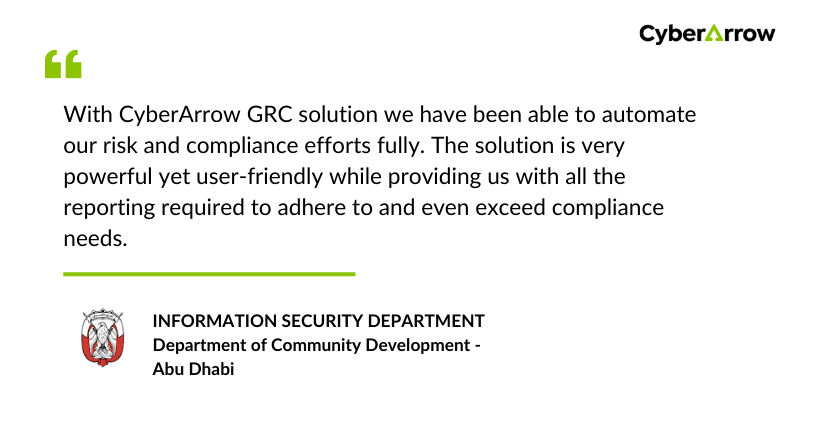
Read how CyberArrow GRC improved risk management for DCD – Abu Dhabi.
See what DCD – Abu Dhabi has to say about CyberArrow GRC:
Final Thoughts
Risk mitigation strategies are a must-have for every CISO. They help protect your company, avoid surprises, and keep your systems and data safe. But building and managing these strategies manually is slow, messy, and full of blind spots.
That’s why leading security teams are switching to CyberArrow GRC.
With CyberArrow’s Enterprise Risk Management module, you can automate your entire risk lifecycle from identifying threats to tracking progress and preparing for audits.
No more guesswork. No more spreadsheet chaos. Just smarter risk management.
