


What is a Trojan? Types & prevention
Imagine downloading a file that looks safe. Maybe it’s a free game, an invoice, or even a simple PDF tool. But once you open it, your device is no longer yours. A Trojan has taken it over.
Trojan malware is one of the most dangerous cyber threats today. It hides in plain sight and waits for the right moment to steal data, damage systems, or spy on users.
In this blog, we’ll cover what a Trojan is, how it works, types of Trojans, and CyberArrow Awareness Platform can help build human firewalls against Trojans and other threats.
Let’s get started in simple, easy-to-understand language.
What is a Trojan?
A Trojan (or Trojan horse) is malware that tricks users into thinking it’s a safe file. But once it’s opened, it secretly performs harmful actions.
The name “Trojan” comes from the story of the Trojan Horse in Greek mythology. The Greeks gave the Trojans a wooden horse as a gift. But hidden inside were soldiers who later attacked the city.
In the same way, a Trojan hides its true purpose until it’s too late.
How do Trojans work?
Trojans do not spread by themselves like viruses or worms. Instead, you have to install them usually by accident.
Here’s how a typical Trojan attack happens:
- You receive an email with a file or a link.
- You download or open the file, thinking it’s safe.
- The Trojan installs silently in the background.
- It connects to the attacker’s server.
- It starts stealing data, spying, or even installing more malware.
Trojans are dangerous because they pretend to be useful. They can look like:
- Software updates.
- PDFs or Word documents.
- Games.
- Mobile apps.
- Security tools.
Signs of a Trojan infection
It’s not always easy to know if your system is infected with a Trojan. But here are some warning signs:
- Slower performance.
- Pop-ups or strange errors.
- Unknown programs launching.
- Disabled antivirus software.
- Files going missing.
- Webcam turning on by itself.
- Unusual network activity.
If you notice any of these, a Trojan might be hiding inside your system.
Quick link: What is baiting?
Types of Trojans
There are many types of Trojans. Each one is built to do something different. Here are the most common types in cyber security:
1. Backdoor Trojan
This Trojan opens a hidden path into your system. Attackers can use it to control your computer from anywhere. They can steal files, install malware, or spy on you.
Example: A backdoor Trojan could let hackers take over an entire company network.
2. Banking Trojan
This type of Trojan targets online banking. It steals your login details, credit card numbers, and other financial information.
Example: You log into your bank account, and the Trojan records everything you type.
3. Downloader Trojan
This Trojan’s job is to download and install more malware. It usually brings in ransomware, spyware, or rootkits.
Example: A small game you downloaded could pull in dangerous tools without you knowing.
4. Spyware Trojan
This Trojan quietly watches what you do. It can track your keystrokes, capture screenshots, or record webcam footage.
Example: A fake video player update installs a spyware Trojan that monitors everything on your screen.
5. Ransom Trojan
This type of Trojan locks your files and asks for money (ransom) to unlock them. It’s a common way attackers make money from victims.
Example: Your files get encrypted. A message pops up demanding $300 in cryptocurrency.
6. Trojan-DDoS
This Trojan turns your system into part of a botnet used for DDoS (Distributed Denial of Service) attacks. These attacks crash websites or servers.
Example: Your infected device helps shut down a major company’s website without you knowing.
7. Rootkit Trojan
This type hides deep in your system and helps other malware stay hidden. It’s hard to detect and harder to remove.
Example: Your antivirus says everything is clean, but a rootkit Trojan is hiding in your operating system.
Real-world example
In 2020, Emotet, a famous Trojan, spread through phishing emails. It looked like invoices, shipping updates, or resumes. Businesses around the world downloaded it, thinking the files were safe.
Once inside, Emotet:
- Collected passwords.
- Installed other malware.
- Spread to other computers in the same network.
Result: Millions of dollars in damage and data loss. And it all started with a simple email.
How to prevent Trojan attacks
Stopping Trojans starts with awareness and prevention. Here are practical steps you can take:
1. Train your team with CyberArrow Awareness Platform
Most Trojans get in because someone clicks a link or opens a file. That’s why human error is the biggest risk.
CyberArrow Awareness Platform provides:
- Automated cyber security awareness training.
- Role-based learning paths.
- Real-world phishing simulations.
- Microlearning modules.
- Risk dashboards and compliance tracking.
With CyberArrow, your employees learn to spot suspicious emails, avoid unsafe downloads, and report threats fast.
Build a human firewall as your first line of defense.
2. Use trusted antivirus and anti-malware tools
Install strong, up-to-date antivirus software on all devices. Schedule regular scans to catch hidden Trojans early.
3. Patch and update software
Hackers love old software. Keep your operating systems, browsers, and apps updated with the latest security patches.
4. Don’t click on unknown links
Avoid clicking links in emails or messages unless you’re sure they’re safe. Hover over links to check where they lead.
5. Be careful with attachments
Never open email attachments from unknown senders. If it looks suspicious, don’t touch it.
6. Block unwanted downloads
Use browser and firewall settings to block automatic downloads. Limit who can install software in your organization.
7. Use strong passwords and MFA
If a Trojan steals your password, make sure it can’t access your data easily. Use multi-factor authentication (MFA) and strong, unique passwords.
How CyberArrow Awareness Platform helps you stay safe
CyberArrow Awareness Platform is your best partner in preventing Trojan infections.
It offers:
- Ongoing employee training in simple, engaging lessons.
- Phishing simulations to test real-world awareness.
- Insightful reports on your organization’s security posture.
- Compliance support for ISO 27001, NIS2, GDPR, and more.
- Automated workflows that reduce manual effort.
With CyberArrow, your team stays sharp and your network stays safe.
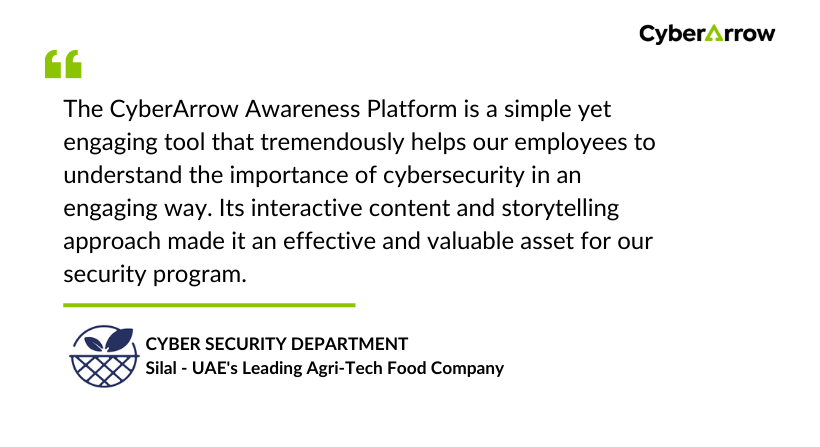
Read how CyberArrow awareness platform increased security awareness among Silal’s employees.
See what Silal has to say about CyberArrow Awareness Platform:
Final thoughts
Trojans are not just technical threats. They are social engineering traps that rely on tricking people. That’s why even the best software defenses can fail if your people aren’t prepared.
Cyber security is not just about firewalls or antivirus tools. It’s about knowledge, habits, and training.
Invest in your people. Build a culture of security with CyberArrow Awareness Platform.
