

Types of malware: Viruses, worms, trojans, and more explained
The internet is a big part of our lives. We use it to work, shop, learn, and connect with people. But just like in the real world, there are dangers online. One of the biggest dangers is malware, a short word for malicious software.
If you’re wondering, “What are the different types of malware and how can I protect myself or my company?” you’re in the right place.
This guide will explain the types of malware in simple words. We’ll look at how each type works, what harm it can do, and how your team can stay safe, especially with tools like the CyberArrow Awareness Platform.
What is malware?
Before we dive into the types, let’s start with the basics.
Malware is any kind of software made to harm, steal, spy on, or take control of your device without your permission. It can infect computers, phones, tablets, and even smart TVs.
Hackers use malware to:
- Steal personal or company data.
- Lock systems for ransom (ransomware).
- Spy on people or businesses.
- Damage networks or files.
- Control devices remotely.
Malware spreads through emails, fake websites, downloads, or infected USB drives. Even clicking a bad link can be enough.
Why understanding the types of malware matters
There’s no one-size-fits-all when it comes to malware. Each type works differently and causes different problems. If you want to protect your business, you need to understand what you’re dealing with.
Let’s break down the most common types of malware you need to know.
1. Viruses
A virus is one of the oldest types of malware. Just like a virus in your body, it spreads by attaching itself to other files or programs. When you run the infected file, the virus spreads and can harm your system.
What it does:
- Corrupts or deletes files.
- Slows down your device.
- Spreads to other connected devices.
- May allow hackers to control your system.
How it spreads:
- Email attachments.
- Infected downloads.
- USB drives.
- Pirated software.
How to stay safe:
- Don’t open unknown files or links.
- Use strong antivirus software.
- Keep systems updated.
2. Worms
Worms are like viruses, but even worse in some ways. They don’t need to be attached to other files. They spread on their own fast.
What it does:
- Spreads through networks or the internet.
- Uses up your system’s resources.
- Slows down or crashes systems.
- May open doors for other malware.
How it spreads:
- Email links or attachments.
- Weak network security.
- Infected websites.
How to stay safe:
- Secure your Wi-Fi and networks.
- Use a firewall.
- Keep operating systems and apps updated.
3. Trojans (or Trojan horses)
A Trojan is named after the famous story of the Trojan Horse. It looks like a harmless file or app, but once you open it, it secretly installs malware on your device.
What it does:
- Installs backdoors (so hackers can sneak in).
- Steals data or passwords.
- Lets hackers spy on your screen or keystrokes.
- Can be used for remote attacks.
How it spreads:
- Fake software or updates.
- Free tools or games from sketchy websites.
- Email attachments.
How to stay safe:
- Only download software from trusted sources.
- Don’t trust “too good to be true” offers.
- Use anti-malware tools.
Quick link: Malware statistics: You need to know in 2025
4. Ransomware
Ransomware locks your files or system and demands money (ransom) to unlock it. It’s one of the scariest types of malware today, especially for businesses.
What it does:
- Encrypts (locks) your data.
- Sends a message asking for money to unlock it.
- Often demands payment in cryptocurrency.
- May threaten to leak your data.
How it spreads:
- Phishing emails.
- Infected websites.
- Remote Desktop Protocol (RDP) attacks.
How to stay safe:
- Never click suspicious email links.
- Backup your data regularly.
- Train employees on how to recognize phishing.
5. Spyware
Spyware hides in your system and quietly watches what you do. It tracks everything—your passwords, websites you visit, or even what you type.
What it does:
- Steals personal and financial information.
- Watches your activity in the background.
- Sends data back to the attacker.
How it spreads:
- Bundled with free software.
- Downloaded from unsafe websites.
- Installed via trojans.
How to stay safe:
- Use anti-spyware tools.
- Be careful with free software.
- Monitor permissions on mobile apps.
6. Adware
Adware isn’t always dangerous, but it’s definitely annoying. It floods your device with ads, sometimes harmful ones.
What it does:
- Displays pop-ups or banner ads.
- Slows down your system.
- May lead to malicious websites.
- Can collect your browsing data.
How it spreads:
- Free apps and downloads.
- Fake browser extensions.
- Infected websites.
How to stay safe:
- Use ad blockers.
- Avoid clicking on random ads.
- Don’t install apps from unknown sources.
7. Rootkits
Rootkits are advanced malware tools that hide deep in your system. They are hard to detect and give hackers full control of your computer.
What it does:
- Hides other malware.
- Lets hackers control your device.
- Disables security software.
- Steals sensitive data.
How it spreads:
- Through trojans or phishing.
- When users install pirated software.
- Through outdated software.
How to stay safe:
- Use trusted antivirus tools with rootkit detection.
- Avoid suspicious software.
- Regularly scan your system.
8. Fileless malware
This is a newer type of malware. It doesn’t rely on files like traditional viruses. Instead, it hides in memory and uses tools already on your device (like PowerShell) to harm.
What it does:
- Leaves no trace in your files.
- Harder for antivirus software to detect.
- Used for stealing information or spreading malware.
How it spreads:
- Through phishing emails.
- Compromised websites.
- Infected macros in documents.
How to stay safe:
- Disable macros in Office documents.
- Keep all software updated.
- Use behavioral detection tools.
How to protect your organization from all types of malware
Understanding the different types of malware is just the first step. To truly stay safe, every person in your company needs to be trained to spot threats and act smart online. This is where the CyberArrow Awareness Platform can help.
CyberArrow Awareness Platform: Train smarter, stay Safer
CyberArrow is a fully automated Cyber Security Awareness Training platform. It helps businesses turn their teams into human firewalls by teaching them how to recognize and avoid cyber threats, including all kinds of malware.
Why choose CyberArrow?
- Automated training: Easy to set up and runs on its own.
- Engaging lessons: Simple, short videos and quizzes everyone can understand.
- Real-world simulations: Tests users with phishing and malware scenarios.
- Progress tracking: See who completed the training and who needs help.
- Protects your culture: Builds a company-wide mindset of security awareness.
Whether you’re a small business or a large enterprise, CyberArrow helps you create a culture of cyber safety from the ground up.
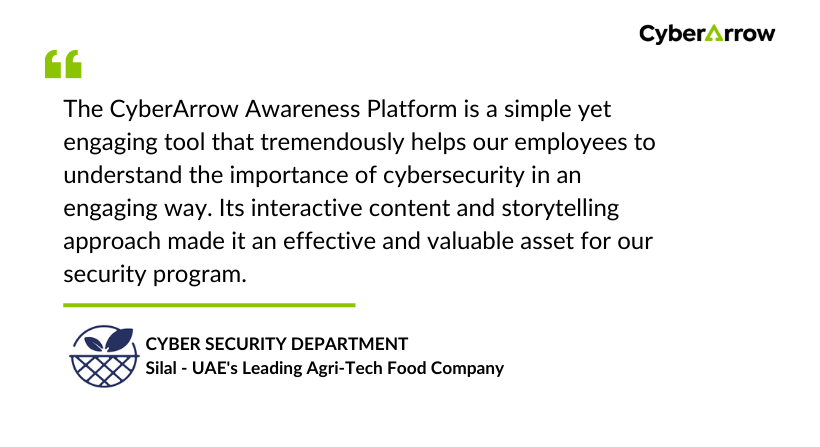
Read how CyberArrow awareness platform increased security awareness among Silal’s employees.
See what Silal has to say about CyberArrow Awareness Platform:
Final thoughts
Malware comes in many forms: viruses, worms, trojans, ransomware, spyware, adware, rootkits, and more. Each one is dangerous in its own way. Understanding the types of malware helps you prepare, react fast, and protect your data.
But technology alone is not enough. People are often the weakest link. That’s why smart businesses invest in cyber awareness training to educate their team and reduce risks.
