What is a cyber security audit? Types & how to perform
Cyber threats are growing fast. Every year, hackers get better at breaking into systems and stealing data. That’s why every business, big or small, must stay ahead by keeping its security in check. One of the best ways to do that is through a cyber security audit.
In this blog, we’ll explain what a cyber security audit is, the different types, and how you can perform one step by step. We’ll also show you how to make the process easier with the help of CyberArrow GRC, a tool that automates audits and keeps your business safe.
Let’s get started.
What is a cyber security audit?
A cyber security audit is a comprehensive review of your company’s systems, networks, tools, and policies to check if they are safe from cyber threats. Think of it like a health check-up for your business’s digital safety.
During an audit, you find out:
- What’s working well.
- What’s broken or outdated.
- Where there are risks.
- If you follow laws and standards.
- What to fix and how quickly.
A good audit helps you find weak spots before hackers do.
Why is a cyber security audit important?
Here’s why every company needs regular cyber security audits:
- Find weaknesses before hackers do.
- Protect customer and business data.
- Stay compliant with rules and laws.
- Avoid expensive fines and losses.
- Build trust with clients and partners.
- Improve your overall security.
Without an audit, you might not even know there’s a hole in your system until it’s too late.
Types of cyber security audits
There are different types of cyber security audits. Each one checks a different area of your business.
1. Internal audit
This is done by your own team. It helps check if you are following your own rules and security policies.
Example: Your IT team checks if employee passwords meet the company’s standards.
2. External audit
This is done by an outside company or expert. They give an honest view of your security from the outside.
Example: A third-party expert checks if your systems are ready for an ISO 27001 certification.
3. Compliance audit
This audit checks if you’re following industry laws and standards, like:
If you fail, you might face fines or lose business.
4. Risk assessment audit
This type looks at possible threats and how likely they are to happen. It also checks how badly they can hurt your business.
Example: If a hacker gets into your email system, how much damage can it cause?
5. Technical audit
This audit focuses on your software, hardware, and networks. It checks things like:
- Firewalls.
- Antivirus software.
- Cloud systems.
- Mobile device security.
Quick link: What is security management?
How to perform a cyber security audit (Step-by-step)
Now let’s break down how you can perform a cyber security audit in 8 simple steps.
Step 1: Define your goals
Start by asking: Why are we doing this audit?
You might want to:
- Get certified.
- Check your systems after a cyberattack.
- Meet legal or client requirements.
- Just be safer and more prepared.
Having a goal helps you focus on what matters most.
Step 2: Make a list of what you’re auditing
List all the assets you want to check:
- Computers and servers.
- Emails and apps.
- Databases.
- Cloud tools.
- Employee devices.
- Security policies.
The clearer the list, the better the audit.
Step 3: Review current security policies
Check if you have rules for:
- Password strength.
- Data access.
- Device use.
- Backups.
- Security training.
Make sure these policies are still up-to-date and being followed.
Step 4: Check for weaknesses
Now test your systems for problems. Look for:
- Unused user accounts.
- Weak passwords.
- Missing software updates.
- Open ports.
- Suspicious activity.
You can do this manually or with automated tools (we’ll suggest the best one below!).
Step 5: Check access controls
Ask: Who has access to what?
Too many people having access to sensitive data is a big risk. Make sure only the right people can reach certain files or systems.
Step 6: Review incident response plans
If something goes wrong, do you have a plan? An audit should check if you:
- Have an incident response team.
- Know who to call.
- Have backup systems ready.
- Can report the issue quickly.
Step 7: Create a cyber security audit report
Write down:
- What you found.
- What needs fixing.
- How big each risk is.
- What actions to take.
- Who is responsible for each task.
This report is key for your next audit and helps prove compliance.
Step 8: Fix issues and monitor regularly
Finally, fix all the problems found in the audit. Then keep monitoring your systems regularly.
Cyber threats don’t take breaks, so your security shouldn’t either.
Common mistakes in cyber security audits
- Only doing one audit and forgetting about it.
- Not updating security policies.
- Ignoring small issues.
- Failing to train employees.
- Using spreadsheets to track everything manually.
These mistakes can cost time, money, and even your business’s reputation.
Cyber security audit checklist
- Set clear goals.
- List all assets and systems.
- Check all policies and access controls.
- Run risk and technical checks.
- Review incident response plans.
- Document everything in a report.
- Fix issues and keep monitoring.
Make cyber security audits easy with CyberArrow GRC
Doing audits by hand is hard, slow, and full of errors. That’s why smart businesses use CyberArrow GRC.
CyberArrow GRC helps you:
- Automate up to 90% of the audit process.
- Track internal controls without messy spreadsheets.
- Monitor compliance status in real-time.
- Use pre-approved templates for reports and policies.
- Stay compliant with over 100+ frameworks.
- Support 80+ integrations with your tools.
- Complete certifications in weeks, not months.
It even auto-scans your systems and collects audit evidence for you, no more chasing files or emails.
You’ll save time, reduce stress, and improve your security posture without hiring a big team.
With CyberArrow, your cyber security GRC program runs on autopilot.
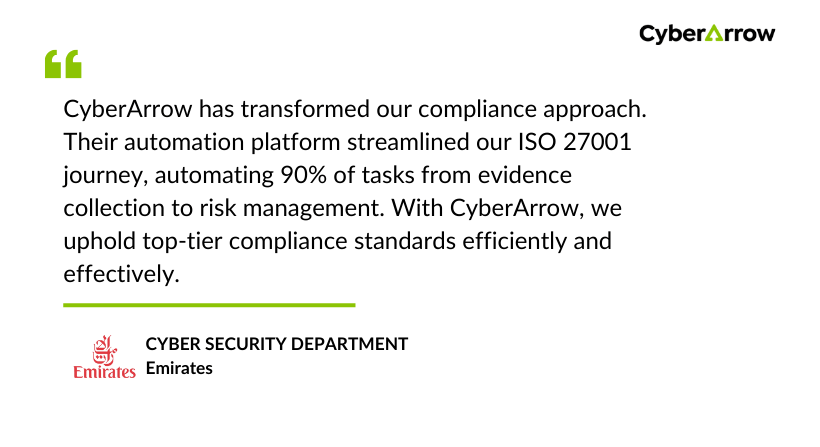
Read how Emirates enhanced Information Security by automating ISO 27001 with CyberArrow GRC.
See what Emirates has to say about CyberArrow GRC: