


Cyber risk management for businesses: Practical steps and best practices
Cyber risk management is no longer something only large enterprises care about. Every business today works with digital systems, cloud platforms, vendors, and remote teams, and that naturally creates exposure to cyber threats. Cyber risk management is the practice of identifying, assessing, and reducing risks that could disrupt your operations, affect your finances, or create compliance issues.
This guide explains why cyber risk management matters, what practical steps businesses should take, the tools that make the process easier, and how to keep your program running smoothly over time.
- Why businesses need cyber risk management
- Cyber risk management steps for businesses
- 1. Map your digital environment
- 2. Identify key business processes and their weak points
- 3. Prioritize risks based on business impact
- 4. Strengthen controls based on your current maturity
- 5. Validate risks with regular testing
- 6. Monitor technical and business activity
- 7. Build a culture of security awareness
- Best practices for effective cyber risk management
- How CyberArrow supports cyber risk management
- FAQs
Why businesses need cyber risk management
Even well-managed companies face risks from data breaches, ransomware, phishing, and third-party vendors. A solid cyber risk management approach helps organizations:
- Protect business operations. Downtime, data loss, and system failures can halt revenue and damage customer trust.
- Meet regulatory expectations. Frameworks like ISO 27001, NIST CSF, and SOC 2 require organizations to maintain ongoing risk assessment and risk treatment processes.
- Reduce financial exposure. The cost of incidents, investigations, and recovery is far higher than the cost of risk management.
- Manage vendor and supply chain risks. Third-party tools and partners often introduce hidden vulnerabilities.
- Address human error. A major portion of cyber incidents happens due to employee mistakes, making visibility and training essential.
Cyber risk management keeps decisions grounded in real data instead of assumptions or best guesses.
Cyber risk management steps for businesses
Here is a practical roadmap to help your team build a usable process.
1. Map your digital environment
Before anything else, businesses need a clear picture of what they’re working with. Instead of creating a simple list, build a map: where data flows, which tools depend on each other, and where single points of failure exist. This becomes the foundation for every decision that follows.
What to include:
- Business apps (ERP, CRM, HR systems)
- Shadow IT tools your teams use (Google Sheets, Notion, AI tools)
- Internal services (databases, APIs, internal dashboards)
- Cloud infrastructure across multiple vendors
- Third-party tools that handle customer or employee data
- Critical operational systems (POS, industrial systems, logistics apps)
2. Identify key business processes and their weak points
Instead of only scanning for technical vulnerabilities, identify the business processes most at risk: payroll, sales, order fulfillment, manufacturing, etc.
Questions businesses should ask:
- Which processes stop the company from operating if disrupted?
- Which processes depend on a single vendor or system?
- Which ones handle sensitive or regulated data?
- Where do employees bypass security because the workflow is annoying?
This gives you a real risk picture, not just a list of CVEs.
3. Prioritize risks based on business impact
Instead of relying only on high, medium, or low labels, prioritize risks according to what they mean for the business. Focus on how an incident would affect revenue, regulatory obligations, and customer trust.
Also consider how likely each risk is, especially if there have been similar issues in the past or if specific systems are more targeted. This results in a clearer, more practical roadmap instead of a long list of theoretical threats.
4. Strengthen controls based on your current maturity
Don’t implement every control randomly. Pick safeguards that match your company’s size, complexity, and risk appetite.
Examples:
- Small businesses: MFA everywhere, endpoint protection, and a simple backup plan.
- Growing companies: Centralized logging, identity management, third-party risk reviews.
- Enterprises: SIEM, SOAR, zero-trust architecture, red-team testing.
This keeps you from overspending on tools you don’t need or under-investing in critical gaps.
5. Validate risks with regular testing
Instead of relying only on vulnerability scans, mix multiple testing techniques:
- Penetration testing for external/internal weaknesses.
- Unit testing for code security (white-box).
- Tabletop exercises to simulate ransomware or vendor failure.
- Backup restoration tests to confirm recoverability.
- Phishing simulations.
- Incident response drills for realistic readiness checks.
This shows how your environment behaves under real stress.
6. Monitor technical and business activity
Risks evolve, so monitoring needs to be continuous. Technical signals like unusual login attempts or network anomalies matter, but operational indicators are just as important, such as system slowdowns, vendor outages, or sudden spikes in helpdesk tickets. When combined, these signals help businesses spot issues faster and respond more effectively.
7. Build a culture of security awareness
Tools help, but people create or prevent most incidents. Make cyber risk part of the daily routine without overwhelming teams.
Good practices include the following:
- Quarterly micro-trainings.
- Clear reporting channels for suspicious activity.
- No-blame culture around mistakes.
- Regular updates on new risks.
- Giving teams secure alternatives to insecure shortcuts.
Best practices for effective cyber risk management
Here is a list of best practices for cyber risk management.
- Prioritize risks that impact business operations, not just IT systems.
- Conduct assessments at scheduled intervals, not only after incidents.
- Keep the risk register simple enough that teams actually update it.
- Involve both technical and non-technical teams for accurate visibility.
- Validate controls regularly with real testing (phishing tests, access reviews, log checks, etc.).
- Monitor third-party risks with the same level of seriousness as internal risks.
- Use automation where possible to avoid manual tracking and missing evidence.
How CyberArrow supports cyber risk management
CyberArrow helps organizations simplify risk management with a platform designed for compliance, automation, and continuous monitoring.
With CyberArrow, you can:
- Run automated risk assessments with pre-mapped risks aligned to ISO, SOC 2, and other standards.
- Track compliance risks in real time with dashboards and clear ownership.
- Automate evidence collection across your systems.
- Manage third-party risks with structured assessments.
- Monitor security KPIs and control performance.
- Reduce manual work and streamline audit-readiness.
Schedule a free demo to see how CyberArrow strengthens your cyber risk management program.
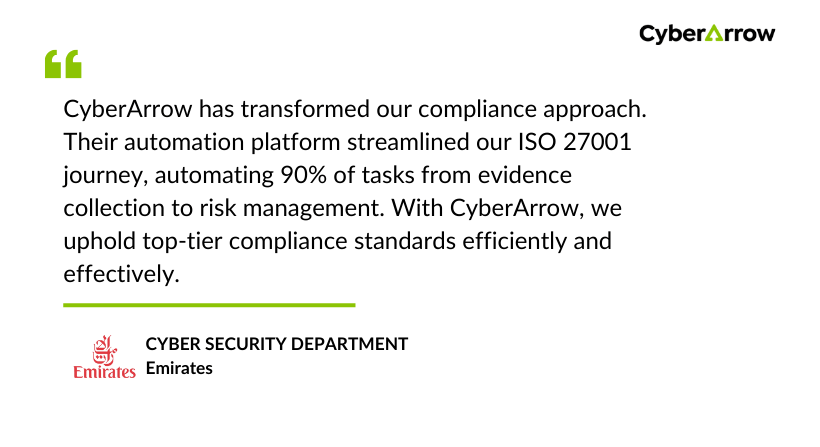
See what our clients have to say about CyberArrow GRC:
FAQs
What is the main purpose of cyber risk management?
Its main purpose is to identify, measure, and reduce cyber risks that could impact business operations, financial stability, or compliance obligations.
How often should companies conduct cyber risk assessments?
Most organizations perform them at least annually, but high-growth or highly regulated companies benefit from quarterly reviews.
What’s the difference between cyber risks and IT issues?
Cyber risks affect business outcomes, not just systems. IT issues are technical problems; cyber risks relate to financial loss, downtime, data exposure, or compliance breaches.
Who should own cyber risk management inside a company?
Typically shared between IT/security, compliance, and business department owners. Each risk needs a clearly assigned owner.
Do small businesses need cyber risk management?
Yes, smaller companies are often targeted because they have fewer controls. A simple, structured approach significantly reduces exposure.
