How to implement a GRC tool in your organization successfully
Organizations use GRC tools because managing governance, risk, and compliance manually has become unrealistic. As businesses grow, so do their regulatory requirements, third-party dependencies, internal controls, and audit demands.
A GRC tool consolidates everything into a centralized system, reduces repetitive manual work, and provides leadership with real-time visibility into risks and compliance status.
But how to implement one successfully in your organization?
Let’s explore in this article below.
- Why you should implement a GRC tool in your organization
- 9 steps to implement a GRC tool in your organization
- 1. Start with a clear outcome for the implementation
- 2. Map your existing compliance and risk processes
- 3. Define roles and responsibilities early
- 4. Start small with a pilot implementation
- 5. Configure the tool around your real workflows (not the other way around)
- 6. Integrate the GRC tool with other business systems
- 7. Train users with practical, role-based training
- 8. Build continuous monitoring into your system
- 9. Regularly review, optimize, and scale the system
- Implement your GRC program faster with CyberArrow
Why you should implement a GRC tool in your organization
If your organization is scaling, targeting enterprise clients, or navigating multiple compliance requirements, implementing a GRC tool is no longer optional; it becomes a strategic advantage.
Here’s why:
- To streamline compliance workflows: A GRC tool centralizes policies, procedures, risks, and controls, making compliance less scattered and significantly easier to maintain.
- To reduce manual and repetitive work: Automated reminders, evidence collection, task assignments, and reporting reduce the time teams spend chasing documents and updating spreadsheets.
- To prepare for audits proactively: Instead of last-minute scrambles, auditors get organized, ready to review evidence and policy documentation.
- To enhance visibility for leadership teams: Dashboards provide real-time compliance posture, upcoming deadlines, control effectiveness, and risk levels.
- To reduce risk exposure: Standardized risk assessment workflows help teams identify, prioritize, and mitigate threats before they escalate.
- To build trust with clients and regulators: Demonstrating strong governance and compliance maturity builds credibility and supports business growth.
9 steps to implement a GRC tool in your organization
Implementing a GRC tool requires planning, ownership, and a change-management mindset. Below is a practical approach to what actually works inside organizations.
Quick link: Guide to choosing the right GRC tool for your company
1. Start with a clear outcome for the implementation
Before bringing in any tool, define what you want to achieve. Most unsuccessful GRC implementations happen because teams jump into configuration without clear direction.
Ask questions like:
- Are we implementing to pass an audit?
- Do we need to automate risk assessments?
- Do we want all policies and controls in one place?
- Do we want to replace spreadsheets completely?
Your purpose will determine your implementation roadmap, timelines, and required features.
2. Map your existing compliance and risk processes
Document your current workflows before migrating anything into the tool. This allows you to configure the system to reflect your organization’s reality rather than forcing a generic setup.
Map out:
- Risk assessment steps
- Control ownership
- Policy creation and review process
- Evidence collection workflows
- Audit planning and preparation timelines
- Third-party review processes
This mapping also helps identify inefficiencies that the GRC tool should eliminate.
3. Define roles and responsibilities early
A GRC implementation only works when people know exactly what they are responsible for.
Create clear roles such as:
- System owner: Responsible for tool configuration and maintenance.
- Risk owners: Accountable for assessing and mitigating risks.
- Control owners: Responsible for control execution and evidence submission.
- Chief compliance officer: Oversees implementation and reporting.
This prevents confusion and minimizes resistance once the tool becomes part of daily workflows.
4. Start small with a pilot implementation
Instead of onboarding the entire organization at once, start with one area, for example, “SOC 2 readiness” or “vendor security assessments.”
A pilot helps you:
- Validate whether workflows make sense
- Identify configurations that need improvement.
- Train early adopters who can later support other teams.
- Collect feedback before expanding the rollout.
This approach reduces implementation friction and increases user adoption.
5. Configure the tool around your real workflows (not the other way around)
Avoid shaping your processes to fit the tool’s structure. Instead, configure the tool to support your existing, optimized workflow.
This includes:
- Custom control sets.
- Tailored risk scoring methods.
- Automated evidence requests based on your audit cycle.
- Custom forms for third-party risk reviews.
- Policy approval workflows aligned with your internal structure.
A well-configured tool feels natural to users, improving long-term adoption.
6. Integrate the GRC tool with other business systems
Integrations reduce manual effort and ensure data accuracy.
Common integrations include:
- HR systems for automatic user provisioning.
- Asset inventory tools for real-time asset updates.
- Ticketing systems like Jira or ServiceNow.
- Cloud platforms for automated evidence collection
When systems talk to each other, your compliance posture becomes more reliable and less dependent on manual updates.
7. Train users with practical, role-based training
Teams do not need training on every feature. They need training on what they will actually do.
Examples:
- Risk owners learn how to assess risks and update mitigation plans.
- Control owners learn how to submit evidence and respond to automated reminders.
- Leadership learns how to interpret dashboards and reports.
Role-based training increases adoption and reduces resistance.
8. Build continuous monitoring into your system
A GRC tool is at its best when it continuously tracks:
- Control performance
- Evidence collection deadlines
- Policy review cycles
- Risk levels
- Vendor assessments
- Audit readiness
Set up recurring tasks, automated alerts, and dashboards so compliance becomes a continuous activity rather than an annual crisis.
9. Regularly review, optimize, and scale the system
After your initial rollout, review what’s working and what isn’t.
Look at:
- User adoption levels
- Bottlenecks in workflows
- Controls with repeated failures
- Risks that remain unmitigated
- Manual tasks that can be automated further
As your organization grows, your GRC tool should grow with you, adding new frameworks, teams, and integrations over time.
Implement your GRC program faster with CyberArrow
CyberArrow helps organizations set up and manage their entire compliance program in one place. Instead of handling tasks manually across spreadsheets, emails, and scattered tools, teams get a structured system that keeps everything organized and audit-ready.
With CyberArrow, you can:
- Automate evidence collection for major compliance frameworks.
- Manage risks with built-in assessments and real-time dashboards.
- Track tasks, owners, and deadlines across teams.
- Maintain and distribute policies effortlessly.
- Centralize third-party risk reviews and vendor documentation.
- Monitor compliance progress with clear KPIs and reporting.
Get guided workflows and dedicated support at every step.
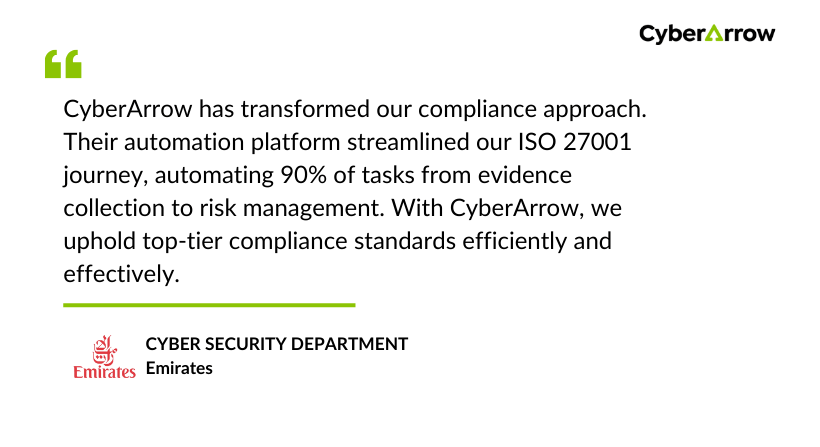
See what our clients have to say about CyberArrow GRC: