Bitbucket vs GitHub for teams
Choosing the right code hosting platform can shape how development teams collaborate, deploy, and scale. GitHub and Bitbucket are two of the most widely used options. GitHub dominates the open-source space and boasts advanced AI and automation capabilities.
Bitbucket, on the other hand, integrates naturally with the broader Atlassian ecosystem and delivers enterprise-level features such as built-in CI/CD and compliance controls.
In this article, we will compare Bitbucket vs GitHub, covering hosting options, CI/CD tools, integrations, and typical use cases, to help teams make an informed choice aligned with their workflows and organizational needs.
Quick read: What is a RAT (Remote Access Trojan)?
Bitbucket vs GitHub: At a glance
| Features | GitHub | Bitbucket |
| Hosting options | Cloud (GitHub.com) and self-hosted via GitHub Enterprise Server. | Cloud (Bitbucket Cloud) and on-prem via Bitbucket Data Center/Server. |
| CI/CD | GitHub Actions with extensive marketplace support and multi‑OS runners. | Bitbucket Pipelines (cloud-native CI/CD) supports Docker on Linux. |
| Free tier limits | Unlimited public/private repos, 2,000 Actions minutes, 500MB packages. | Unlimited repos for up to 5 users, 50 Pipelines minutes, 1 GB LFS. |
| Security and compliance | Enterprise plans include code scanning, secret detection, and audit logs. | Premium includes IP whitelisting, branch permissions, and security dashboards. |
| AI and code assistance | GitHub Copilot offers code generation, PR summaries, and search. | Atlassian Intelligence supports PR suggestions and search insights. |
| Integrations and ecosystem | GitHub Marketplace has integrations with thousands of third-party apps such as Slack, Azure, Jira, etc. | Deep integration with Jira, Confluence, Trello; ~2,300 apps. |
| User experience and interface | Streamlined interface, beginner-friendly tools like Projects. | Clean UI, though some find PR navigation less intuitive. |
| Mid-tier pricing | Team plan starts around $4/user/month Enterprise costs around $21/user/month, depending on cloud-based or on-premise options. | Standard $3/user/monthPremium $6/user/month for cloud edition. |
Bitbucket vs GitHub: Feature comparison
Let’s compare Bitbucket and GitHub across key areas that matter to development teams.
1. User interface and experience
GitHub offers a clean, beginner-friendly interface that focuses on simplicity and accessibility. It provides intuitive navigation for managing repositories, issues, pull requests, and code reviews.
Bitbucket, on the other hand, provides a more feature-rich but slightly denser UI. It’s tailored for teams using Atlassian products like Jira, with more native project management capabilities. This makes it a better fit for structured enterprise environments.
2. Integration and DevOps support
GitHub has an extensive integration ecosystem through GitHub Marketplace, supporting thousands of third-party tools. GitHub Actions is built-in for CI/CD and enables teams to automate workflows natively within the platform.
Bitbucket integrates seamlessly with the Atlassian suite: Jira, Trello, Confluence, and provides Bitbucket Pipelines for CI/CD. While not as flexible as GitHub Actions, it’s a strong option for teams already using Atlassian tools.
3. Version control system support
GitHub exclusively supports Git, making it ideal for teams that have fully adopted Git workflows.
Bitbucket supports both Git and Mercurial (although Mercurial support has been deprecated since 2020). Git is now the primary VCS supported, aligning it more closely with GitHub.
4. Access control and permissions
GitHub provides basic access controls in its free plan and more granular role-based access in GitHub Enterprise. Organizations can manage teams and permissions via GitHub Organizations.
Bitbucket allows more detailed permission control at the project, repository, and branch levels, even on lower-tier plans. This makes it a better option for teams needing tighter access governance.
5. Code review and collaboration
GitHub offers pull requests with code review tools, in-line commenting, suggestion features, and support for protected branches. Its widespread use also makes collaboration easier across open-source and private teams.
Bitbucket also supports pull requests, inline comments, and merge checks. However, it offers more granular merge conditions and built-in Jira issue linking, which helps teams with stricter review processes and project management needs.
6. Community and ecosystem
GitHub leads here by a wide margin. With the largest open-source developer community, it’s the go-to hub for collaborative development, public projects, and learning resources.
Bitbucket, while smaller in community size, is popular among enterprise teams, particularly those integrated into the Atlassian ecosystem. It focuses more on private repository use rather than public, community-driven development.
Bitbucket vs GitHub: Pros and cons
Before choosing between Bitbucket vs GitHub, it’s important to weigh their strengths and limitations in real-world use.
Let’s talk about the pros and cons of each platform to help teams decide which tool best fits their workflows, project goals, and team structure.
GitHub
Pros:
- Large open-source community, ideal for public project exposure.
- Powerful CI/CD capabilities via GitHub Actions.
- Rich integration ecosystem beyond Atlassian, including third-party tools.
- Advanced collaboration tools like discussions, issue templates, and Codespaces.
- Strong security features with Dependabot, code scanning, and secret detection.
Cons:
- Limited native project management features (unless combined with external tools).
- Some features like advanced security and auditing are gated behind paid plans.
- Learning curve for GitHub Actions and more complex workflows.
Bitbucket
Pros:
- Seamless integration with Jira, Confluence, and the Atlassian ecosystem.
- Bitbucket Pipelines provides an easy-to-set-up CI/CD option.
- Granular branch permissions and merge checks for enterprise needs.
- More cost-effective for teams already on Atlassian products.
- Good for small-to-medium private repositories and internal teams.
Cons:
- Smaller user community and fewer third-party learning resources.
- Limited visibility for public projects.
- CI/CD features are less flexible than GitHub Actions for complex pipelines.
Which platform should you choose?
Choosing between Bitbucket vs GitHub depends on your team’s priorities, the scale of your projects, and your existing toolset. While both are capable platforms for Git-based version control, they serve slightly different needs.
Here’s a quick way to decide:
Choose Bitbucket if:
- You already use Atlassian tools.
- You need strict access controls and workflow enforcement.
- You manage mostly private repositories.
Choose GitHub if:
- You want broad visibility and community support.
- You need robust, flexible CI/CD options.
- You contribute to or manage open-source projects.
Ultimately, the right platform depends on how well it aligns with your workflows, not just the features, but the integrations and team structure you already have in place.
Takeaway
Bitbucket and GitHub offer solutions for managing code and collaborating on software projects. The choice between them should be guided by your team’s specific needs, existing tools, and the type of projects you manage. Bitbucket’s strength lies in its seamless integration with the Atlassian ecosystem, making it a great choice for teams invested in those tools and focused on private repositories.
GitHub, with its vast community and flexible features, excels in open-source collaboration and advanced DevOps workflows.
Regardless of your choice, maintaining strong governance, risk management, and compliance processes around your code repositories is essential.
Platforms like CyberArrow provide comprehensive GRC solutions that help organizations oversee and automate these processes effectively, ensuring your development environment stays secure and compliant.
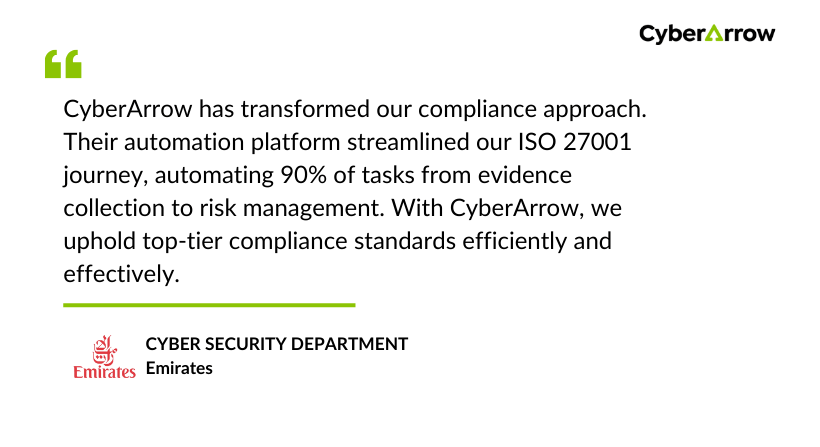
See what global brands like Emirates has to say about CyberArrow GRC: