How to make a HIPAA compliant website in 2026: A step-by-step guide
Is your website secure enough to comply with HIPAA regulations when collecting, storing, or transmitting protected health information (PHI)? A common misconception is that HIPAA compliance applies only to hospitals or healthcare providers. However, any business handling PHI, telehealth platforms, patient portals, online pharmacies, or even medical billing services must meet strict security standards.
But what does it mean to have a HIPAA compliant website, and how do you ensure your site meets the required safeguards?
This guide breaks down everything you need to know, from security requirements to common mistakes, and how compliance automation can make the process easier.
What is a HIPAA compliant website?
A HIPAA compliant website is one that follows the HIPAA rules to protect sensitive patient data. This means the website must implement strict security controls to prevent unauthorized access, breaches, or misuse of PHI or ePHI.
If your website handles any of the following, you need HIPAA compliance:
- Online patient registration or appointment booking.
- Electronic medical records (EMR) access.
- Telehealth consultations.
- Online payment processing for medical services.
- Health-related forms that collect personal health information.
Key requirements for a HIPAA compliant website
To be HIPAA compliant, your website must meet the following security and privacy standards:
1. Secure web hosting
A HIPAA-compliant hosting provider must offer:
- Data encryption at rest and in transit.
- Secure backups and disaster recovery.
- Access controls and audit logs.
- Signed business associate agreement (BAA).
Example: AWS, Microsoft Azure, and Google Cloud offer HIPAA-compliant hosting solutions with built-in security features.
2. SSL/TLS encryption
Every HIPAA-compliant website must have an SSL certificate, ensuring data is encrypted between users and servers. Without encryption, cybercriminals can intercept PHI.
Tip: Look for HTTPS in your website URL, a sign of secure encryption.
3. Access controls and authentication
Only authorized users should be able to access PHI. Your website should implement:
- Strong password policies.
- Multi-factor authentication (MFA).
- User role-based access (e.g., doctors, patients, administrators).
4. Data storage & backup security
PHI stored on servers must be encrypted and protected with strict access controls. Secure backup strategies should also be in place in case of cyberattacks or accidental data loss.
5. Business associate agreement (BAA)
If you work with third-party services (hosting, email providers, cloud storage, etc.), they must sign a BAA to confirm their compliance with HIPAA regulations.
Common mistake: Using Google Drive or Dropbox for PHI storage without a signed BAA violates HIPAA regulations.
Steps to build a HIPAA compliant website
Creating a HIPAA compliant website requires careful planning and the implementation of strict security measures. Below are some common steps to ensure your website meets all regulatory requirements.
Step 1: Choose a HIPAA-compliant hosting provider
Your hosting provider is one of the most critical components of HIPAA compliance. It must offer robust security features, including:
- End-to-end encryption: Data should be encrypted at rest (stored data) and in transit (when being sent between users and servers).
- Automatic backups and disaster recovery: The hosting provider should offer regular, encrypted backups to restore data in case of cyberattacks or accidental loss.
- Access controls: Only authorized personnel should be able to access PHI.
- Activity logging and audit trails: The system must keep records of who accesses data and when, ensuring accountability.
- Business associate agreement (BAA): Your hosting provider must sign a BAA, ensuring they take responsibility for safeguarding PHI.
Examples of HIPAA-compliant hosting providers:
- Amazon Web Services (AWS) HIPAA compliance offers secure cloud storage, encryption, and access controls.
- Google Cloud HIPAA compliance provides a HIPAA compliant infrastructure with strong security measures.
- Atlantic.Net HIPAA hosting specializes in secure, dedicated hosting solutions with HIPAA-ready features.
What to avoid?
- Shared hosting or free hosting providers don’t offer the necessary security for PHI.
- Hosting providers that won’t sign a BAA. Without this, compliance is not legally guaranteed.
Also read: HIPAA violation penalties: Fines, consequences, and real-world cases
Step 2: Secure your website with SSL/TLS encryption
An SSL (Secure Sockets Layer) certificate encrypts the connection between a user’s browser and your website, preventing hackers from intercepting PHI.
How to implement SSL encryption?
- Purchase an SSL Certificate from a trusted provider (e.g., DigiCert, Let’s Encrypt, GlobalSign).
- Install and enable HTTPS across your entire website.
- Update your settings so that all HTTP traffic is redirected to HTTPS.
- Regularly renew your SSL certificate, as expired SSL certificates can expose sensitive data.
How to check if SSL is enabled?
Visit your website and look for “https://” in the URL bar. If it shows a padlock icon, your SSL is active.
Step 3: Use HIPAA-compliant web forms
If your website collects patient data through contact forms, appointment booking systems, or telehealth intake forms, you must ensure the data is encrypted and securely stored.
What to avoid?
- Using basic WordPress or Google Forms. These do not provide HIPAA-compliant encryption.
- Storing form submissions in email inboxes. Email storage is not HIPAA compliant.
How to ensure compliance?
- Use a HIPAA-compliant form builder like JotForm HIPAA, FormDr, or MedForward.
- Encrypt all form submissions before transmission and storage.
- Ensure two-factor authentication (2FA) for admin access to submitted forms.
Example: If a healthcare provider collects patient appointment requests via an online form, the data must be stored in an encrypted database, not in plain-text emails.
Quick read: HIPAA authorization form for family members: A complete guide
Step 4: Implement strong access controls
PHI should only be accessible to authorized users such as doctors, administrators, or IT personnel.
How to enforce access control?
- Role-based access control (RBAC): Assign specific roles to users (e.g., doctors can access records, but receptionists can only view appointment schedules).
- Multi-factor authentication (MFA): To prevent unauthorized logins, a second verification step (e.g., SMS code, authentication app) is required.
- Automatic session timeouts: If a user is inactive for too long, automatically log them out to prevent unauthorized access.
- Audit logging: Maintain logs of who accessed which PHI records and when.
Example: A telemedicine platform should ensure that only doctors can access patient records, while patients should only view their own medical history.
Step 5: Sign a business associate agreement (BAA)
A BAA is a legal contract between your business and any third-party service provider that handles PHI on your behalf. It ensures they follow HIPAA regulations and are legally responsible for maintaining compliance.
Who needs to sign a BAA?
- Hosting providers (e.g., AWS, Google Cloud, Atlantic.Net)
- Cloud storage services (e.g., Dropbox, Google Drive with BAA, Box HIPAA)
- Email providers (e.g., Microsoft 365 with HIPAA compliance, Paubox, Hushmail)
- Payment processors (e.g., Stripe HIPAA, Square HIPAA)
- Telehealth & messaging tools (e.g., Zoom for Healthcare, Doxy.me)
What happens if you don’t get a BAA?
If a third-party vendor experiences a data breach and no BAA is in place, your business could be held legally responsible!
Example: A HIPAA-covered entity or website that uses Google Drive to store PHI without a signed BAA is not HIPAA compliant.
Step 6: Conduct regular security audits
HIPAA compliance is not a one-time setup; it requires ongoing security monitoring to protect patient data.
How to conduct regular security audits?
- Perform vulnerability scans: Use tools like Qualys or Nessus to detect security flaws.
- Monitor access logs: Ensure only authorized personnel are accessing PHI.
- Test backup systems: Simulate a data recovery process to ensure backups are functional.
- Train employees: Regularly educate staff about HIPAA security protocols.
- Use compliance automation: Platforms like CyberArrow automate compliance checks and generate audit reports.
Example: A healthcare clinic should schedule quarterly security reviews and annual HIPAA training for all employees handling patient data.
Secure HIPAA compliance with CyberArrow
Building a HIPAA-compliant website requires more than adding SSL encryption or choosing a secure hosting provider. Every step is critical in protecting patient health information, from data encryption and user access controls to regular security audits and BAAs.
However, manual compliance management can be overwhelming. CyberArrow simplifies HIPAA compliance with automated compliance checks, real-time monitoring, and compliance documentation, ensuring your website stays secure and audit-ready without the hassle.
Here’s what CyberArrow offers:
- Automated evidence collection: Collects and organizes real-time compliance evidence, reducing manual effort.
- HIPAA-specific controls: Comes with built-in HIPAA frameworks and templates for faster implementation.
- Security awareness training: Offers interactive training modules to educate staff on HIPAA and data protection.
- Risk assessment and management: Identifies and tracks compliance risks.
- Audit readiness support: Keeps you prepared for audits with evidence mapping and audit trails.
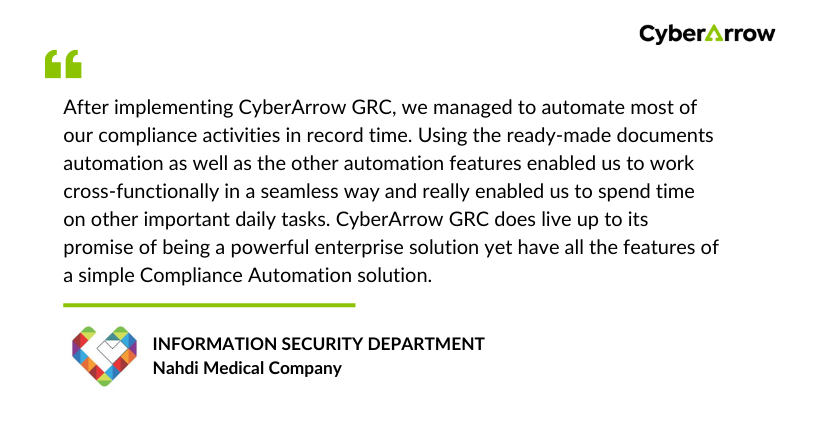
See what Nahdi Medical Company has to say about CyberArrow GRC: