What is an API key? A brief guide
Have you ever wondered how websites and apps communicate with each other behind the scenes? It’s all thanks to something called an API key. If you’re new to technology or just starting to explore the world of software development, the term “API key” might sound a bit confusing. But don’t worry – in this article, we’ll break it down in simple terms so you can understand what an API key is, why it’s important, and how it works.
Whether you’re a developer looking to use APIs or a business owner trying to understand how your apps connect, this guide will help you grasp the basics of API keys. By the end, you’ll know what an API key is, why it matters, and how you can use it to streamline your operations.
What is an API Key?
An API key is like a password that allows one software application to communicate with another. API stands for Application Programming Interface, which is a set of rules that lets different software systems talk to each other. Think of it as a bridge that allows one program to send requests and get responses from another system over the internet.
For example, if you want to connect your application to a weather service to get weather updates, the service will give you an API key. This key acts as your identity, proving that your application is allowed to access their data. Without it, you won’t be able to connect to their services.
In simpler terms, an API key works like a special passcode for connecting your software to another service. It’s how systems know which requests are safe and authorized.
Why do we need API keys?
API keys are important for several reasons:
- Security: API keys ensure that only authorized users or applications can access certain services. Without an API key, anyone could try to make requests to the service, which could lead to unauthorized access, misuse of resources, or even data breaches. By using a unique key, services can track and control who is using their API.
- Access control: API keys allow service providers to manage who can access their data or services. Some APIs may offer limited access to users based on their plan or level of service. An API key helps manage this access, making sure each user gets the level of access they paid for or are entitled to.
- Monitoring: By using an API key, service providers can monitor usage and detect any suspicious activities. They can track how many times the API is used, from where it’s being used, and whether any unusual patterns emerge. This helps in identifying and stopping abuse before it becomes a problem.
- Data and service restrictions: Many APIs only allow a certain amount of requests per minute, hour, or day. An API key helps track this usage and ensures that users don’t exceed their limits. This helps service providers manage their resources effectively while providing fair access to all users.
How does an API key work?
Here’s a simple breakdown of how an API key works:
- Requesting an API key: To use a particular API, you usually need to register with the service provider. When you sign up, they will give you an API key that you can use to send requests to their system.
- Using the API key: Once you have the API key, you include it in your request to the service. This is usually done in the request header or URL.
- Authentication: The service checks the API key and verifies that it’s valid. If the key is valid, the service processes the request and sends back the data or service you asked for. If the key is invalid or expired, the service will reject the request.
- Tracking and limiting usage: The service will track how many times the API key is used and for what purpose. They may limit the number of requests you can make in a given period to prevent abuse.
Types of API keys
API keys can be of different types depending on the service and how it’s being used. Let’s explore a few common types:
- Public API keys: These keys are often used for services that offer limited access to their data. Public API keys are usually intended for services that provide free or trial access to their APIs. For example, you might use a public key to access open-source data or trial versions of services.
- Private API keys: These keys are used for more sensitive applications and often grant full access to the API. Private keys are meant to be kept secure and should never be shared. They typically come with a higher level of access to the service and may require more robust security measures, such as encryption.
- OAuth API keys: OAuth (Open Authorization) is a more secure method for granting third-party access to your data without giving away your password. OAuth keys are commonly used for applications that need access to your data from services like Google or Facebook. These keys grant temporary access and often come with stricter permissions.
How to keep your API key secure
Since API keys give access to valuable services, it’s essential to keep them secure. Here are some tips for protecting your API keys:
- Don’t hardcode keys: Never hardcode your API keys directly into your source code. Instead, use environment variables or configuration files to store them securely. If you hardcode keys, anyone who gains access to your code will have access to your keys as well.
- Use encryption: If you’re transmitting an API key over the internet, ensure that the connection is encrypted. Use HTTPS instead of HTTP to encrypt the data and prevent it from being intercepted.
- Rotate keys regularly: API keys should be rotated (changed) periodically to reduce the risk of them being exposed. Many services provide the ability to generate new keys and deactivate old ones.
- Set permissions and limits: Most services allow you to set permissions and usage limits for your API keys. This helps minimize the potential damage if a key is exposed. Set up the keys to only have the access they need, and limit the number of requests that can be made.
- Monitor usage: Regularly monitor the usage of your API keys to detect any unusual activity. Many service providers offer dashboards or logs that can help you track how your API keys are being used.
How API keys are used in business applications
In the business world, API keys are used in a wide variety of applications. Some common use cases include:
- Payment processing: Payment gateways like PayPal or Stripe use API keys to process payments securely. The API key ensures that only authorized users can initiate transactions.
- Data integration: Businesses use API keys to connect different software systems. For example, you might use an API key to link your customer relationship management (CRM) system with your email marketing platform.
- Cloud services: API keys are used to manage access to cloud platforms like AWS, Google Cloud, and Microsoft Azure. Businesses can use API keys to manage resources, deploy applications, and more.
- Automated reporting: Many software tools use API keys to fetch data from multiple sources and generate reports automatically. For instance, you might use an API key to integrate data from various analytics tools to generate a comprehensive performance report.
How CyberArrow GRC uses API keys to enhance your experience
At CyberArrow GRC, we understand how important integrations are for your business. That’s why our CyberArrow GRC platform supports 80+ integrations with various services, allowing you to streamline your governance, risk, and compliance processes.
By using API keys, CyberArrow GRC can automatically collect evidence from multiple systems, keeping you on track to stay compliant. Whether you need to connect with your cloud storage, IT systems, or other compliance tools, our platform ensures that you can collect evidence automatically without manual intervention.
With CyberArrow GRC, you can:
- Integrate with over 80 popular systems.
- Automate the collection of evidence for compliance audits.
- Stay up-to-date with real-time data and reports.
- Minimize the risk of human error by automating key processes.
Read how Emirates enhanced Information Security by automating ISO 27001 with CyberArrow.
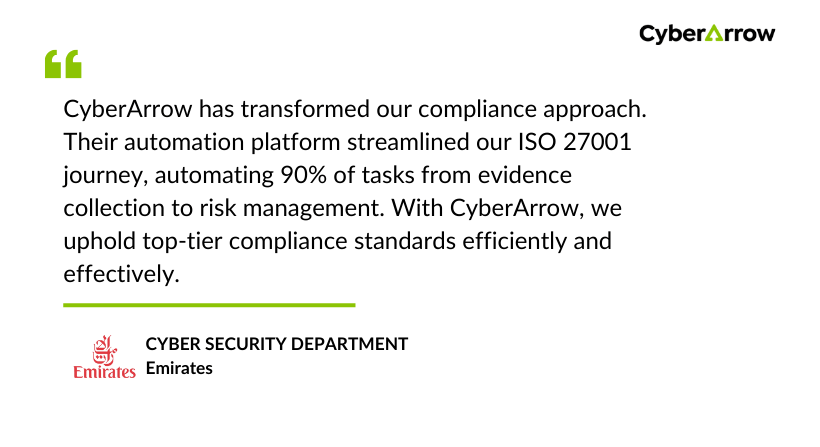
See what Emirates has to say about CyberArrow GRC: