Mobile malware: Securing your smartphone from malicious threats
Today, our smartphones have become extensions of ourselves, holding within them a treasure trove of personal information and daily essentials. From sensitive texts and emails to online banking apps and photos of cherished moments, our smartphones are a repository of our lives. However, as our reliance on these devices grows, so does the threat of mobile malware, the invisible peril that can turn our trusted companions into a source of vulnerability.
During the third quarter of 2022, over 438000 mobile malware installation packages were detected, up by 8% compared to the second quarter of 2022.
In this article, we’ll discuss mobile malware, explore the risks it poses, and provide you with practical, easy-to-understand strategies to secure your smartphone.
Understanding mobile malware
Mobile malware is malicious software designed to infiltrate and compromise the security of smartphones and tablets. Like computer malware, mobile malware comes in various forms, each with its own set of objectives. Understanding these categories of mobile malware is crucial for recognizing potential threats and taking preventive measures.
- Viruses: Attached with legitimate apps, viruses spread when you download or share infected files.
- Trojans: Disguised as legitimate software, trojans trick you into installing them, granting access to your device’s data.
- Spyware: Sneakily lurking in the background, spyware collects your data without your consent, often for advertising or malicious purposes.
- Ransomware: This sinister software locks you out of your device or encrypts your files until you pay a ransom to the attacker.
- Adware: While not always malicious, adware bombards you with unwanted ads, compromising your device’s performance.
The rising threat of mobile malware
Mobile malware has been on the rise in recent years and for several reasons.
- Proliferation of apps: The vast number of apps available for download provides ample opportunities for malware to hide and infiltrate devices.
- Android dominance: Android’s open nature makes it more susceptible to malware than the closed iOS ecosystem.
- Sophistication: Malware creators are becoming increasingly sophisticated, making it harder to detect and remove malicious software.
- Data value: The data stored on smartphones is incredibly valuable, making them prime targets for cybercriminals.
- User behavior: Lack of awareness and risky online behavior, such as downloading apps from untrusted sources, further exacerbate the problem.
Practical tips for securing your smartphone

Let’s explore practical steps to secure your smartphone from mobile malware:
1. Use trusted sources for App downloads
When downloading apps for your smartphone, it’s essential to stick to reputable sources like Google Play for Android or the Apple App Store for iOS devices. These official app stores have robust security measures in place to screen and verify apps, minimizing the risk of downloading malicious software. Avoid the temptation of downloading apps from third-party websites or unofficial sources, as these sources lack the same level of scrutiny and are more likely to host apps infected with malware.
2. Review App permissions
Before installing any app, it’s crucial to review the permissions it requests. When you grant permissions to an app, you’re essentially giving it access to various parts of your device, such as your camera, contacts, or location. Only grant permissions that are necessary for the app’s legitimate functionality. For instance, a simple flashlight app should not need access to your contact list or camera. Being vigilant about permissions can help prevent apps from overreaching and accessing your data unnecessarily.
3. Keep your device and apps updated
Frequently updating your smartphone’s operating system and apps is one of the most effective ways to enhance security. Software updates often include patches for known vulnerabilities that cybercriminals may exploit. By keeping your device and apps up to date, you’re closing potential entry points for malware and strengthening your device’s defenses against emerging threats.
4. Install reputable antivirus software
Consider installing reputable antivirus or mobile security software from well-established cybersecurity companies. These apps provide an additional layer of protection for your smartphone. They can actively scan your device for malware, detect suspicious activity or files, and offer real-time protection against evolving threats. Investing in such software can significantly reduce the risk of falling victim to mobile malware.
5. Use a VPN for added privacy
A Virtual Private Network (VPN) is a valuable tool for both privacy and security. It encrypts your internet traffic, making it difficult for malicious actors to intercept your data when you’re connected to public Wi-Fi networks or even your home network. Additionally, a VPN masks your IP address, enhancing your privacy and making it more challenging for third parties to track your online activities. Employing a trusted VPN service on your smartphone can safeguard your data and online identity.
6. Be cautious with links and emails
Exercise caution when dealing with links and emails, especially from unknown or unverified sources. Avoid clicking on links or downloading attachments from unsolicited emails or text messages. Cybercriminals often use phishing emails to trick individuals into revealing sensitive information or downloading malware. Verify the authenticity of the sender before taking any action, and when in doubt, delete suspicious emails or messages to avoid potential threats.
Related: Malware statistics
7. Enable Two-Factor Authentication (2FA)
Two-factor authentication (2FA) provides an extra layer of security for your accounts. When enabled, it requires you to provide a second form of authentication, such as a one-time code sent to your phone, in addition to your password. Enabling 2FA wherever possible adds an extra barrier against unauthorized access to your accounts, even if your password is compromised.
8. Regularly back up your data
Maintaining regular backups of your smartphone’s data is essential. Backing up your data to the cloud or an external device ensures that you can recover your information in case of a malware attack or other data loss scenarios. By having a secure backup, you can minimize the potential impact of malware by quickly restoring your device to a safe state and preserving your valuable data and memories.
Streamline ISO 27001 compliance and malware protection with CyberArrow GRC
CyberArrow facilitates ISO 27001 compliance while enhancing protection against malware, as outlined in ISO 27001 Annex: A.12.2 “Protection from Malware,” which plays a crucial role in bolstering an organization’s information security posture.
By leveraging this automation platform, organizations can systematically assess risks, implement security controls, and maintain compliance with ISO 27001 standards. Simultaneously, it empowers them to take proactive measures to protect against malware infections on critical assets like smartphones and other information processing facilities.
Through features such as continuous monitoring, security awareness training integration, access control management, and incident response automation, the platform helps mitigate the ever-evolving threat landscape of malware.
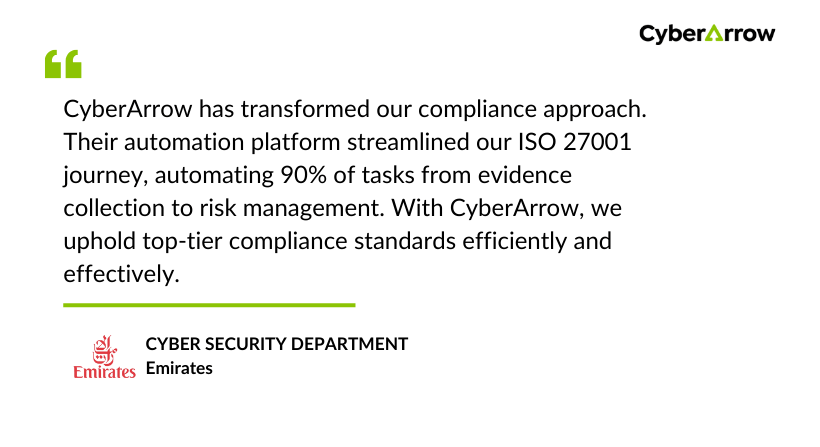
See what Emirates have to say about CyberArrow GRC: