How secure is Google Drive?
Have you ever uploaded sensitive files to Google Drive and wondered, “Is my data truly safe?” This question crosses the minds of many individuals and businesses relying on cloud storage. While Google Drive is widely used for its convenience and accessibility, its security is often scrutinized.
In this blog, we’ll explore how secure Google Drive is, discuss potential risks, and share tips for protecting your data. At the end, we’ll introduce you to the CyberArrow Awareness Platform to help strengthen your cyber security practices.
What is Google Drive?
Google Drive is a cloud storage service that allows users to store, share, and access files from any device connected to the internet. With over 1 billion users worldwide, it has become a popular choice for storing documents, photos, videos, and more.
Key features of Google Drive:
- 15 GB free storage: Each user gets free storage shared across Google Drive, Gmail, and Google Photos.
- File sharing: Easily share files with others via email or link.
- Integration: Works seamlessly with Google Workspace apps like Docs, Sheets, and Slides.
- Cross-device syncing: Access your files on smartphones, tablets, and computers.
While these features are great, the real question is: How secure is it?
Security features of Google Drive
Google Drive has several built-in security measures designed to protect user data. Here’s a closer look at these features:
1. Encryption
- In transit: Google Drive uses TLS (Transport Layer Security) to encrypt files while they’re being uploaded or downloaded. This prevents hackers from intercepting your data during transfer.
- At rest: Files stored on Google’s servers are encrypted with AES 256-bit encryption, a standard used by governments and financial institutions.
2. Access control
- Permissions: You can control who can view, edit, or comment on your shared files.
- Two-factor authentication (2FA): Google offers 2FA to add an extra layer of security when logging into your account.
3. Advanced threat detection
Google’s systems continuously monitor for suspicious activity, such as unauthorized access or malware. This helps detect and block threats in real time.
4. Data redundancy
Google stores multiple copies of your data across different servers. This ensures that even if one server fails, your files remain accessible
Potential security risks of Google Drive
While Google Drive has strong security features, no system is completely foolproof. Here are some potential risks you should be aware of:
1. Human error
- Sharing files with the wrong person or granting excessive permissions can expose sensitive data.
- Clicking on phishing links disguised as Google Drive invitations is another common mistake.
2. Weak passwords
Using weak or reused passwords can make your Google account vulnerable to hackers.
3. Third-party apps
Connecting third-party apps to Google Drive can expose your data if the app is not secure.
4. Insider threats
In businesses, employees with malicious intent can misuse access to shared files.
5. Malware infections
Uploading an infected file to Google Drive can spread malware to other users.
Quick link: HTTP vs HTTPS: What’s the difference
How to enhance Google Drive security
To maximize your data security on Google Drive, follow these best practices:
1. Enable two-factor authentication (2FA)
Adding 2FA to your Google account ensures that even if someone steals your password, they can’t access your account without the second authentication factor.
2. Use strong passwords
Create complex passwords that combine uppercase letters, lowercase letters, numbers, and special characters. Avoid using the same password across multiple accounts.
3. Review file permissions
Regularly check the permissions of shared files and remove access for users who no longer need it.
4. Avoid public links
Instead of sharing files with a public link, use email invitations to limit access to specific individuals.
5. Be wary of phishing emails
Phishing scams often impersonate Google Drive to trick you into revealing login credentials. Always verify the sender before clicking on links.
6. Scan files for malware
Before uploading files to Google Drive, scan them for viruses or malware.
7. Limit third-party app access
Review and revoke access for any third-party apps you don’t trust or use anymore.
Comparing Google Drive security with competitors
Google Drive is secure, but how does it stack up against other cloud storage providers like Dropbox and OneDrive?
| Feature | Google Drive | Dropbox | OneDrive |
| Encryption at rest | AES 256-bit | AES 256-bit | AES 256-bit |
| Two-factor auth | Yes | Yes | Yes |
| File permissions | Granular control | Granular control | Granular control |
| Threat detection | Advanced AI-based monitoring | Basic monitoring | Integrated with Microsoft Defender |
While Google Drive is highly secure, it’s essential to remember that all platforms rely on user vigilance to maintain safety.
Why cyber awareness is crucial
Most data breaches don’t happen because of weak technology but due to human error. Employees clicking on phishing emails or mishandling sensitive data are common causes of security incidents.
This is why cyber security awareness is critical, especially for businesses. Proper training can empower users to recognize and respond to threats effectively.
How CyberArrow Awareness Platform can help
Protecting data on Google Drive and other platforms requires more than just technology—it requires educated and aware users. That’s where the CyberArrow Awareness Platform comes in.
Features of CyberArrow Awareness Platform:
- Automated awareness training: Equip your employees with the knowledge to spot phishing emails, avoid malware, and handle sensitive data responsibly.
- Engaging content: Training modules are interactive and easy to understand, even for non-technical users.
- Simulated attacks: Test your team’s awareness with realistic phishing simulations.
- Customizable modules: Tailor the training to address your organization’s unique challenges.
By using the CyberArrow Awareness Platform, you can transform your employees into your first line of defense, reducing the risk of human error and protecting your sensitive data.
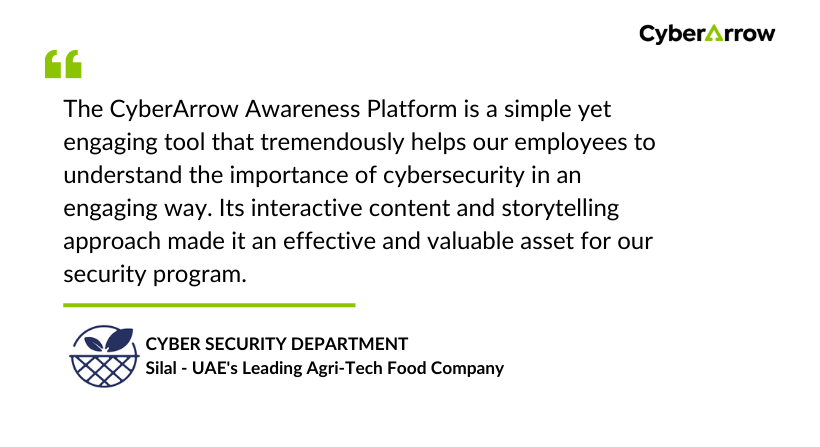
Read how CyberArrow Awareness Platform increased security awareness among Silal’s employees.
See what Silal has to say about CyberArrow Awareness Platform: