How can you protect your organization on social networking sites?
Social networking sites are crucial for businesses today. They help you connect with customers, build your brand, and expand your reach. But these platforms also bring risks, especially when it comes to cyberattacks and data breaches. If not handled properly, social media can expose your organization to threats that could harm your business.
So, how can you protect your organization on social networking sites?
In this blog, we’ll break down key steps to help safeguard your business from online threats. These tips will help keep you secure company while you enjoy the benefits of social media.
- Why social media is risky for organizations
- Steps you can take to protect your organization on social networking sites
- 1. Train employees on social media safety
- 2. Use strong passwords and Two-Factor Authentication
- 3. Monitor social media accounts regularly
- 4. Limit access to social media accounts
- 5. Secure third-party apps and tools
- 6. Create a social media policy
- 7. Conduct regular security audits
- 8. Monitor and protect your brand online
- Secure your organization with CyberArrow Awareness Platform
Why social media is risky for organizations
Before diving into the solutions, it’s important to understand why social networking sites can be dangerous for businesses.
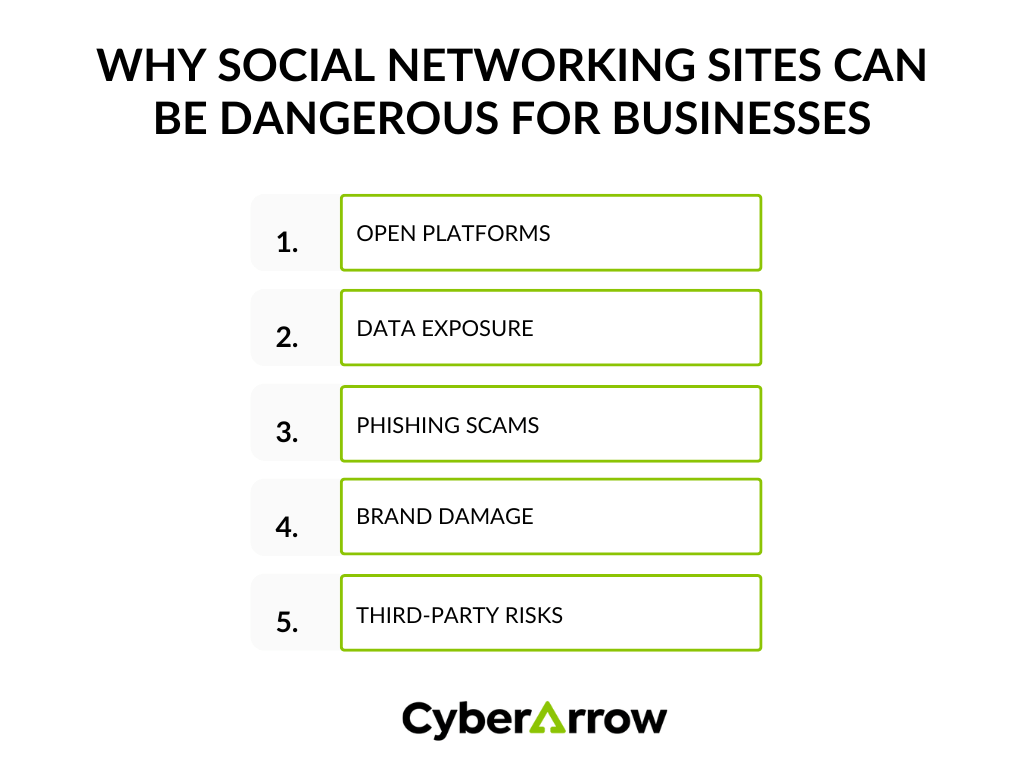
Open platforms: Social networking sites encourage interaction and sharing. While this is good for communication, it also gives cybercriminals opportunities to attack.
Data exposure: Every post, like, or comment can reveal information. Employees might accidentally share sensitive data that criminals can use.
Phishing scams: Hackers use fake profiles and messages to trick employees into giving away login details or sensitive data.
Brand damage: A negative post or inappropriate comment can harm your reputation, making customers lose trust in your business.
Third-party risks: Many organizations use third-party apps or tools to manage social media. These can introduce security risks if they are not secure themselves.
Steps you can take to protect your organization on social networking sites
Now that we’ve looked at the risks, let’s explore the steps you can take to protect your organization on social networking sites.
1. Train employees on social media safety
One of the most effective ways to protect your organization is by educating employees. Your team needs to understand the risks of social media and how to avoid them.
Here are some key points to cover in training:
- Recognize phishing attacks: Teach employees how to identify suspicious messages or profiles that could be trying to steal information.
- Think before posting: Encourage your team to be cautious about what they share online. Oversharing can lead to data leaks.
- Password security: Stress the importance of using strong passwords and never sharing login details with anyone.
- Report suspicious activity: Employees should know how to report strange behavior or messages that could be potential threats.
By training your team, you reduce the risk of them falling for scams or making mistakes that could expose your company to danger.
2. Use strong passwords and Two-Factor Authentication
Weak passwords are an easy way for hackers to break into your accounts. Protect your organization by requiring strong, unique passwords for all social media accounts.
Here’s how you can improve password security:
- Long and complex passwords: Passwords should be at least 12 characters long and include letters, numbers, and symbols.
- Use Two-Factor Authentication (2FA): 2FA adds an extra layer of security by requiring a second form of verification, like a text message code when logging in.
- Change passwords regularly: Encourage employees to change passwords every few months to keep accounts secure.
By using strong passwords and 2FA, you make it much harder for hackers to access your social media accounts.
3. Monitor social media accounts regularly
Regular monitoring of your social media accounts is essential to catch any unusual activity early. Here are some things to watch for:
- Unauthorized logins: Look out for unfamiliar logins or devices accessing your accounts.
- Suspicious messages or posts: Hackers may post harmful content or send phishing messages from your account.
- Fake accounts: Scammers sometimes create fake profiles to impersonate your company and trick your customers.
To stay on top of things, set up alerts that notify you of any unusual activity. Using social media management tools can help you keep track of all your accounts in one place.
4. Limit access to social media accounts
Not everyone in your company needs full access to your social media accounts. Limiting access reduces the chances of mistakes or unauthorized activity. Here’s how you can control access:
- Assign roles: Only allow trusted employees to manage social media. You can assign specific roles (e.g., admin, editor) based on what access they need.
- Use team collaboration tools: Instead of sharing login credentials, use tools that allow team members to collaborate without needing direct access to account passwords.
- Remove access for former employees: When an employee leaves, make sure to immediately remove their access to all social media accounts.
By controlling who has access, you reduce the risk of an internal or external attack.
5. Secure third-party apps and tools
Many businesses use third-party tools to manage their social media, such as scheduling posts or analyzing performance. However, these apps can introduce security risks if they are not properly vetted.
To protect your organization:
- Only use trusted tools: Before using any app, check reviews and ensure it has a strong reputation for security.
- Limit permissions: Only grant apps the permissions they need. Don’t give them access to more than necessary.
- Keep software updated: Regularly update all tools to the latest version, which often includes security patches.
6. Create a social media policy
A social media policy is a set of guidelines that outlines how employees should use social networking sites, both personally and professionally. This helps set expectations and ensures everyone understands how to protect the organization online.
Your social media policy should include:
- Posting guidelines: What is acceptable to post on behalf of the company and what is not.
- Security measures: Best practices for password management, using 2FA, and reporting security threats.
- Personal vs. professional use: Rules on how employees should differentiate between personal and business accounts.
- Crisis management plan: Steps to take if a security breach occurs, including who to contact and how to respond.
A well-written policy will help your team know how to behave responsibly and safely on social media.
7. Conduct regular security audits
Perform regular security audits to identify vulnerabilities in your social media practices. During an audit, review:
- Account access: Check who has access to your social media accounts and remove any unnecessary permissions.
- Passwords and security settings: Ensure that passwords are strong and 2FA is enabled.
- Third-party apps: Verify that all tools you use for social media management are secure and updated.
Regular audits help you catch any issues before they become major problems, keeping your organization secure.
8. Monitor and protect your brand online
Fake profiles and phishing schemes can damage your company’s reputation. By monitoring your brand’s presence on social networking sites, you can catch imposters or scams targeting your business.
Here’s how to protect your brand:
- Use brand monitoring tools: Tools like Google Alerts or Mention can notify you when your company is mentioned online.
- Report fake accounts: If you find someone impersonating your company, report the account to the social media platform.
- Respond to negative comments: Address any complaints or negative feedback professionally to protect your brand’s image.
Monitoring your brand online will help you quickly respond to threats before they escalate.
Secure your organization with CyberArrow Awareness Platform
Protecting your organization on social networking sites requires a combination of employee education, strong security practices, and regular monitoring. But staying on top of all these tasks can be overwhelming, especially as your company grows.
CyberArrow Awareness Platform offers an automated training program that helps your employees learn how to protect your organization from cyberattacks, including the risks of social media. By educating your team and automating the training process, you can ensure that everyone is up to speed on the latest security practices.
Investing in a solution like CyberArrow helps your business stay secure while allowing you to focus on what matters most, growing your organization and using social media to its full potential.
See what our clients have to say about CyberArrow Awareness Platform: