How can you protect your home computer? Cyber awareness tips
In today’s digital age, protecting your home computer has never been more important. Whether you’re working remotely, shopping online, or simply browsing social media, your personal information and sensitive data are at risk. Cybercriminals are constantly evolving their tactics, making it crucial to stay one step ahead.
But how can you effectively protect your home computer?
Let’s break it down with simple, actionable steps to secure your device and avoid potential threats.
Why cyber security matters for your home computer
With increasing reliance on the internet for daily activities, home computers have become prime targets for hackers. Your personal device can house sensitive information like financial data, login credentials, personal emails, and even work-related files if you’re working remotely.
A breach could lead to identity theft, financial loss, and even compromised professional data. Fortunately, there are several ways to shield your home computer from these dangers.
Common threats to home computers
Before we dive into protection strategies, it’s important to understand what threats are out there. Here are some of the most common:
1. Malware: This includes viruses, worms, and ransomware that can infect your computer and cause significant damage.
2. Phishing scams: Cybercriminals often send fake emails or messages to trick you into providing personal information.
3. Spyware: This type of malware monitors your activities without your consent, often to steal personal data.
4. Weak passwords: Simple or reused passwords are easy for hackers to guess or crack.
5. Unsecured networks: Public Wi-Fi and unsecured home networks can be exploited by hackers.
Now that you’re aware of the threats, let’s talk about the solutions.
How to protect your home computer: Key steps
Install antivirus software
The first line of defense for your home computer is antivirus software. A reliable antivirus program scans your computer for any malicious files or viruses and removes them before they cause harm. Look for an antivirus with real-time protection, so it can monitor your system at all times.
Keep your software updated
One of the simplest yet most effective ways to protect your home computer is to regularly update your operating system and applications. Software updates often include security patches that fix vulnerabilities. When these updates are ignored, it leaves your computer open to attacks that exploit outdated software.
Use strong passwords
A strong password is essential for protecting your online accounts and computer. Use a mix of uppercase and lowercase letters, numbers, and special characters. Avoid using personal information like birthdays or names. It’s also important not to reuse the same password across multiple accounts. Consider using a password manager to store and generate secure passwords.
Enable two-factor authentication
Adding an extra layer of security, two-factor authentication (2FA) requires you to provide two forms of identification to access your accounts. Usually, this is a password plus a code sent to your mobile device. Even if a hacker gets hold of your password, they would still need the second piece of information to gain access.
Secure your Wi-Fi network
Your home Wi-Fi network can be an entry point for hackers if it’s not properly secured. Make sure to set up a strong password for your network, and change the default router settings. You should also enable WPA3 encryption (or at least WPA2) for added security.
Avoid phishing scams
Be cautious of suspicious emails or links. Phishing scams can trick you into revealing personal information or downloading malicious software. If you receive an email that looks suspicious, avoid clicking any links, and don’t open any attachments. Instead, verify the sender or delete the email immediately.
Backup your data regularly
Regular backups ensure that you won’t lose your important files in case of a malware attack or hardware failure. Use an external hard drive or cloud storage to store backup copies of your data. Automatic backups can also save you time and help protect against ransomware attacks, where cybercriminals lock your files and demand payment to release them.
Enable a firewall
A firewall monitors incoming and outgoing traffic and blocks any suspicious activity. Make sure your computer’s firewall is enabled to prevent unauthorized access. Most operating systems come with a built-in firewall, so double-check that it’s turned on.
Be cautious with public Wi-Fi
Public Wi-Fi networks are notoriously insecure, making it easy for hackers to intercept your data. When using public Wi-Fi, avoid accessing sensitive information such as online banking. If you must use public Wi-Fi, consider using a Virtual Private Network (VPN) to encrypt your internet connection and keep your data private.
Automate Cyber awareness training with CyberArrow Awareness Platform
Protecting your home computer doesn’t have to be complicated. By following the steps outlined installing antivirus software, using strong passwords, securing your network, and avoiding phishing scams you can reduce the chances of a cyberattack.
But it’s not just about your security. For organizations, employees often serve as the first line of defense against cyber threats. This is where the CyberArrow Awareness Platform steps in. It helps you automate cyber security training, turning your workforce into human firewalls by:
- Providing regular security training tailored to current threats.
- Offering interactive modules that engage employees with real-world scenarios.
- Tracking progress so you know where to improve.
With CyberArrow Awareness Platform, your employees can learn to protect both your organization and their own devices, greatly reducing cyber risks.
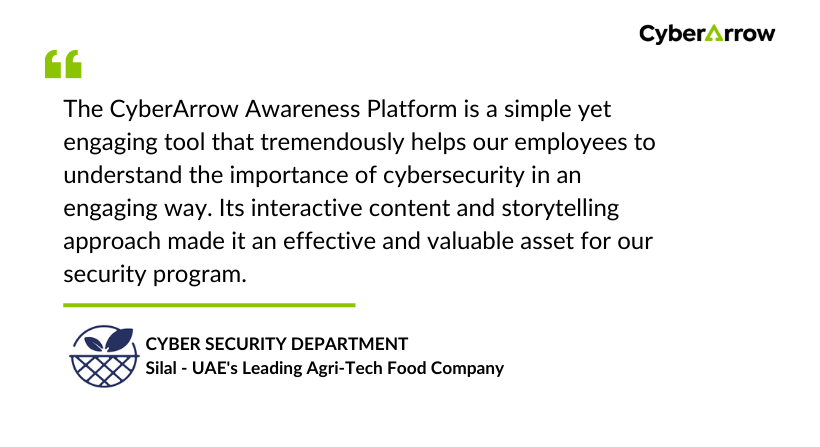
See what Silal has to say about CyberArrow Awareness Platform: