


NIST password guidelines: A complete guide
Passwords are the first line of defense for protecting accounts, systems, and sensitive data. Weak or outdated password rules often lead to breaches, account takeovers, and costly incidents. To address this, the National Institute of Standards and Technology (NIST) developed a set of standards called the NIST password guidelines. These guidelines are widely used by organizations worldwide to improve password security without making authentication unnecessarily complex.
In this blog, we will break down what the NIST password guidelines are, why they matter, how organizations can implement them, and how automation with CyberArrow GRC can make compliance easier.
- What are the NIST password guidelines?
- Key principles of the NIST password guidelines
- Why do the NIST password guidelines matter?
- How organizations can implement NIST password guidelines
- NIST password guidelines and compliance
- Common myths about NIST password guidelines
- How CyberArrow GRC helps with NIST password guidelines
- Final thoughts
- FAQs
What are the NIST password guidelines?
The NIST password guidelines are a set of best practices for creating, managing, and securing passwords. They are published in NIST Special Publication 800-63B: Digital Identity Guidelines.
Instead of encouraging long lists of complex and hard-to-remember rules, NIST focuses on usability and security together. This means organizations should implement policies that protect accounts while also reducing the burden on users.
The guidelines are designed to minimize common risks like:
- Password reuse across multiple accounts.
- Guessable or weak passwords.
- Overly complex rules that frustrate users and encourage unsafe practices like writing down passwords.
Key principles of the NIST password guidelines
The guidelines cover password creation, management, and verification. Here are the main principles explained in simple terms:
Minimum length
Passwords should be at least 8 characters long. Longer is better, but organizations should not force unnecessary complexity.
No arbitrary complexity rules
NIST discourages forcing users to include specific combinations like numbers, symbols, or uppercase letters. These rules often make passwords hard to remember and don’t add meaningful protection.
Avoid periodic resets
For years, companies required employees to change passwords every 30 or 90 days. NIST recommends against this practice because frequent resets lead to predictable, weaker passwords. Password changes should only be required if a breach is suspected.
Use blacklists of weak passwords
Organizations should block common passwords like “123456,” “password,” or those exposed in data breaches. This prevents attackers from exploiting weak credentials.
Encourage longer passphrases
Instead of short, complex strings, users should be allowed to create passphrases like “CoffeeTableSunshine92”. These are easier to remember and harder to guess.
No copy-paste restrictions
Systems should not block users from pasting passwords. This allows for better use of password managers, which improve overall security.
Multi-factor authentication (MFA)
While not a direct password guideline, NIST strongly encourages using MFA along with strong passwords. This adds another layer of protection.
Why do the NIST password guidelines matter?
The guidelines have become a global benchmark for password policies. Organizations that align with NIST’s recommendations benefit in several ways:
- Stronger security: Prevents attackers from exploiting weak or reused passwords.
- Better user experience: Employees and customers face fewer frustrating password rules.
- Regulatory alignment: NIST is referenced in compliance frameworks like ISO 27001, PCI DSS, and SOC 2.
- Reduced breach costs: Since stolen credentials are one of the top causes of cyberattacks, stronger password policies reduce risk.
According to Verizon’s 2024 Data Breach Investigations Report, over 80% of hacking-related breaches involve stolen or weak passwords. This shows why following NIST guidelines is not just recommended but essential.
How organizations can implement NIST password guidelines
Here’s a step-by-step view of how to adopt the NIST approach:
Step 1: Review current policies
Check if your password policies require frequent resets, complex character rules, or restrictions that go against NIST.
Step 2: Update password length requirements
Ensure your systems allow passwords of at least 8 characters and encourage longer passphrases.
Step 3: Implement password blacklists
Use tools or integrations that block users from setting weak or breached passwords.
Step 4: Enable MFA
Make multi-factor authentication a standard practice, especially for high-risk accounts.
Step 5: Educate users
Provide training on creating strong passphrases and the importance of using password managers.
Step 6: Automate compliance monitoring
Manual checks are not enough. Automation ensures continuous monitoring and reporting on password compliance across systems.
NIST password guidelines and compliance
The guidelines are not just about security but also about compliance readiness. Many industry regulations refer to or align with NIST standards, including:
- ISO 27001 – Information security management.
- PCI DSS – Payment card security.
- SOC 2 – Security and data protection controls.
- HIPAA – Healthcare data protection.
By aligning password policies with NIST, organizations strengthen their compliance posture across multiple frameworks at once.
Common myths about NIST password guidelines
Myth 1: Longer passwords are always better
While longer is good, length alone doesn’t guarantee security. Weak patterns like “aaaaaaaaaa” or “1234567890” are still vulnerable.
Myth 2: Passwords must include numbers and symbols
NIST removed this rule. A strong passphrase like “PurpleCarrotBeach45” is both easier to remember and stronger than “P@55w0rd!”.
Myth 3: Users should change passwords every 90 days
NIST recommends changing passwords only when there is a risk or incident.
How CyberArrow GRC helps with NIST password guidelines
Staying aligned with the NIST password guidelines is not only about creating good policies but also about maintaining them consistently across your organization.
With CyberArrow GRC, you can:
- Automate compliance tracking for NIST and other frameworks.
- Run continuous monitoring to detect weak password policies.
- Use zero-touch audits to prove compliance without manual effort.
- Integrate with systems to enforce strong authentication practices.
- Simplify reporting with real-time dashboards.
Instead of relying on spreadsheets or manual reviews, CyberArrow GRC puts password compliance on autopilot. This reduces risks, saves time, and ensures you stay audit-ready all year round.
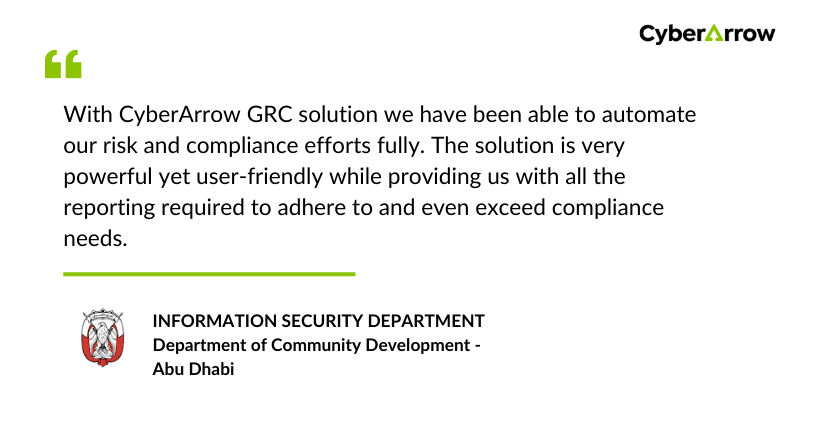
See what our clients have to say about CyberArrow GRC:
Final thoughts
The NIST password guidelines represent a shift toward smarter, more practical security. By moving away from outdated practices and focusing on usability, organizations can improve both security and user satisfaction.
But implementing these guidelines across multiple systems can be challenging. CyberArrow GRC simplifies the process, giving businesses an automated, scalable way to enforce password standards, meet compliance requirements, and prepare for audits.
If you want to reduce risks and build stronger defenses, aligning with the NIST password guidelines and automating compliance with CyberArrow GRC is the right step forward.
FAQs
What are the NIST password guidelines?
The NIST password guidelines are best practices published in NIST SP 800-63B to help organizations strengthen authentication. They focus on making passwords easier to remember, blocking weak or reused ones, and encouraging secure practices like using passphrases and multi-factor authentication.
Why should organizations follow the NIST password guidelines?
Following the NIST password guidelines reduces the risk of breaches caused by weak or stolen credentials. They also align with major compliance standards such as ISO 27001, PCI DSS, SOC 2, and HIPAA, helping organizations improve both security and regulatory readiness.
How can CyberArrow GRC help with NIST Password Guideline compliance?
CyberArrow GRC automates compliance tracking, risk assessments, and audit reporting. It continuously monitors password policy alignment with NIST guidelines, blocks weak practices, and ensures organizations stay audit-ready with zero-touch audits.
