


What is a RAT (Remote Access Trojan)?
Cyberattacks are no longer limited to ransomware or brute-force attacks. Today, some of the most dangerous threats are those that operate silently, often going unnoticed for weeks or even months. One such threat is the Remote Access Trojan (RAT), a type of malware that gives attackers full control over a victim’s system without their knowledge.
RATs are widely used in targeted cyber-espionage campaigns, corporate data theft, and even large-scale nation-state attacks.
This article explores what a RAT is, how it operates, what capabilities it offers to attackers, and what signs may indicate an active infection.
- What is a RAT (Remote Access Trojan)?
- Common Attack Vectors
- Real-World Examples of RATs
- Signs and indicators of a RAT infection
- Best practices to prevent and detect RATs
- 1. Implement application whitelisting
- 2. Train employees to spot social engineering
- 3. Restrict remote access to the essentials
- 4. Segment your network to contain threats
- 5. Monitor for outbound C2 communications
- 6. Keep endpoints lean and secure
- 7. Enforce multi-factor authentication (MFA)
- 8. Patch fast and patch everything
- Stay compliant and secure with CyberArrow
What is a RAT (Remote Access Trojan)?
A Remote Access Trojan (RAT) is a type of malware that creates a covert communication channel between an attacker and a victim’s device. It typically disguises itself as legitimate software or is silently installed through phishing emails, malicious links, or drive-by downloads.
Unlike traditional trojans that may simply steal data or damage files, a RAT acts like a remote control. It provides persistent access to the system and often includes advanced features such as:
- File and folder access and manipulation.
- Keylogging and screen capturing.
- Webcam and microphone control.
- Remote shell access.
- Credential harvesting.
- Data exfiltration.
- Lateral movement within networks.
The attacker can perform these actions without needing physical access, making RATs ideal for espionage, data theft, or creating backdoors in corporate environments.
How does a RAT work?
Remote Access Trojans operate using a client-server model, where the attacker acts as the server and the infected device becomes the client. The process typically begins with the delivery of the RAT through a phishing email, a malicious attachment, a fake software installer, or an exploit kit. Once the user unknowingly executes the payload, the RAT installs itself silently on the device.
After installation, the RAT establishes a connection with the attacker’s command-and-control (C2) server. This connection often bypasses traditional security defenses, such as firewalls and antivirus software, allowing the attacker to communicate with the compromised system undetected.
To maintain long-term access, many RATs implement persistence mechanisms. This could involve modifying registry settings, installing rootkits, or injecting themselves into legitimate system processes to avoid removal during system reboots. Once fully embedded, the RAT enables data exfiltration, sending sensitive information back to the attacker’s server.
Common Attack Vectors
RATs often use social engineering and exploit poor security hygiene. Common attack vectors include:
- Phishing emails with malicious attachments or links.
- Trojanized software downloaded from unverified sources.
- Malicious ads or compromised websites that initiate drive-by downloads.
- USB drives loaded with infected files.
- Exploiting unpatched vulnerabilities in applications or operating systems.
Attackers design RATs to blend in with legitimate processes, making them harder to detect.
Real-World Examples of RATs
Here is a list of a few real-world RATs:
- DarkComet: Once widely used, it allowed attackers to disable task managers, log keystrokes, and capture webcam footage.
- njRAT: A lightweight, feature-rich RAT used to spy on systems and control them remotely. Often used in targeted Middle East cyberattacks.
- QuasarRAT: Open-source and commonly used for educational purposes, but also abused by threat actors.
- PlugX: Known for being used in advanced persistent threats (APTs) and by nation-state actors.
These examples show the range, from basic keyloggers to tools used in cyber-espionage campaigns.
Signs and indicators of a RAT infection
Detecting a RAT early is critical to minimizing damage. Here are some indicators to look for:
- Unexpected system behavior, such as applications opening or closing on their own.
- High network usage, as RATs continuously send data back to the attacker.
- New processes or services; check for unknown or suspicious processes in Task Manager.
- Antivirus alerts, even if quickly dismissed, logs may indicate attempts.
- Disabled security software, as many RATs attempt to shut down firewalls or antivirus tools.
- Webcam or microphone activation without user input.
- Slow system performance, especially when paired with spikes in CPU or memory usage.
- Unusual login locations or access times in system logs.
These signs alone may not confirm a RAT, but multiple signs together strongly suggest compromise.
Best practices to prevent and detect RATs
Organizations can reduce their risk with a layered approach to security. Here’s how:
1. Implement application whitelisting
Restrict endpoints to run only pre-approved applications. This helps block unauthorized executables, including RAT payloads, even if they slip past initial defenses.
Use solutions like Microsoft AppLocker or third-party tools to define and enforce trusted software lists across user and server machines.
2. Train employees to spot social engineering
RATs often rely on phishing and fake installers to gain a foothold. Users are your first line of defense if they know what to watch for.
Run phishing simulations regularly and use results to create role-specific training modules. Emphasize the importance of reporting suspicious emails or downloads.
3. Restrict remote access to the essentials
Limit the use of tools like RDP, TeamViewer, and SSH to only those who absolutely need them. Every open remote access service is a potential RAT entry point.
Use firewall rules and access control lists to restrict remote access by IP, role, and time of day. Log and monitor all remote access sessions.
Quick read: What is LDAP authentication, and how does it work?
4. Segment your network to contain threats
If a RAT infects one device, it shouldn’t have a clear path to everything else. Network segmentation reduces the blast radius of any compromise.
Separate critical systems from general user workstations using VLANs or subnetting. Limit east-west traffic with internal firewalls or microsegmentation.
5. Monitor for outbound C2 communications
RATs need to talk to their command-and-control (C2) servers. Catching these outbound connections can reveal hidden infections.
Set up network monitoring tools to alert on traffic to known malicious IPs or abnormal destination ports. Use DNS logging to catch domain-based C2 activity.
6. Keep endpoints lean and secure
The more open ports, services, and admin tools an endpoint has, the more opportunities a RAT has to operate. Disable what you don’t use.
Use hardening baselines to remove bloatware, disable macros by default, turn off autorun, and limit PowerShell and WMI usage unless required.
7. Enforce multi-factor authentication (MFA)
Even if a RAT steals credentials, MFA can stop the attacker from logging in remotely or moving laterally.
Require MFA for all external access points, especially VPNs, cloud portals, and administrator interfaces. Prioritize phishing-resistant methods like FIDO2 keys or authenticator apps.
8. Patch fast and patch everything
Attackers frequently use RATs alongside known vulnerabilities. Closing those gaps quickly reduces the chance of exploitation.
Use a centralized patch management system to apply updates across OS, software, and firmware. Prioritize high-risk CVEs and ensure patch rollouts are monitored and verified.
Stay compliant and secure with CyberArrow
RAT infections don’t just threaten your systems; they can also lead to serious compliance violations. If attackers exfiltrate personal data, financial records, or sensitive company information, your organization could face regulatory fines, legal consequences, and reputational damage.
CyberArrow GRC helps you stay ahead of these threats with a compliance automation platform designed to reduce risk and support ongoing compliance initiatives.
With CyberArrow, you can:
- Automate evidence collection to ensure real-time compliance with frameworks like ISO 27001, SOC 2, and GDPR.
- Conduct risk assessments that cover third-party risks.
- Track security KPIs and incidents from a centralized dashboard for full audit visibility.
- Provide engaging security awareness training to reduce phishing and social engineering risks.
- Manage assets and inventory to ensure endpoints are secure, patched, and monitored.
- Enable real-time chat support and dedicated compliance assistance when you need it most.
See what companies like Emirates say about CyberArrow:
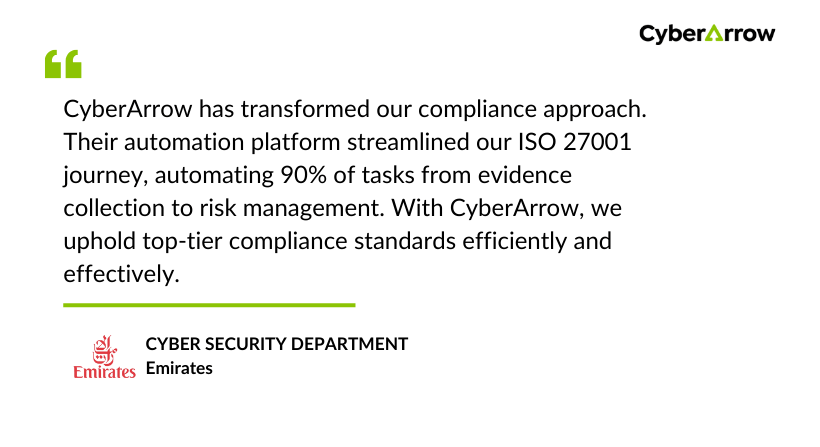
CyberArrow has transformed our compliance approach. Their automation platform streamlined our ISO 27001 journey, automating 90% of tasks from evidence collection to risk management. With CyberArrow, we uphold top-tier compliance standards efficiently and effectively.
