A guide to network security protocols
Today, every business depends on networks. Whether you’re sending an email, storing data in the cloud, or making a video call, your information travels through a network. That’s why keeping those networks secure is so important, and that’s where network security protocols come into play.
These rules and systems help protect your data while it’s moving from one place to another. In this guide, we’ll explain what network security protocols are, why they matter, and the most important ones your business should know.
Let’s break it all down in simple terms.
- What are network security protocols?
- Why are network security protocols important?
- Key benefits of network security protocols
- Common types of network security protocols
- 1. SSL/TLS (Secure Sockets Layer / Transport Layer Security)
- 2. HTTPS (Hypertext Transfer Protocol Secure)
- 3. IPSec (Internet Protocol Security)
- 4. SSH (Secure Shell)
- 5. SFTP (Secure File Transfer Protocol)
- 6. VPN (Virtual Private Network)
- 7. WPA2/WPA3 (Wi-Fi Protected Access)
- 8. RADIUS (Remote Authentication Dial-In User Service)
- Choosing the right security protocols
- Common network security mistakes to avoid
- Final thoughts: Why network security protocols matter
- How CyberArrow GRC supports network security and compliance
What are network security protocols?
Network security protocols are sets of rules that keep your data safe when it moves across a network. These rules:
- Protect your data from hackers.
- Make sure your data reaches the right person.
- Keep your information private and unchanged.
Think of network security protocols like security guards for your information. They make sure your data gets to the right place safely and securely.
Why are network security protocols important?
Without network security protocols, your business is open to many risks:
- Hackers could steal your data.
- Attackers could change your messages in transit.
- Sensitive customer information could be leaked.
- Malware could spread across your systems.
- You could fail compliance checks and face legal trouble.
Using the right security protocols helps prevent data breaches, downtime, and costly cyber attacks.
Key benefits of network security protocols
- Data Encryption – Keeps information private while it moves
- Authentication: Verifies the identity of users or devices.
- Integrity: Makes sure no one changes your data in transit.
- Access Control: Ensures only the right people can access your network.
- Compliance: Helps meet security standards like ISO 27001 or NIST.
Common types of network security protocols
Now let’s look at the most important network security protocols and how they help protect your organization.
1. SSL/TLS (Secure Sockets Layer / Transport Layer Security)
- What it does: Encrypts the connection between a web browser and a server.
- Where it’s used: Websites, email, online apps.
- Why it matters: Keeps your data safe from eavesdropping.
You’ll know a website is using SSL/TLS if the address starts with https:// instead of just http://.
2. HTTPS (Hypertext Transfer Protocol Secure)
- What it does: Uses TLS to secure web traffic.
- Where it’s used: Online banking, e-commerce, login pages.
- Why it matters: Protects sensitive user information on websites.
HTTPS ensures that the data you enter on a website, like your name, password, or payment details, cannot be read or stolen during transfer.
3. IPSec (Internet Protocol Security)
- What it does: Secures IP communications by encrypting and authenticating each IP packet.
- Where it’s used: Virtual private networks (VPNs), private internet connections.
- Why it matters: Keeps company data safe when employees work remotely.
IPSec is often used in corporate networks to protect internal data transmissions over the Internet.
4. SSH (Secure Shell)
- What it does: Encrypts communication between computers.
- Where it’s used: Remote server management.
- Why it matters: Prevents attackers from seeing what’s typed or transferred.
IT teams use SSH to manage servers securely, even from remote locations.
5. SFTP (Secure File Transfer Protocol)
- What it does: Transfers files securely over a network using SSH.
- Where it’s used: Secure document sharing between employees or systems.
- Why it matters: Protects sensitive files during transfer.
Unlike old methods like FTP, SFTP makes sure files stay private and unmodified during transit.
6. VPN (Virtual Private Network)
- What it does: Creates a secure tunnel between your device and the internet.
- Where it’s used: Remote work, connecting to private networks.
- Why it matters: Hides your online activity and protects against spying.
VPNs use several protocols, including IPSec and OpenVPN, to keep your connection secure.
7. WPA2/WPA3 (Wi-Fi Protected Access)
- What it does: Protects data sent over wireless networks.
- Where it’s used: Office Wi-Fi, public hotspots.
- Why it matters: Prevents hackers from stealing data over Wi-Fi.
Always use the latest version (WPA3) if possible. It provides stronger encryption than WPA2.
8. RADIUS (Remote Authentication Dial-In User Service)
- What it does: Provides centralized authentication and access control.
- Where it’s used: Large enterprise networks.
- Why it matters: Makes user access more secure and manageable.
RADIUS is often used with VPNs or wireless networks to verify user credentials.
Choosing the right security protocols
Each protocol has a different job. You don’t need to use all of them, but you do need to choose the right ones based on how your company uses its network.
Here’s a simple guide:
- For websites and customer portals → Use HTTPS/TLS.
- For internal server access → Use SSH.
- For file transfers → Use SFTP.
- For remote workers → Use VPN + IPSec.
- For Wi-Fi security → Use WPA3.
- For user access control → Use RADIUS.
Common network security mistakes to avoid
- Using old or weak encryption methods.
- Not updating devices and software regularly.
- Allowing open Wi-Fi networks without password protection.
- Not using VPNs for remote access.
- Ignoring protocol configurations or updates.
- Failing to train employees on secure practices.
Even with the best protocols, one mistake can still expose your network to attacks.
Final thoughts: Why network security protocols matter
Network security protocols are your company’s defense lines in a digital world. Without them, your data is exposed every time someone connects, shares, or sends information.
Here’s what they do:
- Encrypt your data so no one can read it.
- Authenticate users so only the right people get in.
- Maintain data integrity so your information stays unchanged.
- Protect communications across all devices and locations.
Whether you’re a small business or a large enterprise, using the right network security protocols is no longer optional; it’s essential.
How CyberArrow GRC supports network security and compliance
Protecting your network is only part of the story. You also need to:
- Monitor controls.
- Meet compliance standards.
- Stay ready for audits.
- Train your staff.
- Track policies and risks.
CyberArrow GRC is an all-in-one platform that helps you build, manage, and automate your Governance, Risk, and Compliance program. It gives you the tools to:
- Align network security with ISO, NIST, and other standards.
- Monitor your control posture in real-time.
- Automate risk assessments related to network and IT infrastructure.
- Map controls across multiple frameworks (no duplication).
- Simplify evidence collection for audits.
Whether you’re managing VPN usage, enforcing encryption policies, or protecting user access, CyberArrow GRC helps you stay on top of everything.
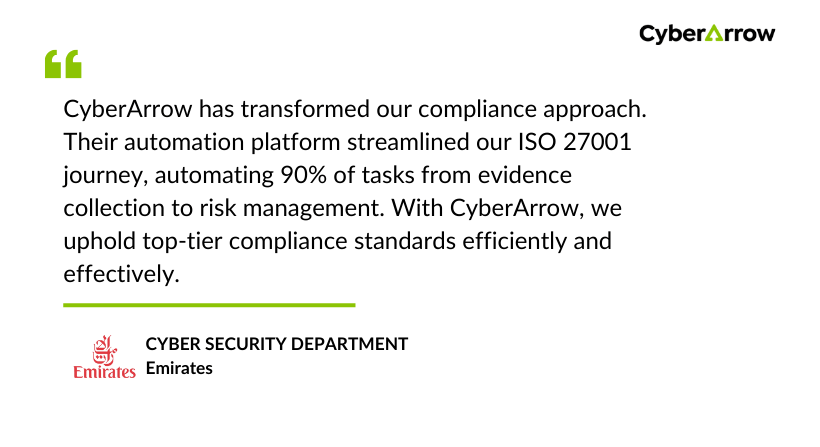
See what a global brand like Emirates has to say about CyberArrow GRC: