How GRC software automates risk assessments for enterprises
Risk assessments are crucial for enterprises to identify, evaluate, and mitigate risks that could disrupt operations or compromise sensitive data. Yet, many organizations struggle with the complexities of manual risk assessments. Could GRC software provide the solution to streamline and automate this critical process?
In this article, we’ll explore how GRC software transforms enterprise risk assessments by automating tedious tasks, improving accuracy, and providing actionable insights.
The limitations of manual risk assessments
Manual risk assessments often involve spreadsheets, documents, and hours of effort spent gathering, organizing, and analyzing data. While these methods may have worked in the past, they are no longer sufficient today. Here’s why:
- Time-intensive processes: Manually identifying risks, evaluating their impact, and defining mitigation strategies can take weeks, leading to delays in addressing critical issues.
- Human error: Relying on manual data entry and analysis increases the likelihood of mistakes, which could lead to overlooked risks or inaccurate prioritization.
- Lack of consistency: Different departments may approach risk assessments differently, leading to inconsistent results and misaligned priorities.
- Inadequate reporting: Traditional methods often lack the tools needed to generate comprehensive reports for stakeholders, auditors, and regulators.
These challenges highlight the need for a more efficient and reliable approach, which is where GRC software can help.
Explore: GRC software vs. traditional compliance management: What’s better?
How GRC software automates risk assessments
GRC software helps automate risk assessments, assisting enterprises in saving time, reducing errors, and gaining a comprehensive understanding of their risk landscape. Let’s explore how this technology transforms traditional risk management processes.
1. Centralized data collection
One of the first steps in a risk assessment is gathering data from various sources. GRC software automates this process by integrating with other systems, such as ERP, CRM, and HR platforms, to collect relevant information. This eliminates manual data gathering and ensures all relevant data is accounted for.
For example, an enterprise can use GRC software to pull financial data from its ERP system and security incident reports from its SIEM platform, creating a comprehensive view of potential risks.
2. Automated risk identification and analysis
GRC software uses predefined risk categories, criteria, and algorithms to identify potential risks and automatically assess their likelihood and impact. This not only speeds up the process but also ensures consistency in evaluations.
For instance, a retail company can set up the software to automatically flag risks related to supply chain disruptions or cybersecurity threats based on specific criteria, such as supplier performance data or recent security breaches.
Also read: The importance of GRC software for government agencies
3. Streamlined risk prioritization
Not all risks carry the same level of urgency. GRC software helps prioritize risks by analyzing their potential impact and likelihood. The software often uses heat maps or scoring systems to visually represent risk levels, making it easier for decision-makers to focus on what matters most.
A healthcare organization can use GRC software to prioritize risks associated with patient data breaches over less critical risks, such as equipment malfunctions.
4. Workflow automation for mitigation plans
Once risks are identified and prioritized, GRC software automates creating and managing mitigation plans. Teams can assign tasks, set deadlines, and track progress directly within the platform.
A financial institution can automate the assignment of tasks to its IT team to implement additional security measures for high-risk areas, such as online banking systems.
5. Real-time monitoring and alerts
GRC software continuously monitors key risk indicators (KRIs) and other metrics to identify new risks or changes to existing ones. Alerts and notifications are triggered when thresholds are breached, allowing organizations to respond proactively.
A manufacturing company can receive alerts about potential risks, such as a supplier’s declining performance metrics, enabling it to take corrective action before they impact production.
6. Comprehensive reporting and dashboards
One of the most significant advantages of GRC software is its ability to generate detailed reports and dashboards. These tools provide stakeholders with a clear understanding of the risk landscape, ongoing mitigation efforts, and overall compliance status.
A tech company preparing for an audit can generate a report from its GRC software that details all identified risks, actions taken, and the current compliance status with relevant standards.
Key benefits of automating risk assessments with GRC software
Here’s why you should automate risk assessments with GRC software:
- Improved efficiency: Automation significantly reduces the time and effort required to conduct risk assessments.
- Enhanced accuracy: GRC software minimizes human errors and ensures consistent results by eliminating manual processes.
- Better decision-making: Real-time data and insights enable organizations to make informed decisions about risk mitigation and resource allocation.
- Regulatory compliance: GRC software helps organizations comply with industry standards and regulations by providing built-in frameworks and automated reporting.
- Cost savings: GRC software lowers the overall cost of risk management by streamlining processes and reducing manual work.
When selecting GRC software for your organization, prioritize these features.
Overcoming implementation challenges
While the benefits of GRC software are clear, implementing it can come with challenges. Common obstacles include:
- High initial costs: The upfront investment for GRC software can be significant. To address this, organizations should evaluate the total cost of ownership (TCO) and potential long-term savings. Many vendors offer flexible pricing plans or subscription models to ease the financial burden.
- Integration complexities: Integrating GRC software with existing systems, such as ERP, CRM, and HR platforms, can be daunting. To streamline this challenge, select software with robust API capabilities and engage experienced IT professionals for the integration process.
- User adoption: Employees may resist adopting new technology due to a lack of understanding or comfort. Provide comprehensive training, highlight the benefits, and involve end-users in the implementation process to foster acceptance and effective use of the software.
- Data migration difficulties: Transitioning data from legacy systems to GRC software can be complex and time-consuming. Organizations can overcome this by prioritizing data cleanup and employing migration tools offered by the vendor to ensure a smooth transfer of critical information.
Quick link: How many controls in ISO 27001
Streamline your risk assessments with CyberArrow
Investing in the right GRC software can transform your enterprise’s risk management approach, ensuring compliance and resilience. If your organization is still relying on manual risk assessments, now is the time to explore the transformative potential of GRC software.
CyberArrow is a GRC platform that transforms how organizations manage governance, risk, and compliance processes. It enables businesses to automate risk assessments, enhance accuracy, and save valuable time. Here’s what makes CyberArrow an ideal GRC software for modern enterprises:
- Automated risk identification: CyberArrow simplifies identifying and logging risks, reducing manual efforts and minimizing human error.
- Real-time risk scoring: Dynamic updates to risk likelihood and impact scores keep your risk matrix accurate and responsive.
- Centralized risk repository: All risk data is stored in one accessible location, ensuring transparency and an audit-ready trail.
- Automatic reporting and visualization: Generate real-time, color-coded risk matrices to prioritize risks effectively.
- Streamlined compliance: CyberArrow aligns your risk management practices with industry standards, supporting effortless regulatory compliance.
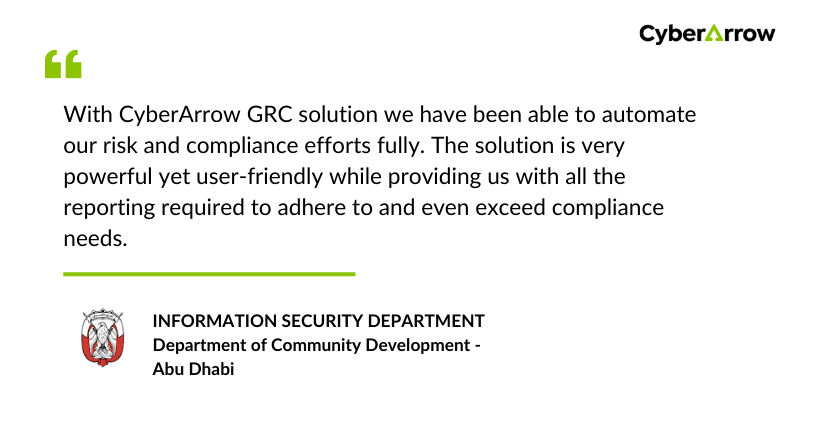
See what companies like DCD – Abu Dhabi say about CyberArrow: