What is a digital certificate? A complete guide
Have you ever visited a website and seen a padlock symbol in the address bar? That symbol tells you the connection is secure. But how does that security happen? This guide will help you understand digital certificates, how they work, and why they’re important for securing our online world. We’ll break down everything in simple terms so you can get a clear picture.
You’ll learn what digital certificates are, how they work, why they’re used, and how they help meet cyber security standards. We’ll also show you how tools like CyberArrow GRC can ensure your business stays compliant with security requirements by properly using digital certificates.
What is a digital certificate?
A digital certificate is like an online version of an ID card that proves your identity in the digital world. It verifies that a website, email sender, or even a device is who or what it claims to be. In other words, digital certificates create a secure connection between two entities and assure users that they are dealing with a legitimate source.
Think of a digital certificate as a passport for online communications. Just like a passport proves your identity when you cross borders, a digital certificate proves the identity of a website or service, allowing safe communication. The certificate is issued by a trusted authority called a Certificate Authority (CA).
How do digital certificates work?
Here’s how digital certificates work step-by-step:
- Issuance by a Certificate Authority (CA): When you need a digital certificate, you apply to a trusted Certificate Authority (CA), such as DigiCert or Let’s Encrypt. The CA verifies your identity, and if everything checks out, they issue the certificate.
- Encryption and Public Key Infrastructure (PKI): The digital certificate contains a public key and some important details about the certificate holder. The private key, which matches the public key, is kept secret by the certificate owner. This public-private key pair enables encryption and secure communication.
- Verifying trust: When you connect to a website with a digital certificate (like an HTTPS site), your browser checks the certificate’s validity by looking at its signature, issuer, and expiration date. If everything is fine, it creates a secure, encrypted connection between your device and the website.
Types of digital certificates
Digital certificates come in various forms to serve different purposes:
- SSL/TLS certificates: These are the most common types used to secure website communications. An SSL/TLS certificate ensures that data transmitted between your browser and a website is encrypted, making it hard for hackers to intercept. For example, banks and e-commerce sites use these certificates to protect customer data.
- Code signing certificates: These are used by software developers to sign their applications or code. It assures users that the code they are downloading has not been tampered with since it was published.
- Client certificates: Used to authenticate individuals or devices to a server. This type of certificate is often used in corporate networks for secure access.
- Email certificates (S/MIME): These secure email communications by encrypting and signing emails to ensure their authenticity and privacy.
- Device certificates: Used to authenticate devices such as IoT devices, laptops, or mobile phones on a network.
Importance of digital certificates
1. Data security
Digital certificates encrypt data, keeping sensitive information, like passwords and credit card numbers, safe from hackers.
2. Trust and authentication
When you see a padlock symbol on a website, it means the site has a digital certificate. This builds trust because it proves the website’s identity.
3. Compliance with cyber security standards
Many cyber security frameworks and standards require the use of digital certificates. For example:
- ISO 27001: This standard specifies the need for secure data communication. Digital certificates help meet encryption and data integrity requirements.
- PCI DSS (Payment Card Industry Data Security Standard): Any business handling credit card payments must use encryption and secure communication methods, such as digital certificates.
- GDPR (General Data Protection Regulation): Businesses that process personal data must ensure the confidentiality and security of that data.
- NIST Cybersecurity Framework: This framework recommends strong encryption and secure data transmission practices.
4. Preventing cyber attacks
Digital certificates prevent attacks like man-in-the-middle (MitM) attacks, where a hacker tries to intercept communication between two parties.
How to get and use a digital certificate
- Choose a Certificate Authority (CA): Select a trusted CA to issue your digital certificate. Some popular CAs include DigiCert, GlobalSign, and Let’s Encrypt (which offers free SSL/TLS certificates).
- Generate a Certificate Signing Request (CSR): This is a file you create that contains your public key and some information about your domain or company.
- Submit your request: Submit your CSR to the CA, and they will verify your identity.
- Receive and install the certificate: Once verified, the CA issues your digital certificate. You then install it on your website, server, or device.
Quick link: What is an API key?
How to stay secure with digital certificates
- Keep certificates up to date: Digital certificates have expiration dates. Make sure to renew them before they expire.
- Use strong encryption algorithms: Always use strong encryption algorithms for your digital certificates, such as SHA-256.
- Monitor and revoke compromised certificates: If a digital certificate is compromised, revoke it immediately and replace it with a new one.
- Follow best practices for implementation: Use HTTPS for all web traffic, sign your software code, and secure emails with S/MIME certificates.
Digital certificates and CyberArrow GRC
Using digital certificates is not just about security – it’s also about staying compliant with various cyber security standards. CyberArrow GRC makes it easy for businesses to manage their compliance processes, including the implementation and monitoring of digital certificates.
Here’s how CyberArrow GRC can help:
- Centralized management: Manage your compliance requirements, including digital certificate usage, in one place.
- Automated evidence collection: CyberArrow GRC automatically collects and stores evidence of your compliance practices, making audits smoother and reducing the manual workload.
- Integration with over 80+ systems: Seamlessly integrate with various tools and services, making it easy to track security controls, including the implementation of SSL/TLS certificates and other digital certificates.
Read how Emirates enhanced Information Security by automating ISO 27001 with CyberArrow.
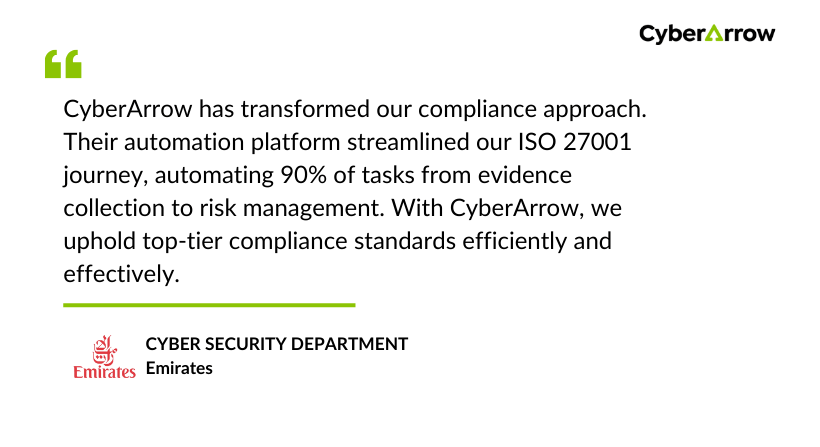
See what Emirates has to say about CyberArrow GRC: