


What is quishing (A QR code scam)?
With the rise of digital technology, scammers are finding new ways to trick people. One of the latest methods is quishing, a term that combines “QR code” and “phishing.” Scammers are now using QR codes to launch phishing attacks, and these scams are growing more common.
26% of all malicious links were embedded in phishing QR codes, highlighting the significant reliance of attackers on this method. 2023 marked a 587% increase in quishing incidents.
This blog will dive into what quishing is, how it works, and the steps you can take to protect yourself from falling victim to these QR code scams.
What is quishing?
Quishing refers to a phishing attack that uses QR codes to trick people into sharing personal information, passwords, or even money. Scammers often use QR codes because they are a quick and easy way for people to access websites, apps, or services. When someone scans a malicious QR code, they are unknowingly directed to a fake website that may look like a legitimate one.
Once on this fake website, the victim may be asked to enter login credentials, banking details, or other personal information. The scammer can then use this information to steal identities, drain bank accounts, or commit other fraud.
How does quishing work?
Quishing relies on QR codes to deceive victims. Here’s how a typical QR code scam works:
- The scam setup: A scammer generates a malicious QR code that links to a fake website or app.
- QR code placement: The QR code is then placed where people are likely to scan it. This could be on a flyer, email, or even a product label.
- User scans the code: A victim scans the code using their smartphone. The code directs them to a website that looks legitimate.
- Fake website interaction: On this fake website, the victim is asked to enter sensitive information such as passwords, credit card details, or other personal data.
- Data theft: The scammer collects the information entered by the victim and uses it for fraudulent purposes.
Since QR codes are so widely used and seem trustworthy, many people do not think twice before scanning them. Scammers take advantage of this trust to carry out their attacks.
Common places where quishing occurs
Quishing scams can occur in various places, and scammers often target environments where QR codes are commonly used. Here are some examples of where QR code scams may happen:
1. Emails
Quishing attacks often start in emails, where scammers include a QR code in the body of the email. The email might look like it’s from a trusted company, such as a bank, delivery service, or retailer. When the recipient scans the code, they are directed to a fake website.
2. Flyers and posters
Scammers may print out flyers or posters with a QR code, offering something enticing like a discount, free product, or a survey. When people scan the code, they are taken to a malicious website designed to steal their information.
3. Fake business cards
Business cards with QR codes are becoming more common. Scammers sometimes hand out fake business cards that, when scanned, take the victim to a malicious site that looks like a legitimate business website.
4. Public places
You might see QR codes in public spaces, such as restaurants or cafes, where people scan them to view menus or promotions. Scammers can stick their own QR code over a legitimate one, tricking people into visiting fake websites.
Quishing examples and scenarios
Here are a few real-world scenarios where quishing could take place:
Example 1: Fake delivery service email
You receive an email from what looks like a well-known delivery company. The email claims there is an issue with a recent delivery and asks you to scan a QR code to confirm your address. When you scan the code, it leads you to a fake site asking for your login details, which the scammer will steal.
While dining at a restaurant, you are asked to scan a QR code to view the menu. Without realizing it, the legitimate menu QR code has been replaced by a scammer’s code. Scanning takes you to a phishing website, where malware is downloaded onto your phone.
Example 3: Fake survey flyer
You see a flyer for a survey that promises a gift card for your time. The flyer contains a QR code to take the survey, but when you scan it, the website requests your banking details instead. This is a scam designed to steal your financial information.
How to identify and avoid quishing
There are several ways to protect yourself from falling victim to quishing:
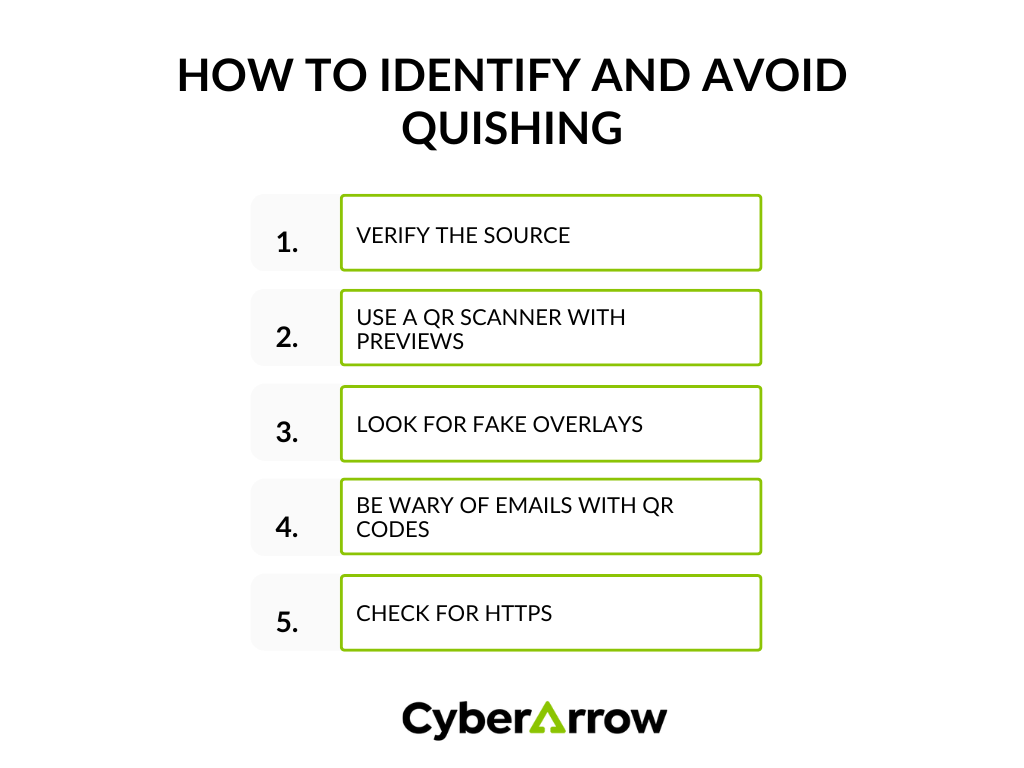
1. Verify the source
Before scanning a QR code, make sure it’s from a trustworthy source. If you received it via email, double-check the sender’s address. If it’s on a flyer, make sure it’s from a reliable business.
2. Use a QR scanner with previews
Some QR scanner apps allow you to preview the link before it opens. Always check where the QR code is directing you. If the link looks suspicious or unfamiliar, do not proceed.
3. Look for fake overlays
When scanning a QR code in public places, look carefully to ensure there are no fake QR code stickers placed over legitimate ones. Scammers often stick their malicious codes on top of real ones.
4. Be wary of emails with QR codes
If you receive an unexpected email with a QR code, be cautious. It’s always a good idea to visit the company’s official website directly instead of scanning a code from an email.
5. Check for HTTPS
Whenever you scan a QR code, make sure the website URL begins with “https://” to ensure it’s a secure site. Scammers often use unsecured websites to steal information.
Best practices for businesses to prevent quishing
Businesses that use QR codes should take steps to protect their customers from quishing. Here are a few best practices:
1. Educate customers
Businesses can help prevent quishing by educating their customers on how to identify and avoid scams. This includes warning them about potential phishing risks related to QR codes.
2. Use secure QR code generators
When creating QR codes, always use trusted and secure QR code generators to minimize the risk of hackers manipulating your codes.
3. Monitor QR codes
Businesses should regularly check their QR codes in public places to ensure scammers haven’t replaced them with malicious ones.
Protect against quishing with CyberArrow Awareness Platform
Quishing is a growing cyber threat that uses the convenience of QR codes to trick people into sharing personal information. As scammers continue to innovate, it’s more important than ever to stay vigilant and educated about these types of attacks.
This is where the CyberArrow Awareness Platform can make a big difference. By training your employees to recognize and avoid cyber threats like quishing, you can turn them into human firewalls that protect your organization.
Why choose CyberArrow Awareness Platform?
- Customizable training modules: Tailored courses that educate your team on the latest cyber threats, including quishing and QR code scams.
- Real-time threat simulations: Test your employees’ knowledge with real-life phishing simulations.
- Detailed reporting: Monitor your team’s progress and identify areas that need improvement.
- User-friendly interface: Easy to use, even for those who are new to cybersecurity training.
Read also: How CyberArrow Awareness Platform increased security awareness among Silal’s employees efficiently.
