


Essential 8 Maturity Model for cyber security: A simple guide
Cyber threats are growing every day. From small businesses to big companies, no one is safe. Hackers are getting smarter, and they are always finding new ways to break into systems. That’s why cyber security is not a one-time thing. It is a journey. One strong way to stay ahead of these threats is by using the Essential 8 Maturity Model.
In this blog, we’ll explain the Essential 8 Maturity Model in simple words. You’ll learn why it matters, how it works, and how it can protect your business. Plus, we’ll share how tools like CyberArrow GRC can help you stay safe and ready.
- What is the Essential 8 Maturity Model?
- Why is the Essential 8 important?
- The Essential 8 security strategies (made simple)
- Understanding the maturity levels
- Benefits of using the Essential 8 Maturity Model
- Challenges you might face
- How to implement the Essential 8 Maturity Model
- How CyberArrow GRC can help you
- Final thoughts
What is the Essential 8 Maturity Model?
The Essential 8 Maturity Model is a cyber security guide created by the Australian Cyber Security Centre (ACSC). It helps organizations protect their computer systems from cyber attacks. It includes 8 key strategies that are known to reduce the risk of hacking.
The main idea is simple: do the basics well and you’ll be much safer.
But it doesn’t stop there. The model also includes four maturity levels. These levels help you understand how strong your security is and what you need to improve.
Why is the Essential 8 important?
You might ask, “Why these 8?” Good question.
The Australian government studied thousands of attacks. They found that most of them could be stopped or made less harmful by doing just eight things. So, they built the Essential 8 to focus on what works best.
These strategies are not just for big companies or government agencies. They are helpful for any business that uses computers, which is nearly every business today.
The Essential 8 security strategies (made simple)
Let’s break down each of the Essential 8 strategies into simple language.
1. Application control
Only allow trusted programs to run on your system. This blocks malware and bad software from starting.
Example: You set rules so only approved apps like Microsoft Word or Google Chrome can open.
2. Patch applications
Fix bugs in your apps quickly. Cyber criminals often attack known problems.
Example: When Adobe or Zoom sends an update, install it right away.
3. Configure Microsoft Office macro settings
Macros can be used by hackers to run harmful code. Turn them off unless you really need them.
Example: Block macros from unknown files downloaded from the internet.
4. User application hardening
Remove extra features in apps that are not needed. This reduces risk.
Example: Turn off Flash or Java in your browser if you don’t need them.
5. Restrict admin privileges
Not every employee should have admin access. Limit it to only those who really need it.
Example: A regular worker should not be able to install programs.
6. Patch operating systems
Like apps, your operating system (Windows, Linux, macOS) must be up-to-date.
Example: Install the latest Windows updates as soon as they are released.
7. Multi-factor authentication (MFA)
Add an extra step to login. This makes it harder for hackers to get in, even with your password.
Example: Use a code sent to your phone when logging in to email.
8. Regular backups
Keep safe copies of your data. If something goes wrong, you can get your files back.
Example: Backup your files daily to the cloud or an external drive.
Understanding the maturity levels
The Essential 8 is not just about doing these 8 things. It’s also about how well you do them.
That’s where the Maturity Model comes in. It has four levels:
🟤 Maturity level 0 – Not aligned
You have no controls in place or they don’t work well.
🟠 Maturity level 1 – Partially aligned
You’ve started working on security, but gaps still exist.
🟡 Maturity level 2 – Mostly aligned
Most of your systems are protected, but not all.
🟢 Maturity level 3 – Fully aligned
You’ve applied all controls correctly and consistently. You’re ready for most cyber threats.
Benefits of using the Essential 8 Maturity Model
Using this model brings many benefits, such as:
- Stronger cyber protection: You block many common attacks before they happen.
- Clear roadmap: You know what steps to take to improve your security.
- Better compliance: It helps meet many global security standards like ISO 27001 or NIST.
- Peace of mind: You feel confident knowing you’ve done the best to protect your business.
Challenges you might face
Even though it’s a strong framework, the Essential 8 is not always easy to apply. Some common challenges include:
- Not knowing your current maturity level.
- Missing security tools or outdated systems.
- Lack of time or skilled team members.
- Confusion on how to track progress.
That’s where smart tools and automation can help.
How to implement the Essential 8 Maturity Model
Here’s a simple plan you can follow:
Step 1: Assess your current level
Use a checklist or software to see which strategies you’ve already applied.
Step 2: Set clear goals
Decide which maturity level you want to reach and by when.
Step 3: Create a security plan
List the tools, staff, and processes needed to close the gaps.
Step 4: Train your team
Make sure everyone understands their role in keeping the business secure.
Step 5: Review regularly
Cyber threats change, so your plan should too. Update often.
How CyberArrow GRC can help you
Managing all 8 strategies by hand can be hard, especially for growing businesses. That’s why using a tool like CyberArrow GRC makes a big difference.
What is CyberArrow GRC?
CyberArrow GRC is a smart platform that helps you manage your Governance, Risk, and Compliance (GRC) tasks in one place. It automates many parts of the Essential 8 Maturity Model so you can stay secure and ready without extra stress.
How CyberArrow GRC supports Essential 8:
- Built-in assessments to check your maturity level.
- Real-time dashboards so you always know your progress.
- Reports for compliance and audits.
- Team-friendly tools to assign and follow up on tasks.
Use cases:
- Small businesses: Quickly see your risks and fix them before they grow.
- IT teams: Save time by automating repetitive security tasks.
- Compliance officers: Easily show proof of security to regulators.
- Executives: Gain visibility into cyber readiness without diving into tech details.
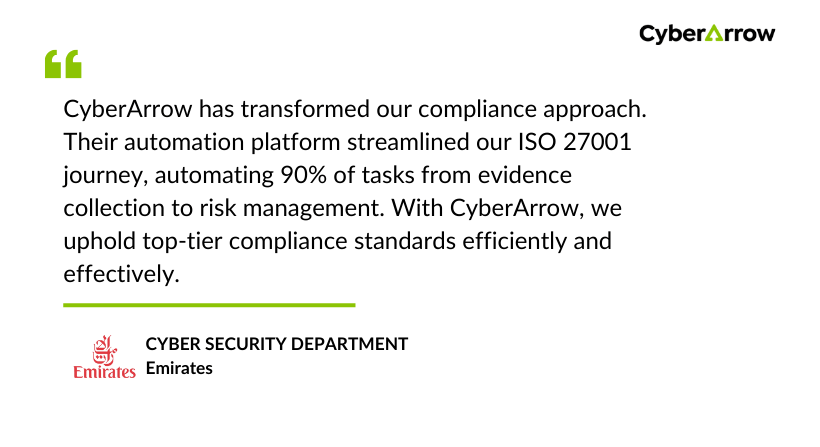
Read how Emirates enhanced Information Security by automating ISO 27001 with CyberArrow GRC.
See what Emirates has to say about CyberArrow GRC:
Final thoughts
Cyber threats are real and growing. But the good news is, you don’t need to be a big tech company to stay safe. By following the Essential 8 Maturity Model, you focus on what works best to protect your systems.
And with tools like CyberArrow GRC, you can simplify the process, save time, and feel confident that your business is prepared for whatever comes next.
