What is a Recovery Point Objective (RPO)? Why does it matter?
In the world of data management and business continuity, understanding the concept of a Recovery Point Objective (RPO) is crucial. RPO refers to the maximum amount of data that can be lost after a disaster, based on the time between the last backup and the event causing the data loss. Essentially, it helps businesses decide how often they should back up their data to minimize losses during unexpected disruptions.
Whether it’s a natural disaster, cyberattack, or system failure, having a clear RPO strategy ensures that businesses can recover their data and continue operations without too much impact on their workflow.
In this blog, we’ll cover what RPO means, why it matters, how to calculate it, and how tools like CyberArrow GRC can help you to automate compliance processes.
Understanding RPO in simple terms
Imagine your business experiences a sudden system crash at 3:00 PM. If your last data backup was at 12:00 PM, then all the data generated between 12:00 PM and 3:00 PM could be lost. The time between your last backup and the crash (3 hours in this case) is your Recovery Point Objective (RPO).
RPO helps you determine how much data you can afford to lose. For some businesses, losing even an hour’s worth of data could have significant consequences, while others may be fine with losing a day’s worth of data. The acceptable amount of data loss depends on the nature of the business and the criticality of the data.
Why is the Recovery Point Objective important?
RPO is a key part of any disaster recovery plan. Without an RPO strategy, businesses risk losing critical data, which can lead to operational delays, financial losses, or even permanent data loss.
Here’s why RPO is important:
- Minimizes data loss: By setting an appropriate RPO, businesses can limit how much data they lose during an incident. Regular backups aligned with the RPO ensure that data is available when needed.
- Maintains business continuity: RPO helps companies quickly recover from a disaster by having data backups readily available. This reduces downtime, ensuring that the business can continue operating smoothly.
- Compliance: Many industries have strict compliance requirements related to data management. A well-defined RPO helps businesses meet these regulations and avoid penalties for data loss.
- Cost management: Setting an RPO that aligns with your business needs can also help control the cost of backups and storage. A shorter RPO may require more frequent backups and additional storage space, which could be costly, while a longer RPO could be less expensive but with the risk of more data loss.
How to calculate Recovery Point Objective
Calculating your RPO is essential for creating an effective disaster recovery strategy. Here’s a simple process for determining the right RPO for your business:
1. Identify critical data
Start by identifying the most critical data in your organization. What data is essential to keep your business running? For example, customer data, financial records, and project files may be crucial for your daily operations.
2. Determine acceptable data loss
Next, consider how much data your business can afford to lose. This will depend on the nature of your operations. For instance, if your business handles sensitive financial transactions, even a few minutes of lost data could be a big deal. However, if your company deals with data that isn’t updated as frequently, you might be able to tolerate losing a few hours or even a day of data.
3. Analyze backup frequency
Look at your current backup schedule. Are you backing up data once a day, every hour, or in real time? Your backup frequency needs to align with your desired RPO. For example, if you want an RPO of 1 hour, you should ensure that backups are taken at least every hour.
4. Consider technology and costs
Shorter RPOs often require advanced technology, such as continuous data replication or real-time backups, which can be expensive. It’s important to balance your need for minimal data loss with the costs associated with frequent backups.
5. Test and adjust
Once you have an RPO in place, it’s essential to test your backup and recovery processes regularly. This ensures that your data is being backed up as expected and can be restored quickly in the event of a disaster.
RPO vs. Recovery Time Objective (RTO)
People often confuse RPO with Recovery Time Objective (RTO), but these two terms are different. While RPO focuses on how much data you can afford to lose, RTO refers to how quickly you need to restore your systems after a disaster.
For example, if your RTO is 2 hours, you aim to have your systems back up and running within 2 hours of an incident. In contrast, if your RPO is 1 hour, you aim to limit data loss to the last hour before the disaster occurred. Both RPO and RTO are critical to creating an effective disaster recovery plan, but they focus on different aspects of recovery.
Best practices for setting RPO
Here are some tips to ensure that your RPO strategy is effective:
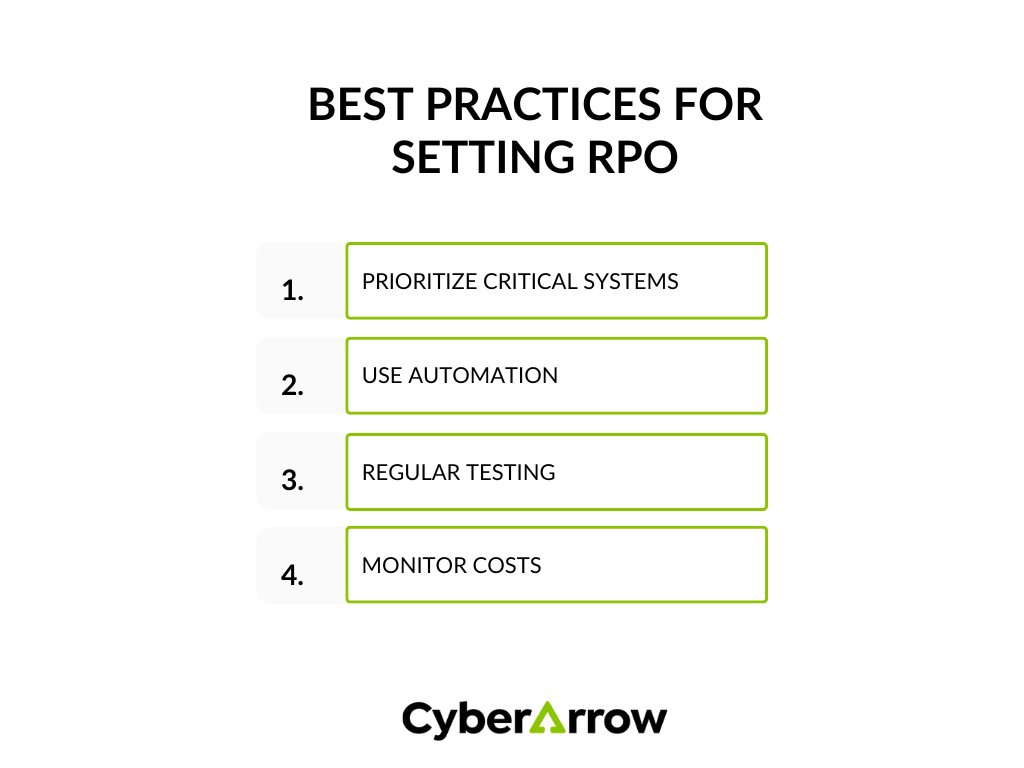
1. Prioritize critical systems
Not all data is equally important. Prioritize systems and data based on their importance to your operations. This will help you allocate backup resources more efficiently.
2. Use automation
Managing backups manually can lead to errors or delays in recovery. Automating backups and recovery processes using automation tools ensures that your data is always backed up according to your RPO requirements.
3. Regular testing
It’s not enough to just set an RPO—you need to test it regularly. This will confirm that your backups are functioning correctly and can be restored quickly in case of an emergency.
4. Monitor costs
Frequent backups can be expensive, but the cost of losing critical data may be even higher. Keep an eye on your backup costs and adjust your RPO as needed to strike a balance between data protection and expense.
Challenges of implementing RPO
While setting an RPO is essential, it does come with challenges. One common issue is balancing the cost of frequent backups with the risk of data loss. Shorter RPOs typically require more storage and bandwidth, which can drive up costs. On the other hand, longer RPOs risk losing more data, which may not be acceptable for some businesses.
Another challenge is ensuring that your backups are performed correctly. If backups fail, your RPO becomes meaningless, as you may not have the data you need when a disaster strikes. Automated solutions can help overcome these challenges by ensuring that backups are performed accurately and on schedule.
Simplify compliance processes with CyberArrow GRC
Establishing a Recovery Point Objective (RPO) is essential for protecting your business from data loss during unexpected events. A well-defined RPO helps minimize data loss, maintain business continuity, and ensure compliance with industry regulations.
However, managing RPO and other compliance processes manually can be challenging. CyberArrow GRC simplifies compliance processes by automating controls monitoring, risk assessments, and compliance tracking. With real-time monitoring and audit-ready documentation, CyberArrow ensures that you are prepared to cope with disasters, and your business can recover quickly from any incident.
By automating your compliance processes, CyberArrow GRC helps you protect your critical assets while reducing the time and effort needed to maintain compliance manually. This means more peace of mind and less worry about the risks of cyber incidents.
See what our clients have to say about CyberArrow GRC: