Protect your devices: Effective strategies against malware attacks
The threat of malware attacks on our devices has become even more prevalent. In 2022, the number of malware attacks reached 5.5 billion, an increase of 2% compared to the preceding year. Malware, short for malicious software, includes viruses, ransomware, spyware, and other malicious code designed to infiltrate and compromise your devices. These attacks can result in data breaches, financial losses, and personal privacy violations. To safeguard your devices and data, it’s essential to adopt effective strategies against malware attacks.
In this article, we’ll explore key methods to protect your devices from malware attacks.
What are malware attacks?
Malware attacks involve deliberately deploying malicious software or code to compromise computer systems and devices. Malware comes in various forms, such as viruses, ransomware, spyware, Trojans, and worms, each designed to carry out specific harmful actions like data theft or system disruption.
Types of malware attacks
Here are some common types of malware attacks:
- Viruses: Viruses are malicious programs that attach themselves to legitimate files or applications. They spread when the infected file is executed or opened. Viruses can corrupt, delete, or steal data, and they often require human intervention to spread, such as sharing infected files.
- Trojans: Trojans, short for Trojan Horses, disguise themselves as legitimate software or files. Users are typically tricked into downloading or installing them, believing they are harmless. Once activated, Trojans can give attackers unauthorized access to the victim’s device or steal sensitive information.
- Spyware: Spyware is designed to covertly monitor a user’s activities, often capturing sensitive information like keystrokes, passwords, browsing history, and personal data. This data is then transmitted to a remote attacker, compromising the user’s privacy.
- Adware: Adware primarily focuses on displaying unwanted advertisements to users. While not as destructive as some other malware types, adware can be extremely annoying and disruptive. It can also slow down a device’s performance.
- Botnets: Botnets are networks of compromised devices, often referred to as zombies. They are controlled by a single entity, the botmaster, who can use them for various malicious purposes, including launching Distributed Denial of Service (DDoS) attacks to overwhelm websites and networks.
- Rootkits: Rootkits are stealthy malware that embed themselves deep within a system, making them difficult to detect and remove. They often provide attackers with persistent and unauthorized control over the infected device.
Related: Malware statistics 2024
How to prevent malware attacks?
Here are a few effective strategies to prevent malware attacks to protect your devices.

1. Keep software and operating systems up to date
One of the most straightforward yet crucial steps in defending your devices against malware is to ensure that your software and operating systems are up to date. Developers regularly release updates that address security vulnerabilities and weaknesses in their programs. By keeping your software and systems current, you reduce the risk of malware exploiting known vulnerabilities.
2. Use reputable antivirus and anti-malware software
Investing in reputable antivirus and anti-malware software is essential. These programs actively scan your device for suspicious activity and potential threats, blocking or removing malware before it can cause damage. Be sure to regularly update your antivirus software and perform system scans to maintain its effectiveness.
3. Enable firewall protection
Firewalls act as a barrier between your device and potential threats from the internet. By enabling a firewall, you can block unauthorized access and filter out malicious network traffic. Most operating systems come with built-in firewalls, and configuring them can significantly enhance your device’s security.
4. Exercise caution when downloading and clicking
Malware often disguises itself as legitimate software or email attachments. To protect your device, exercise caution when downloading files or clicking on links, especially from unknown sources. Stick to trusted websites and only download software from reputable sources. Be wary of unsolicited emails and avoid clicking on suspicious links or opening attachments unless you can verify their authenticity.
5. Implement strong, unique passwords
Weak passwords are an open invitation for attackers. Use strong, unique passwords for each of your online accounts and devices. Consider using a password manager to help generate and store complex passwords securely. Multi-factor authentication (MFA) adds an extra layer of protection by requiring a second verification step, such as a fingerprint or one-time code, to access your accounts.
6. Regularly backup your data
Data backup is a critical component of malware defense. In the event of a malware attack or system failure, having recent backups can save your valuable data. Use automatic backup solutions or external storage devices to keep your data secure and easily recoverable.
7. Educate your employees and practice safe browsing
Knowledge is your best defense against malware. Stay informed about the latest malware threats and tactics used by cybercriminals. Educate your employees about safe online practices, such as avoiding suspicious websites, being cautious with downloads, and recognizing phishing attempts.
8. Keep mobile devices secure
Mobile devices are just as susceptible to malware attacks as computers. Ensure your smartphones and tablets have security features like passcodes or biometric authentication. Download apps only from official app stores, and be cautious about granting excessive permissions to apps.
9. Monitor your device’s activity
Regularly monitor your device’s activity for any signs of unusual behavior. Look out for unexpected pop-ups, slow performance, or unexplained data usage. If you notice anything suspicious, investigate further or seek professional assistance.
Quick link: What is bloatware?
FAQs
What are malware attacks?
Malware attacks involve the deliberate deployment of malicious software or code to compromise computer systems and devices. Malware comes in various forms, such as viruses, ransomware, spyware, Trojans, and worms, each designed to carry out specific harmful actions like data theft or system disruption.
Why is malware protection important?
Malware protection is crucial because these attacks can result in severe consequences, including data loss, financial harm, and privacy breaches. Malware can disrupt critical services and compromise the integrity of systems, making it essential to proactively defend against these threats.
What are some strategies for protecting against malware?
There are several key strategies for protecting against malware attacks. These include regularly updating software and operating systems to patch vulnerabilities, installing reputable antivirus and anti-malware software, enabling firewalls, practicing cautious browsing habits, using strong, unique passwords, regularly backing up data, staying informed about malware threats, and extending security practices to mobile devices.
Stronger your defense against malware attacks with CyberArrow Awareness Platform
Malware attacks are becoming more sophisticated and can cause severe damage to both personal and business devices. By using strong passwords, keeping your software updated, installing antivirus software, and avoiding suspicious links or downloads, you can significantly reduce your risk of infection.
However, staying vigilant is just one piece of the puzzle. To truly protect your organization and its employees, education and awareness are critical.
With CyberArrow, you can:
- Train employees on best security practices to prevent malware attacks.
- Deliver engaging, easy-to-understand content that keeps your team informed about the latest threats.
- Monitor employee progress and measure the effectiveness of your security training efforts.
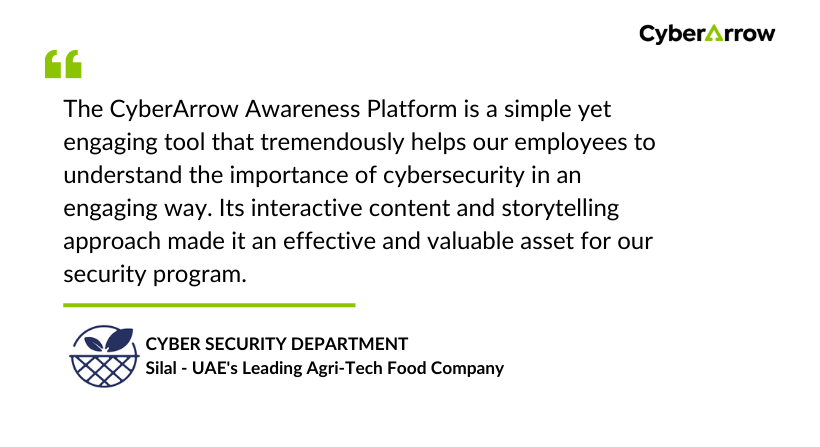
See what Silal have to say about CyberArrow Awareness platform: